Instructions
1. Select the project name, then click Inspection in the left-hand corner.
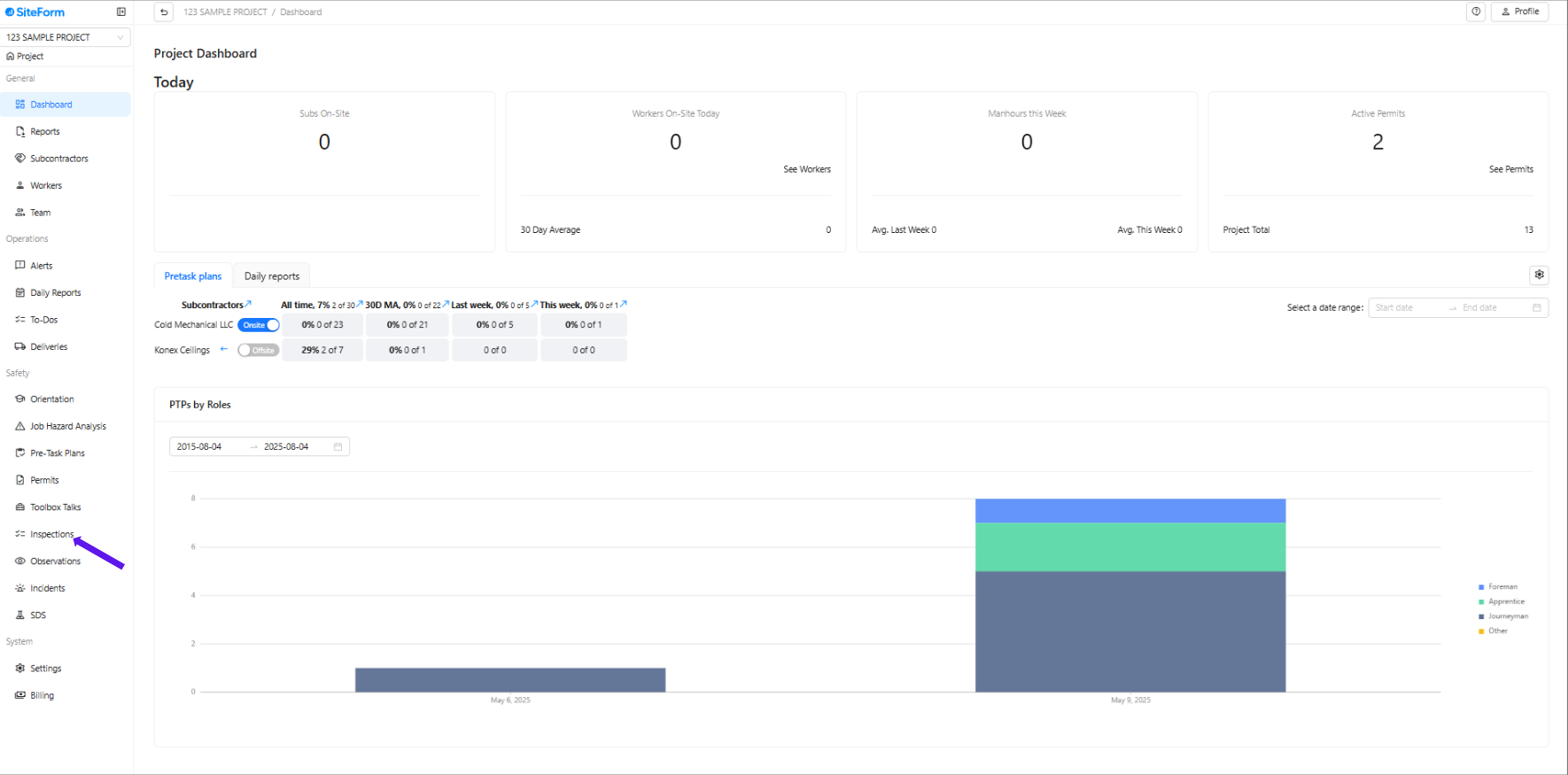
2. Click Manage Inspection
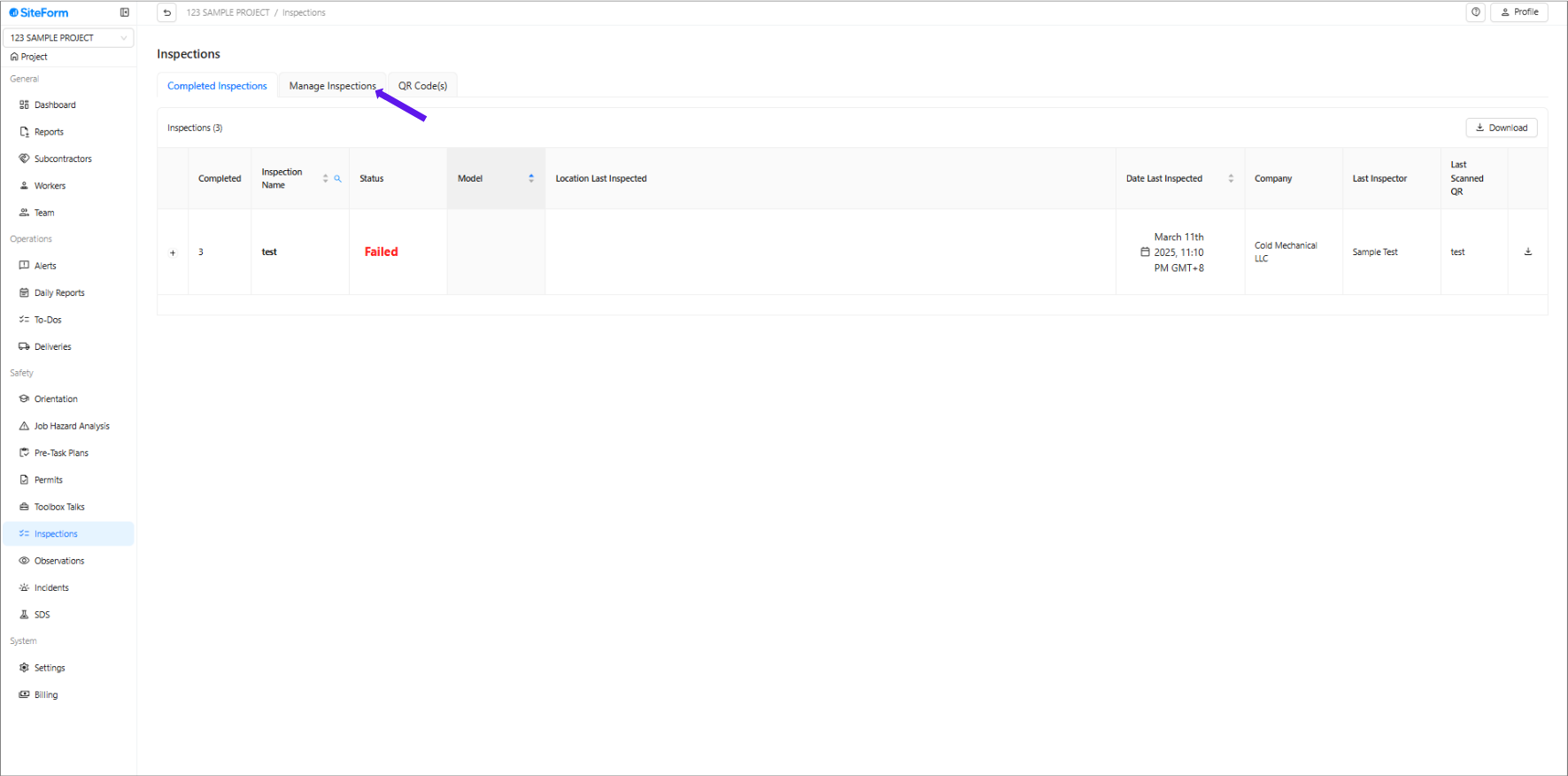
3. Click " Create Inspection"
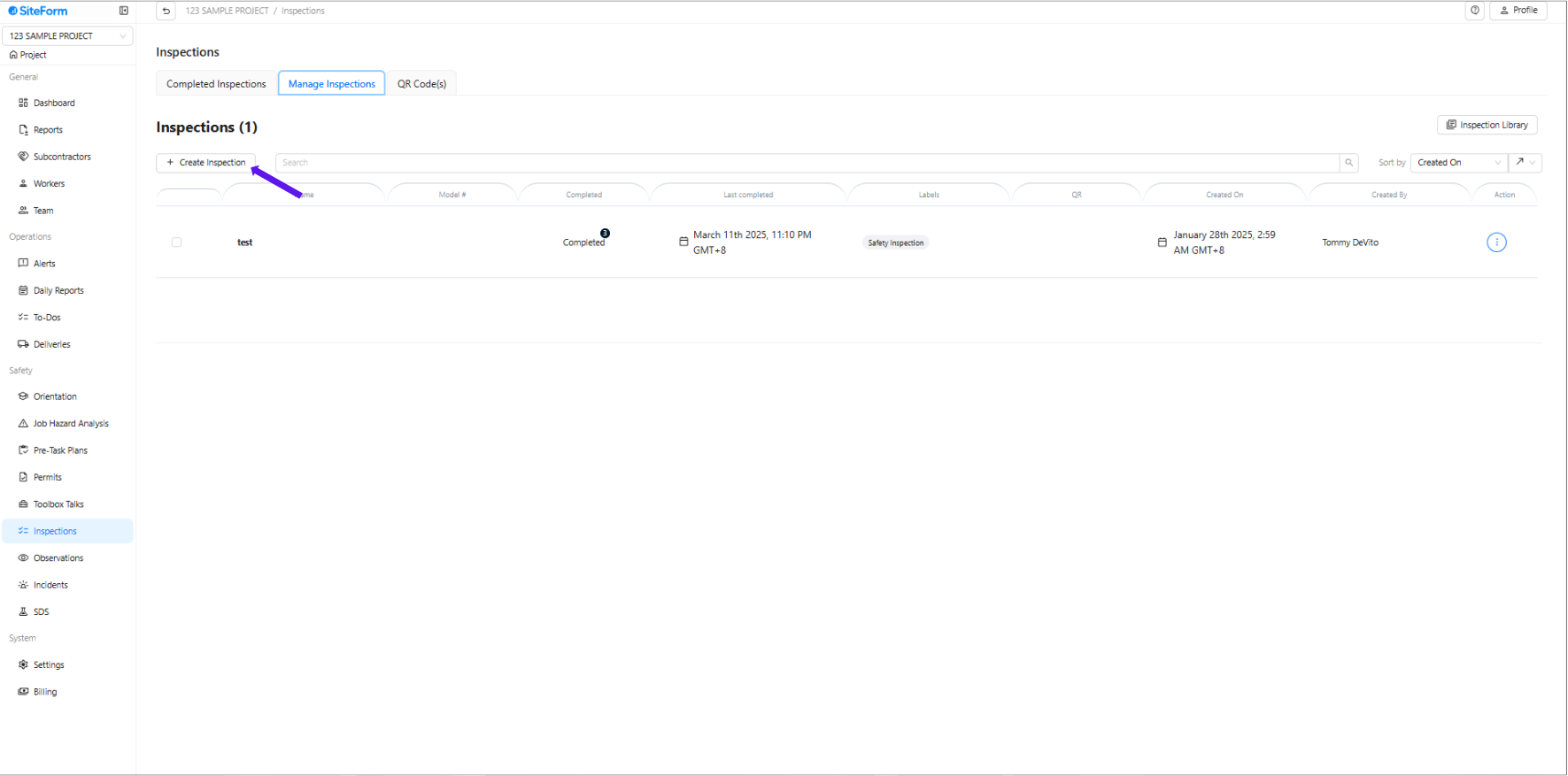
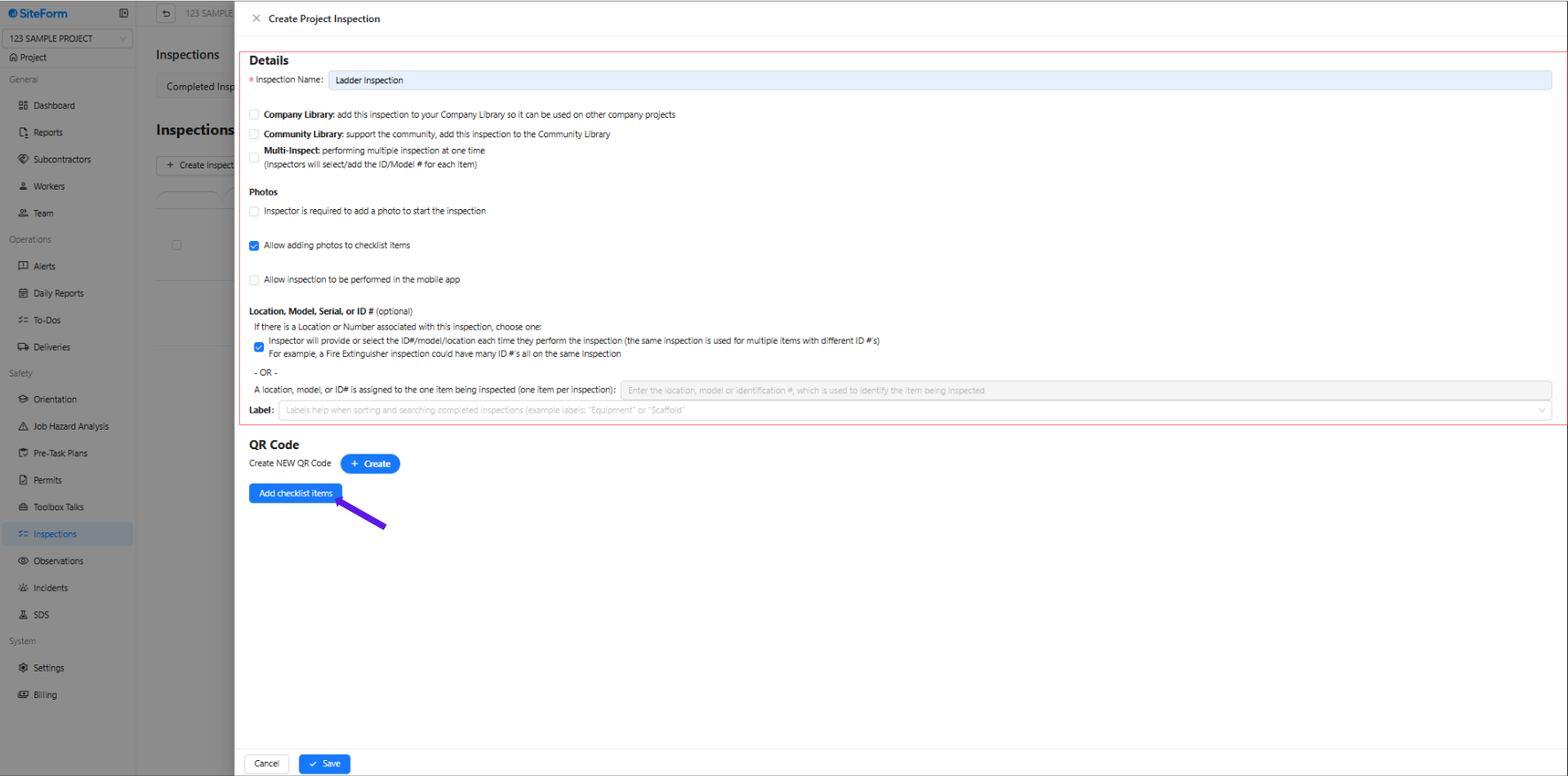
4.Complete all the required information and configure the inspection settings accordingly.
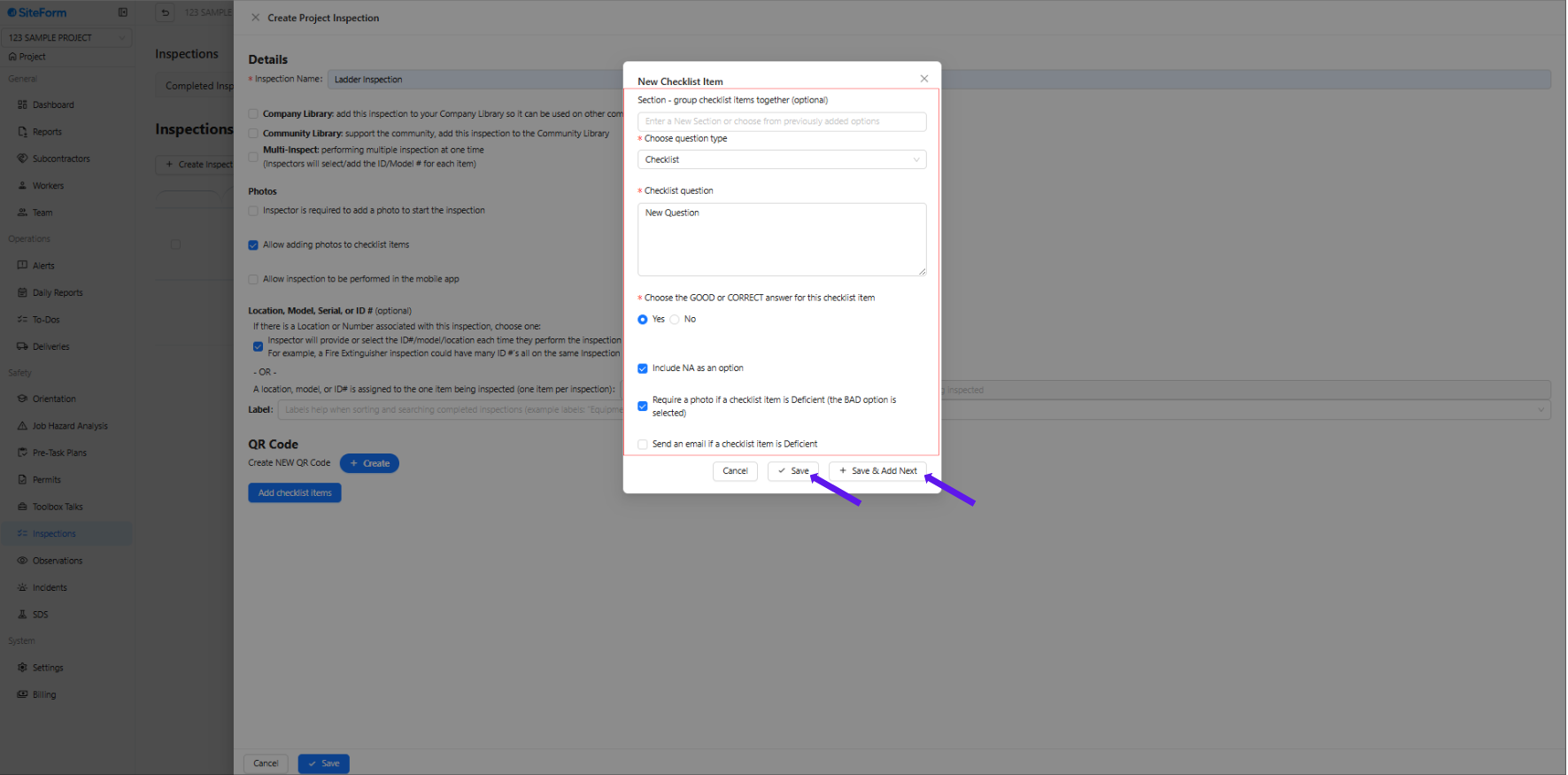
5. Click "Add Checklist Items" to add specific tasks or inspection points that need to be reviewed during the inspection.
6.Fill in the required information and configure the checklist item settings accordingly. Click 'Save' if you are done adding checklist items, or click 'Save & Add Next' if you want to add another.
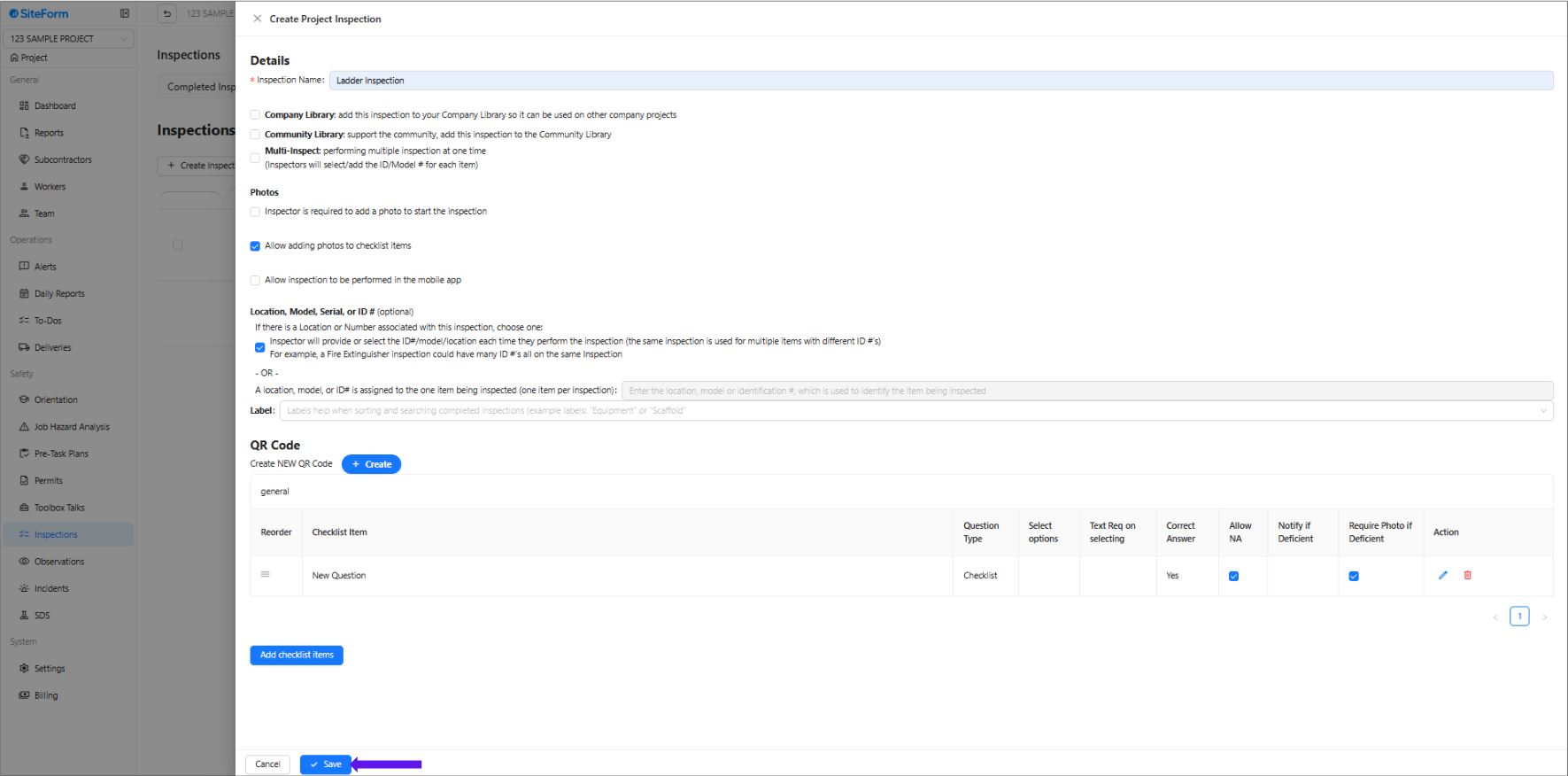
7. Click 'Save' if everything has been set up and added.
Was this article helpful?
That’s Great!
Thank you for your feedback
Sorry! We couldn't be helpful
Thank you for your feedback
Feedback sent
We appreciate your effort and will try to fix the article