There are several ways we can request a JHA.
Option 1
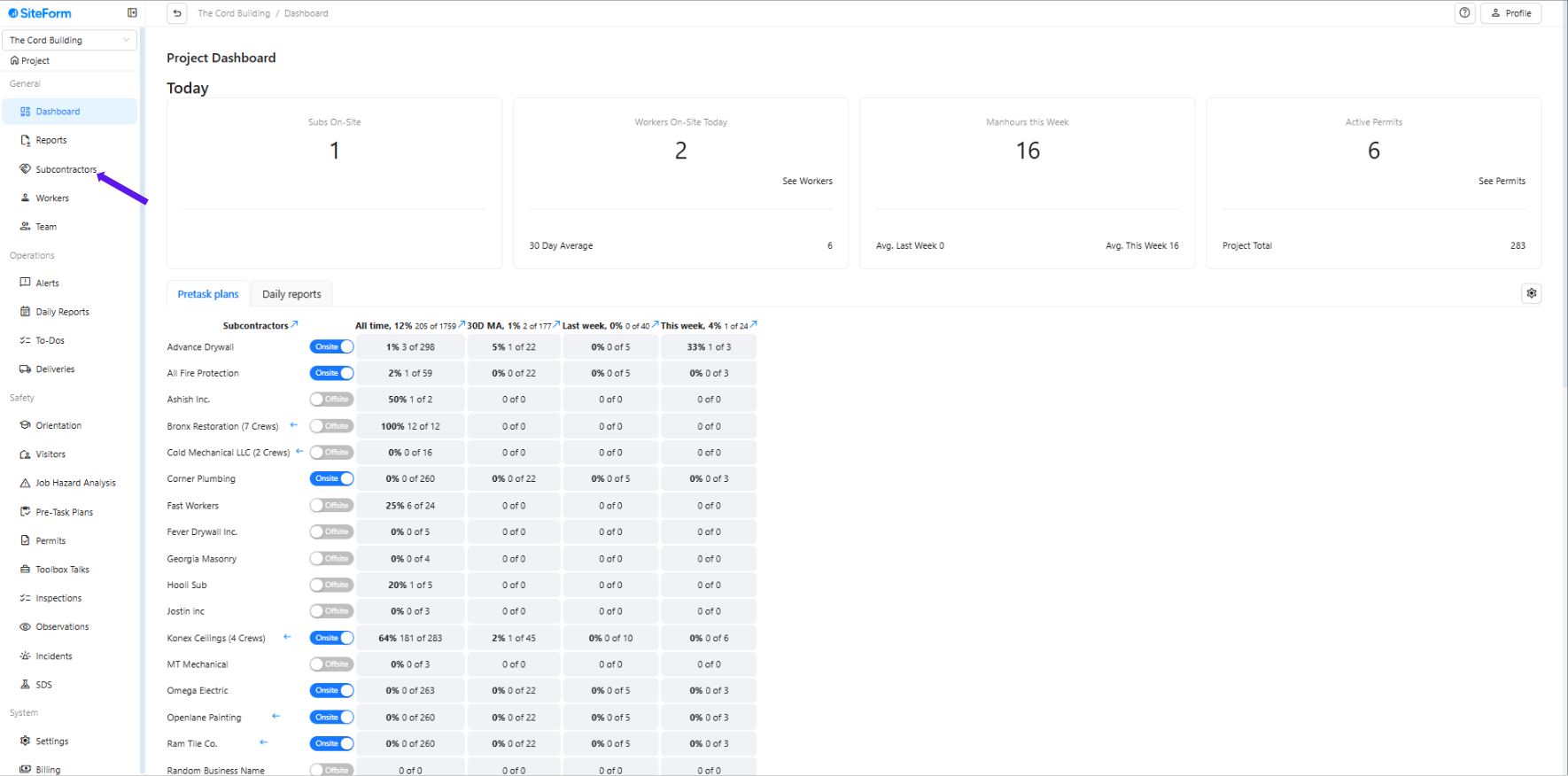
1. Click “Subcontractors”
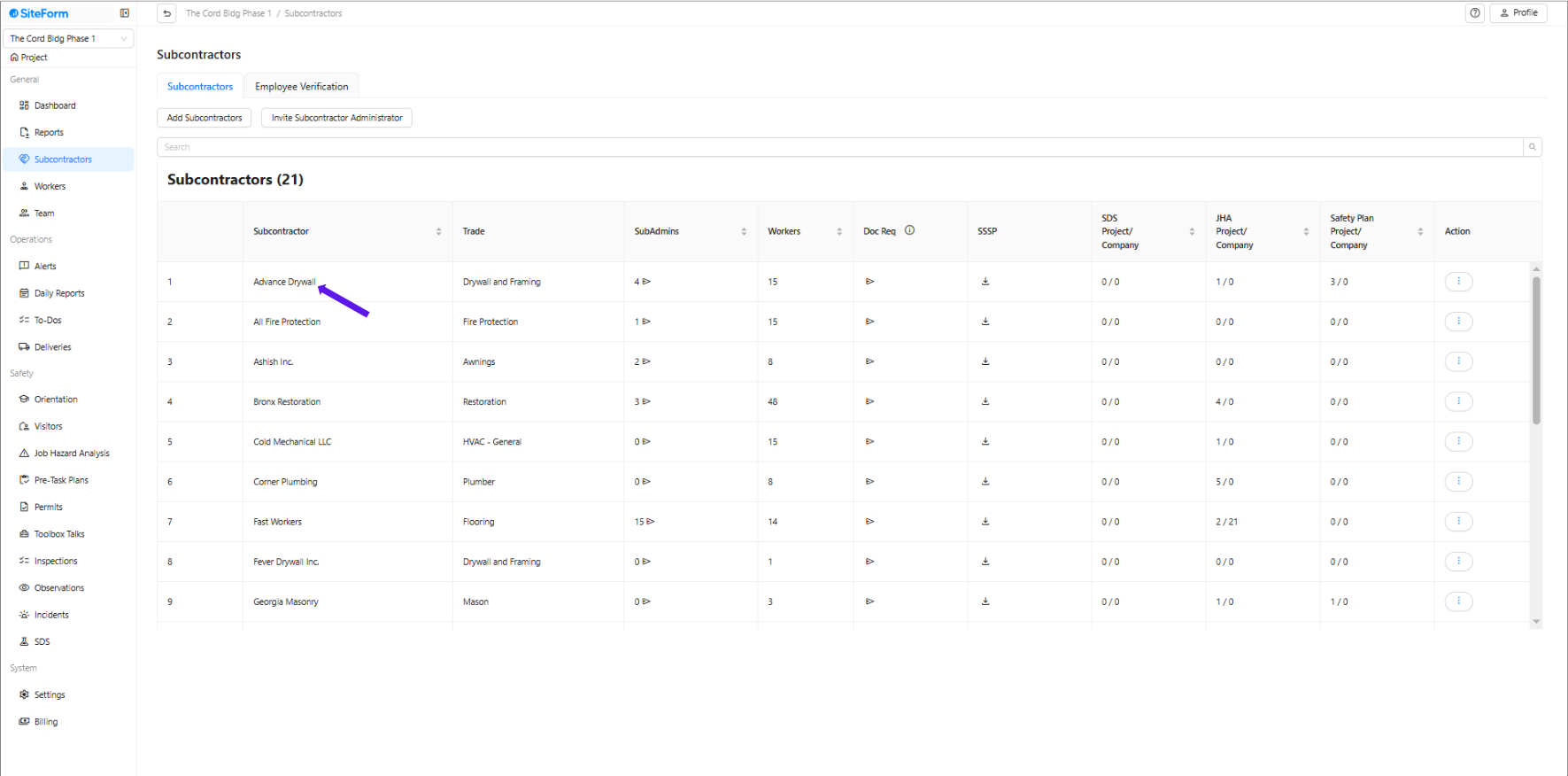
2. Click on the name of the subcontractor whose JHA you want to assign.
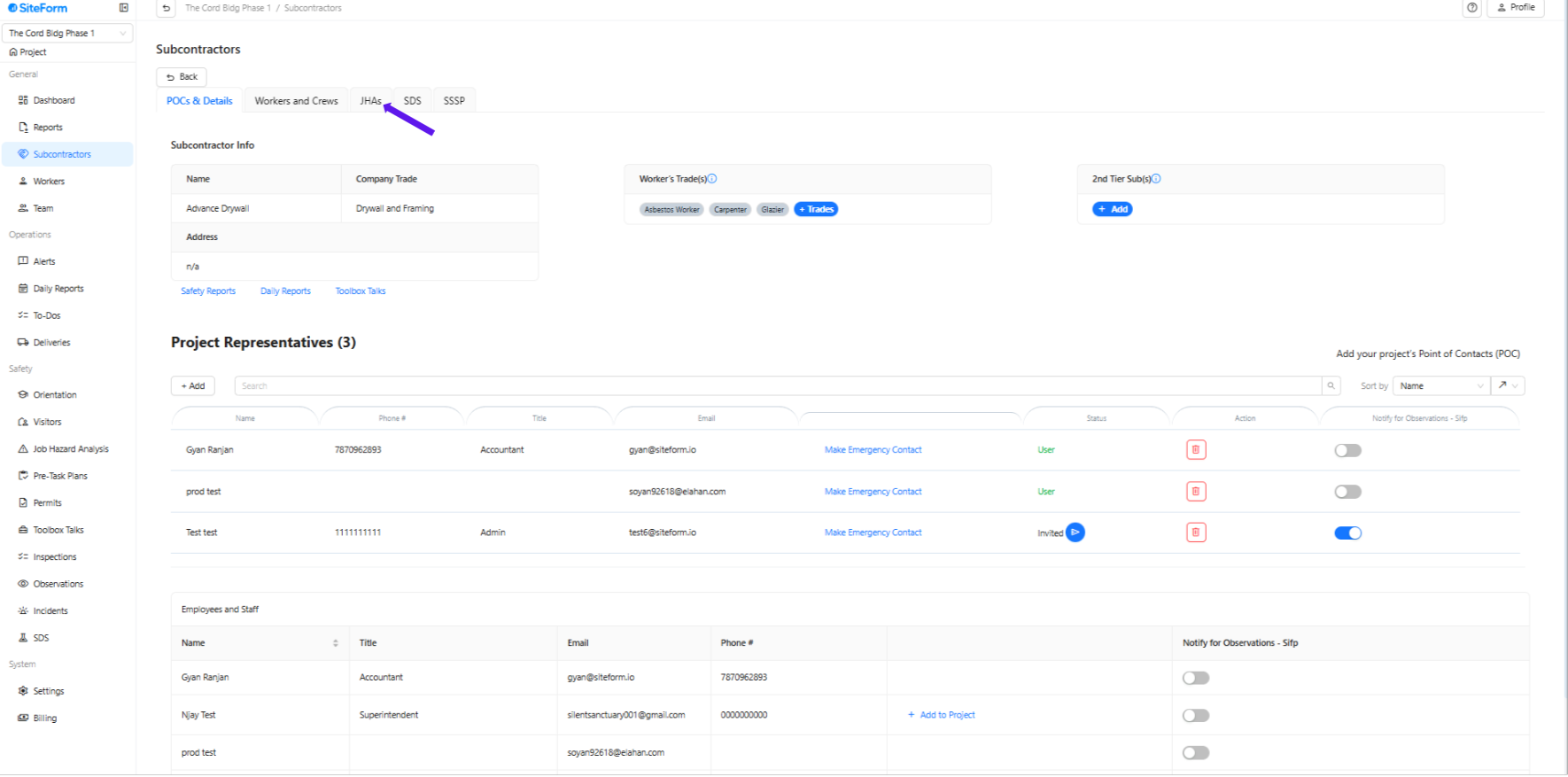
3. Click “JHA”
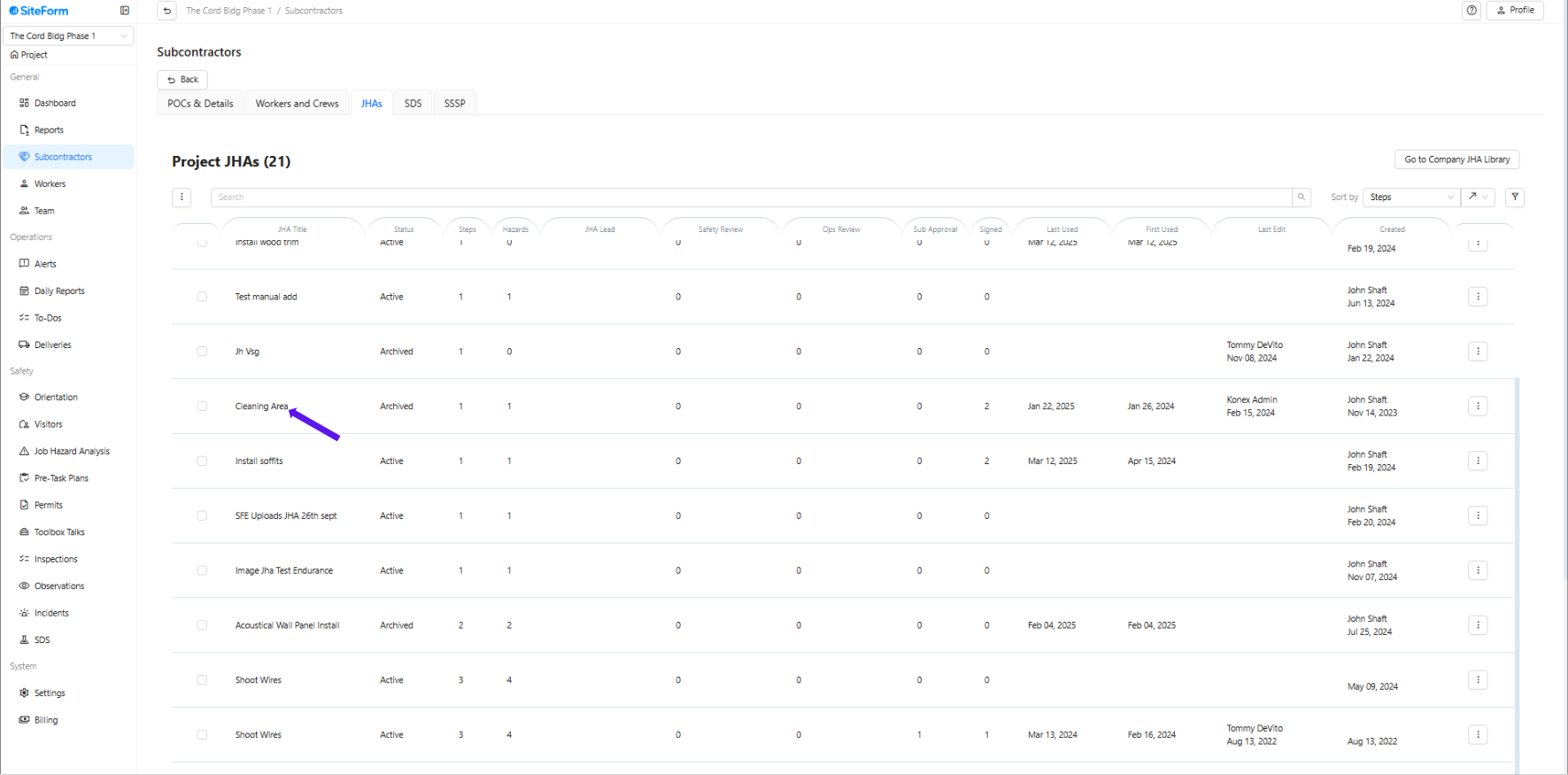
4. Find and click on the JHA you wish to flag for internal review.
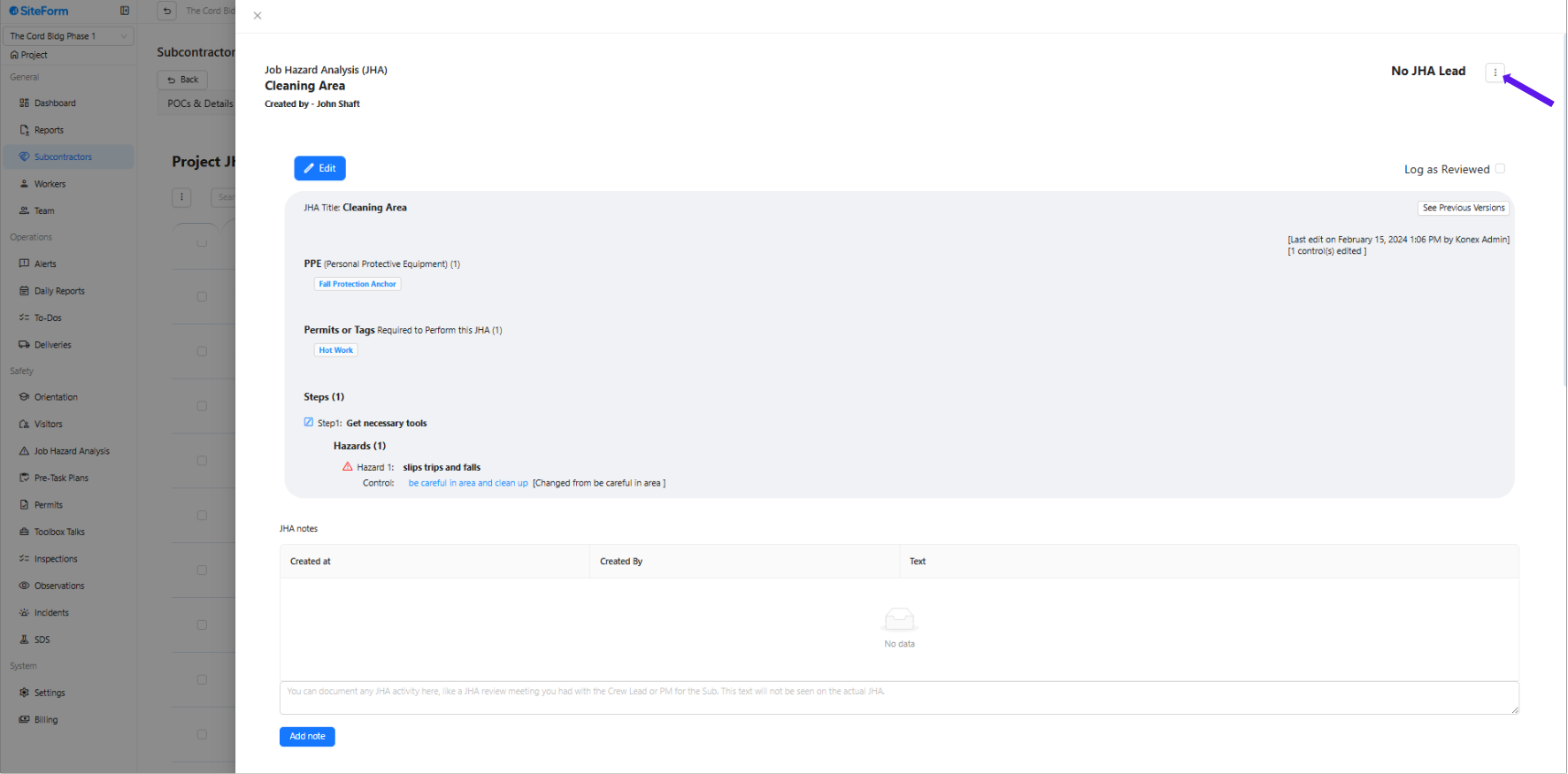
5. Click the three dots next to “No JHA Lead.”
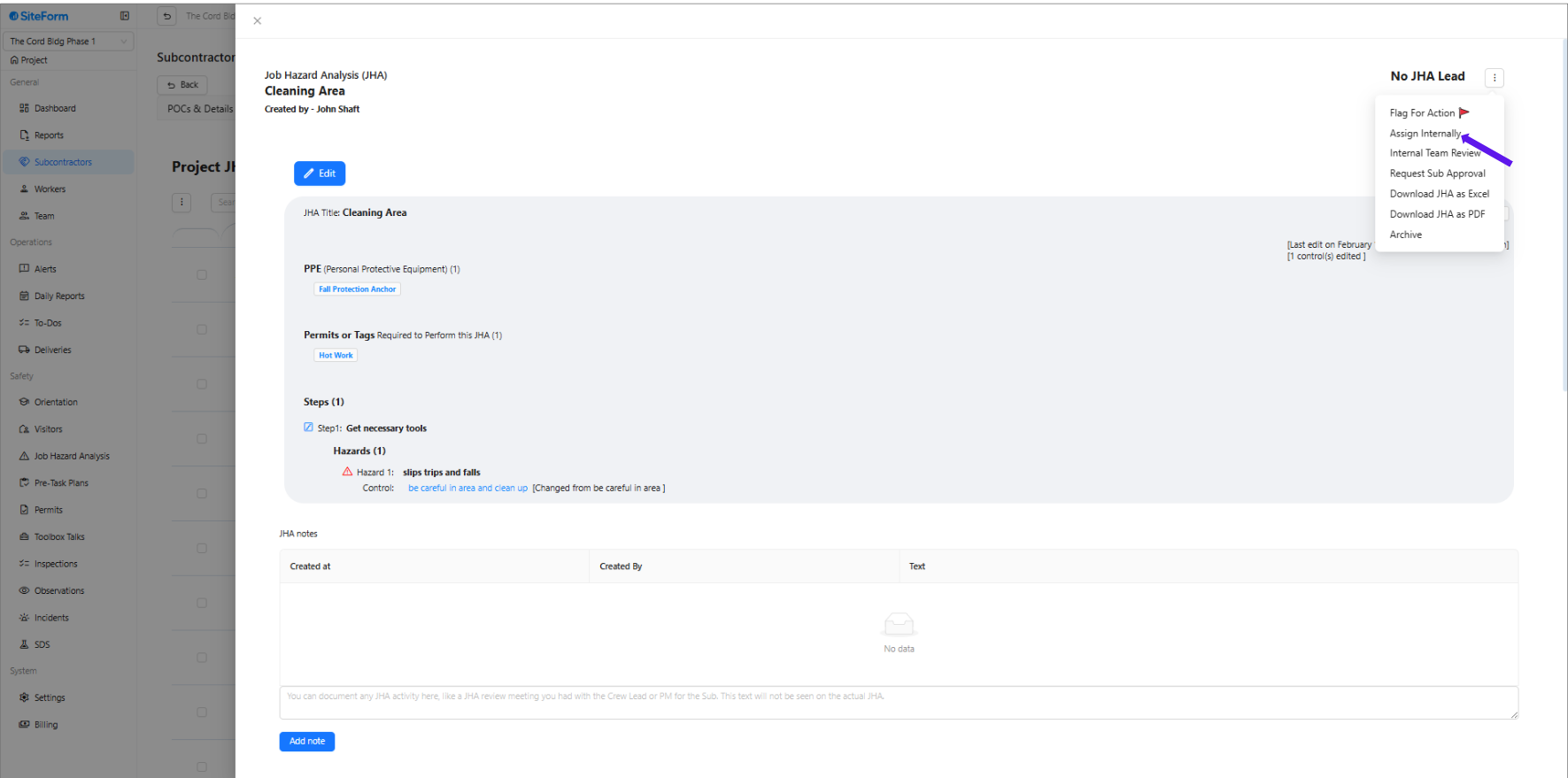
6. Click “Assign Internally”
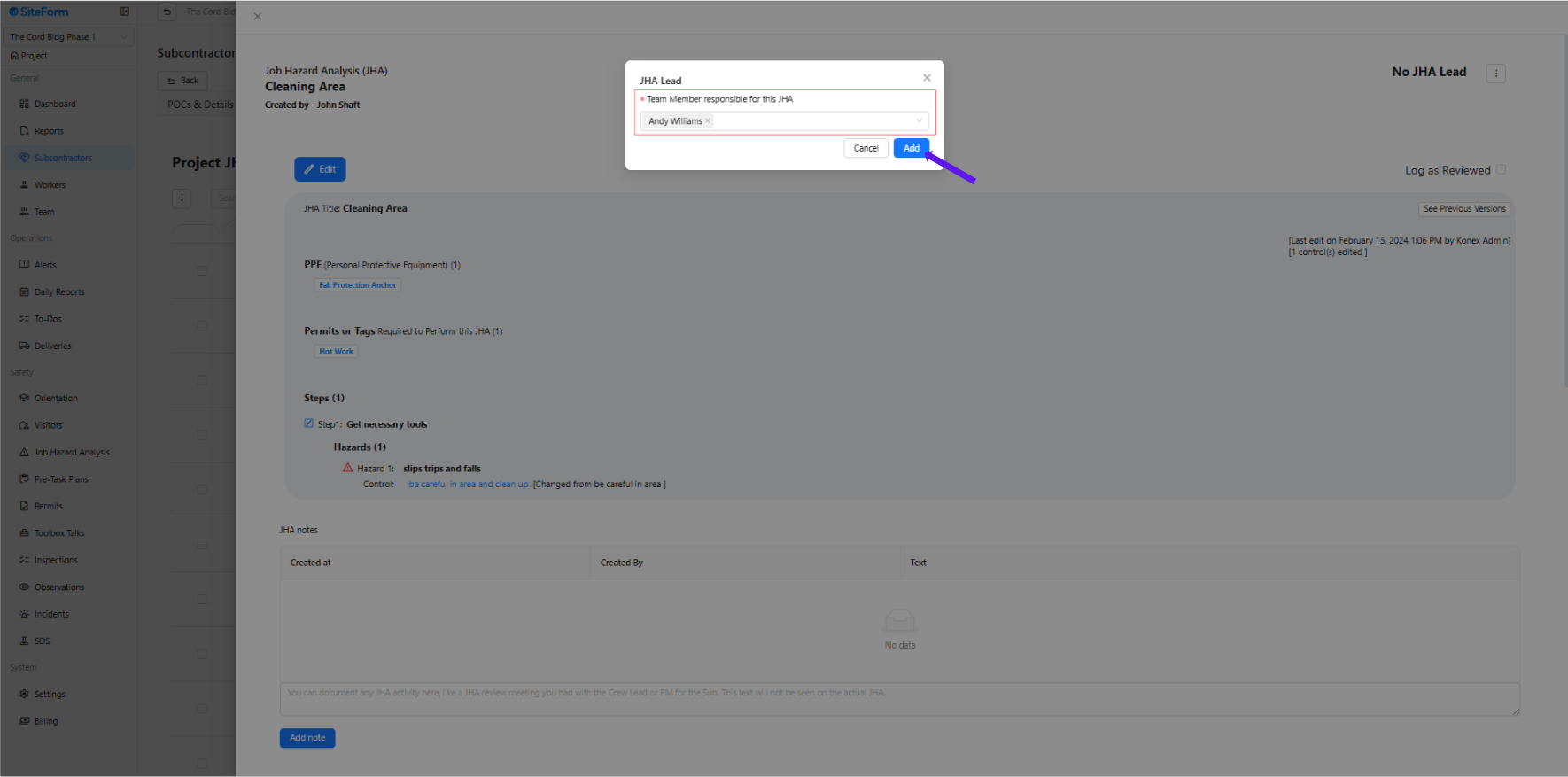
7. Select the team member responsible for reviewing the JHA and click “Add” to confirm the assignment.
Option 2
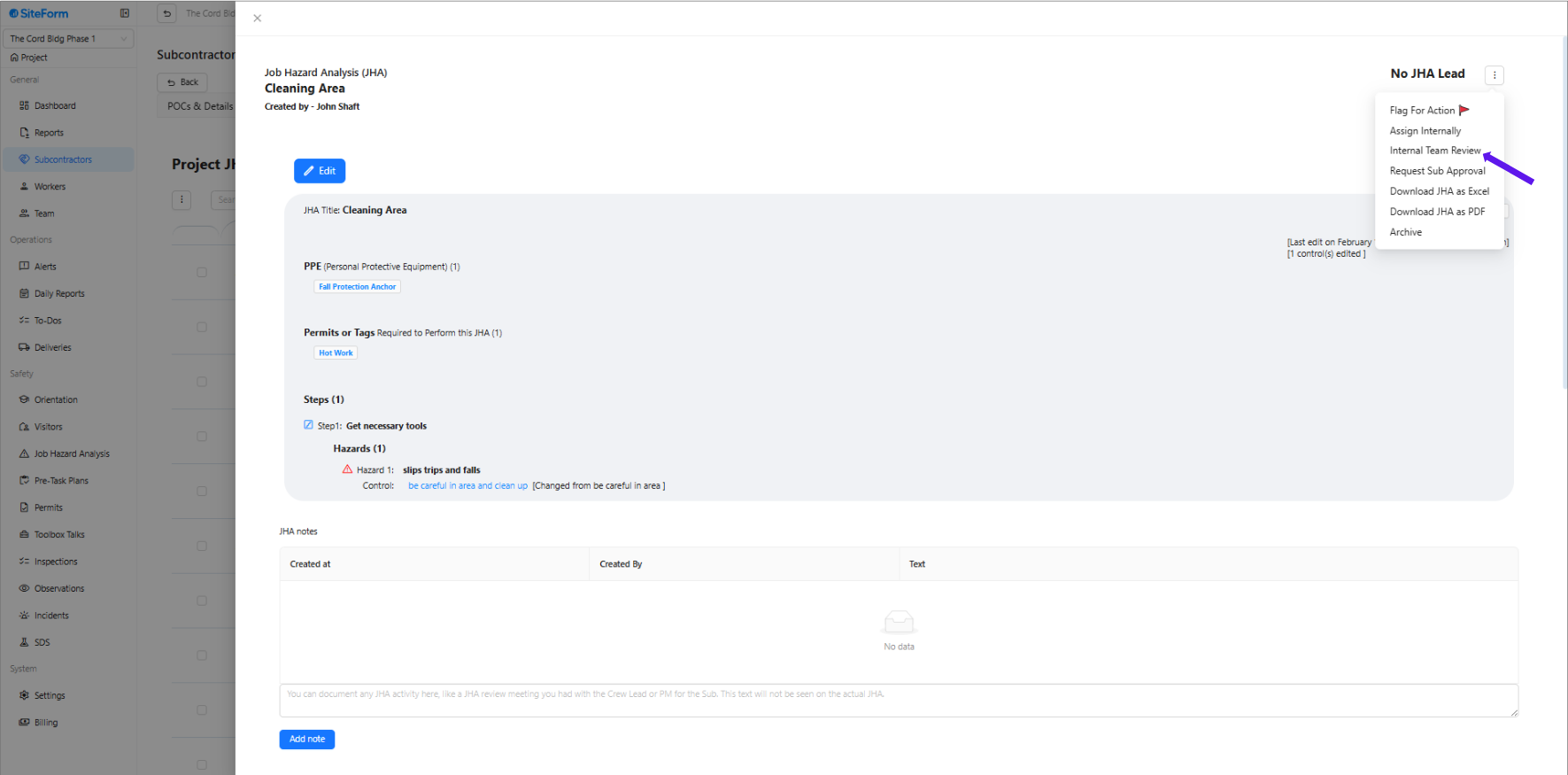
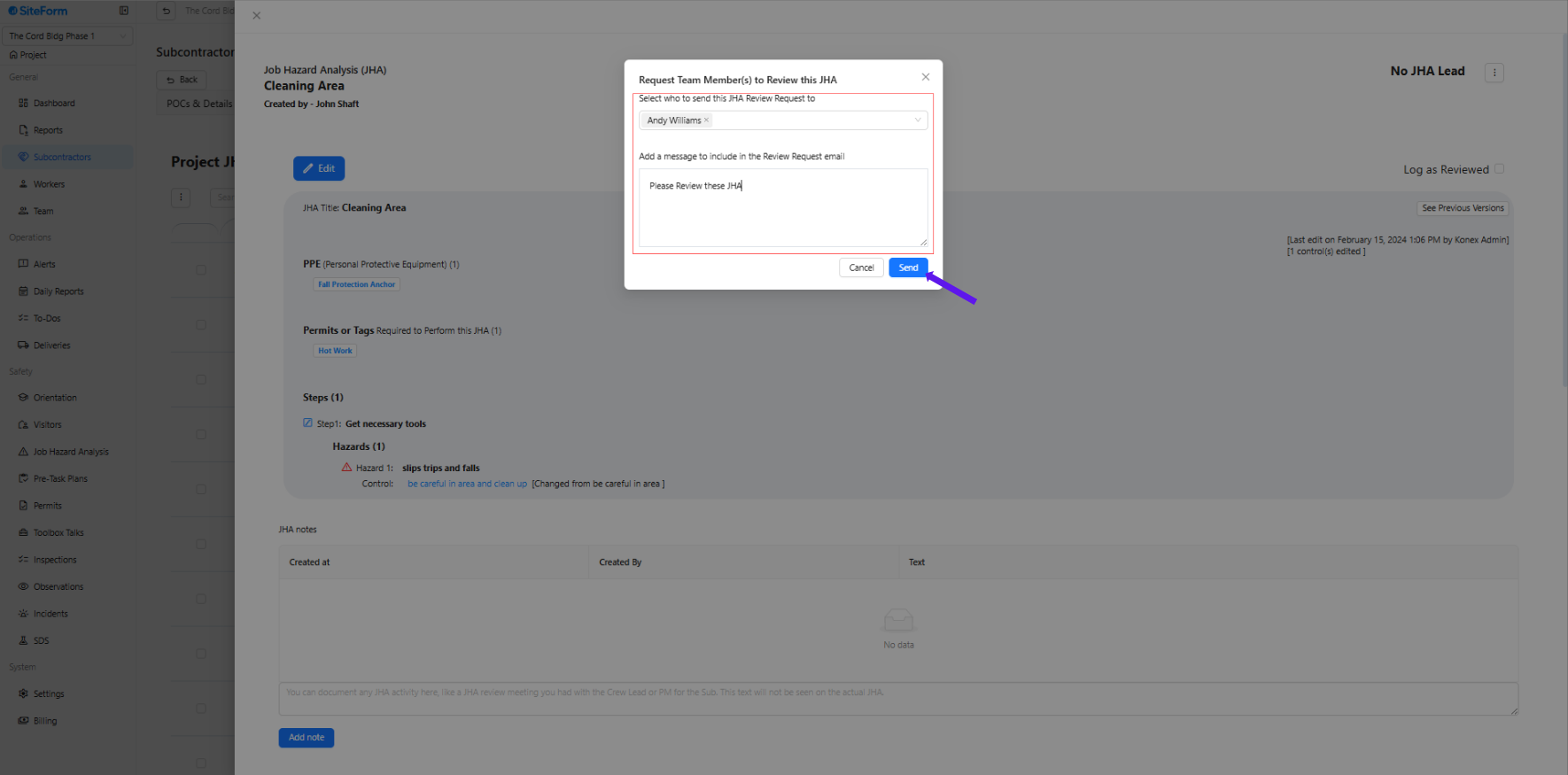
1. Click “Internal Team Review”
2. Fill Out Review Details
Select the team member(s) who should review the JHA.
Add a message to be included in the review request email (e.g., “Please review this JHA before the work begins next week.”).
Click “Send.”
Option 3
1. Click “Request Sub Approval.”
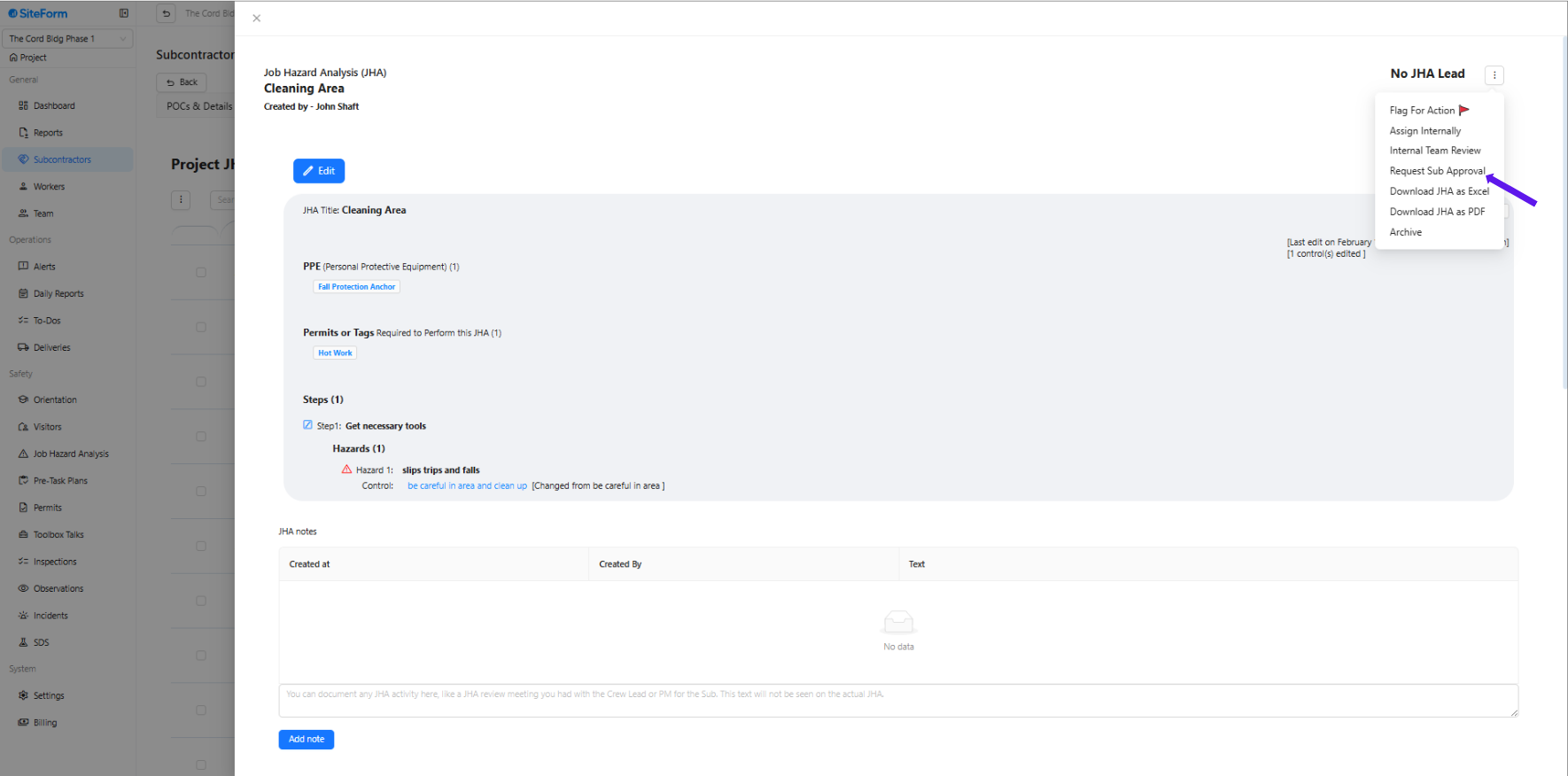
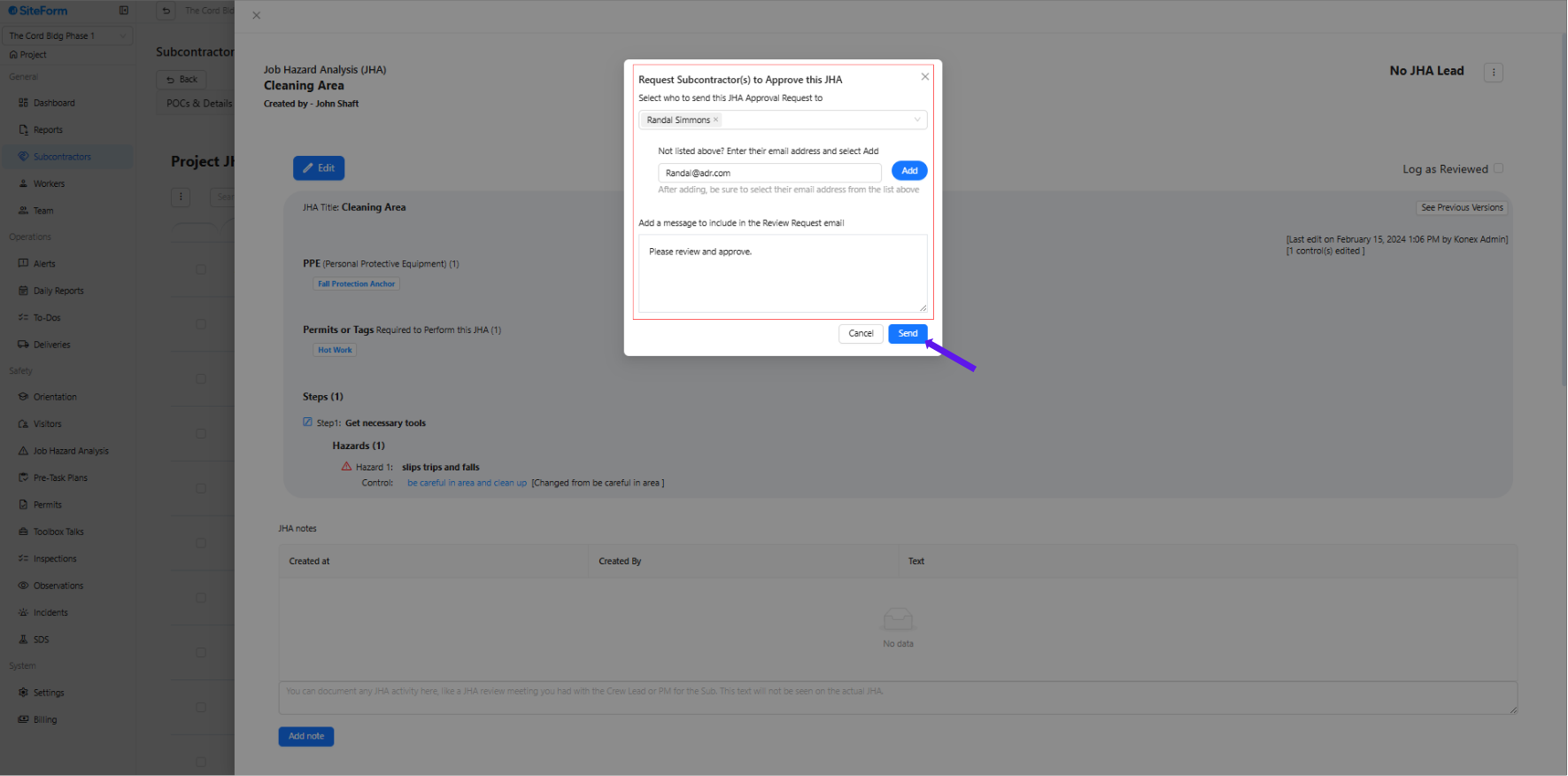
2. Fill Out Approval Request Details
Select the subcontractor contact to send the approval request to.
If the contact’s email is not listed, you can manually enter their email address.
Add a message to include in the email (e.g., “Please review and approve this JHA for your upcoming scope of work.”).
Once everything is filled out, click Send to deliver the request.
Was this article helpful?
That’s Great!
Thank you for your feedback
Sorry! We couldn't be helpful
Thank you for your feedback
Feedback sent
We appreciate your effort and will try to fix the article