How to Edit a JHA
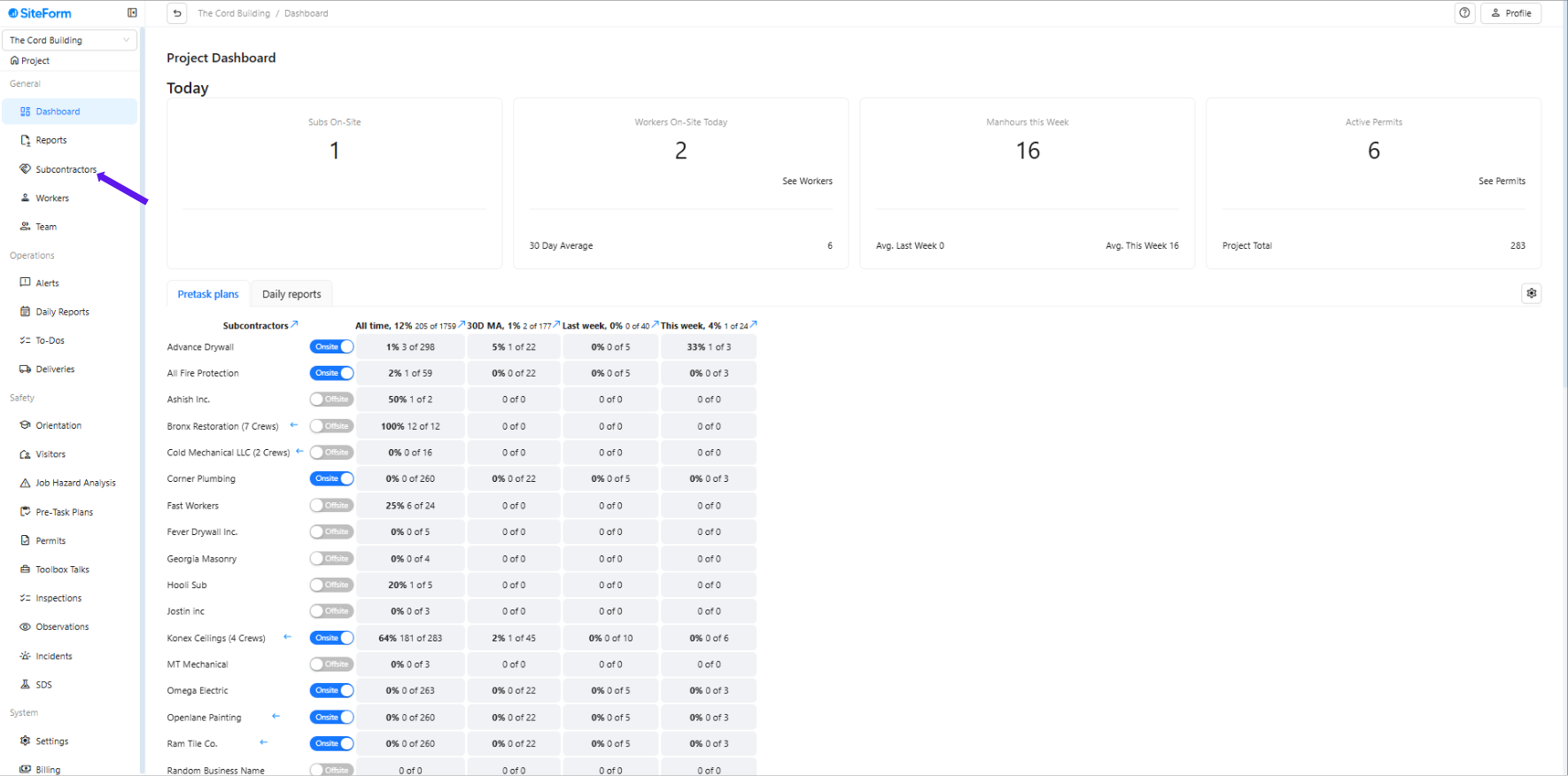
1. Click “Subcontractors”
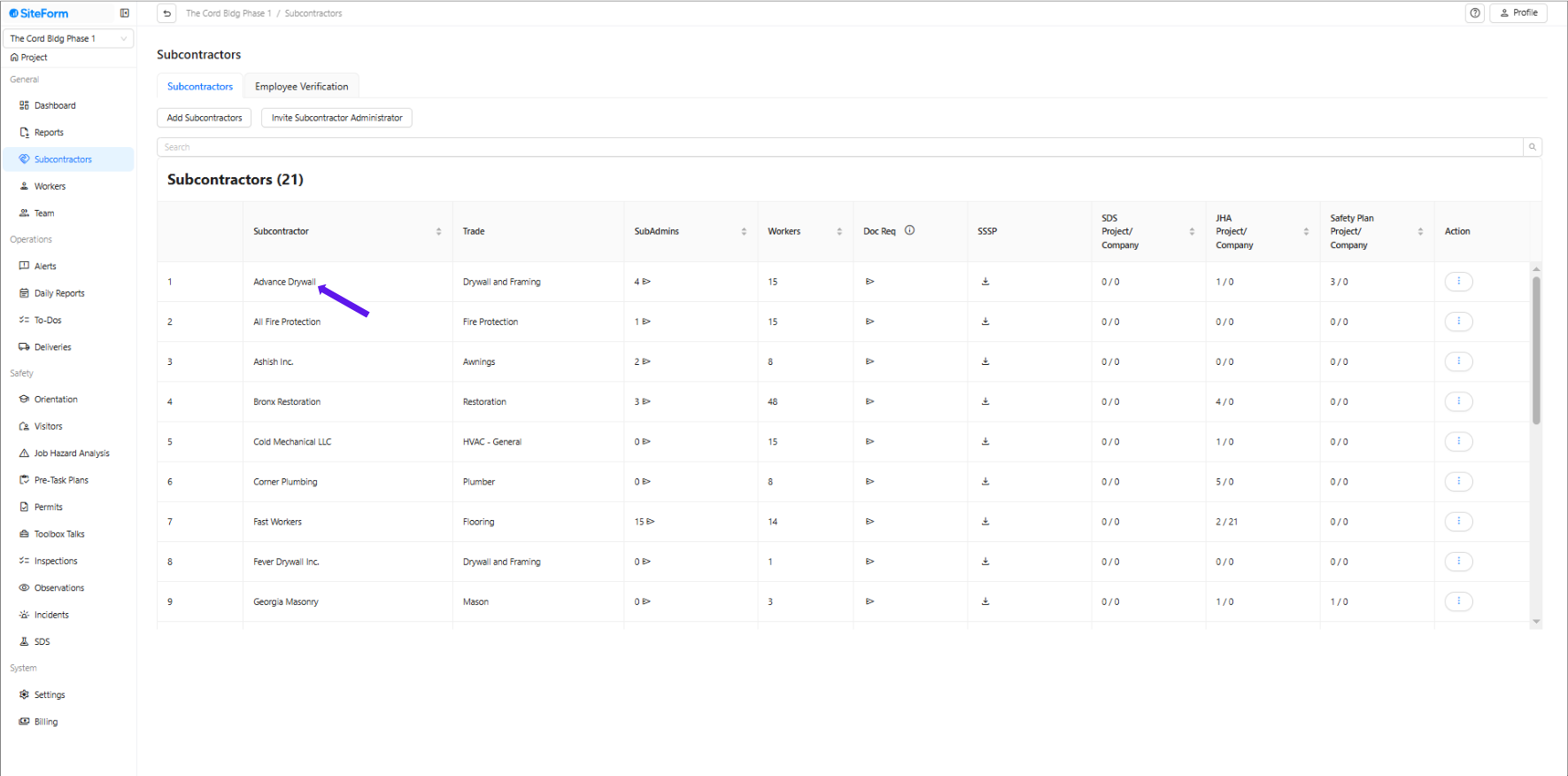
2. Click on the subcontractor's name whose JHA you want to edit.
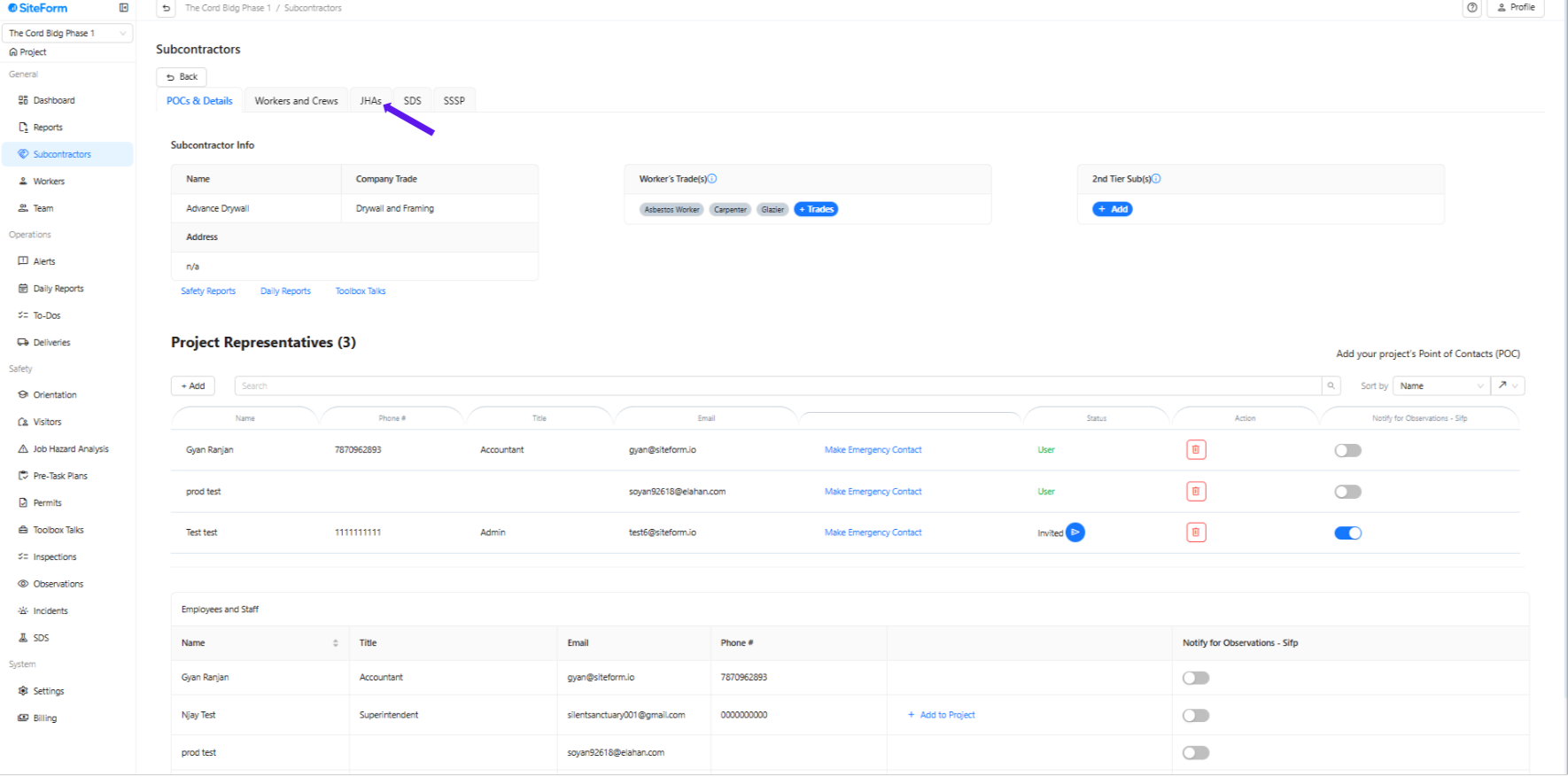
3. Click “JHA”
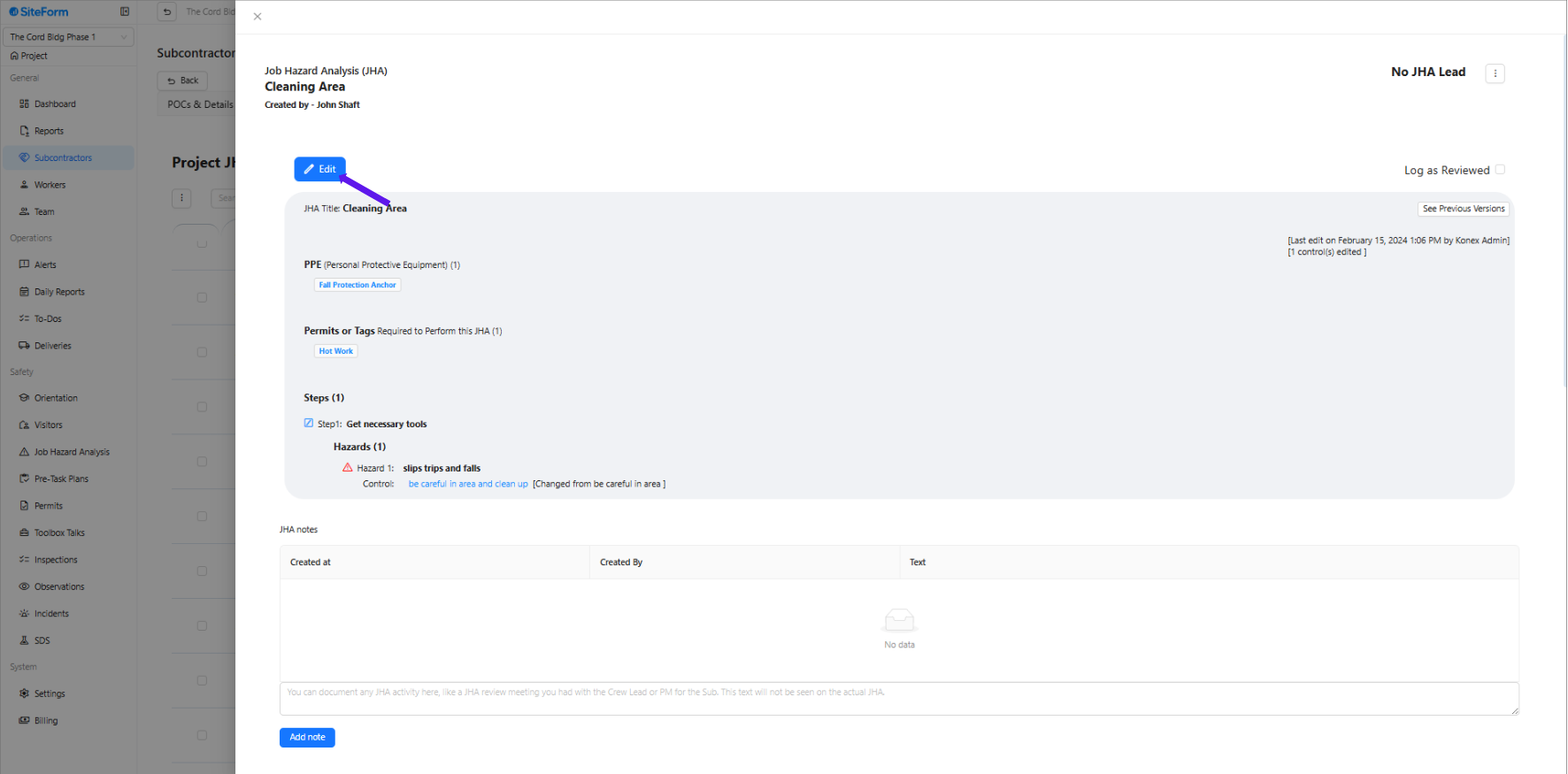
4. Select the JHA you want to modify and click the Edit button.
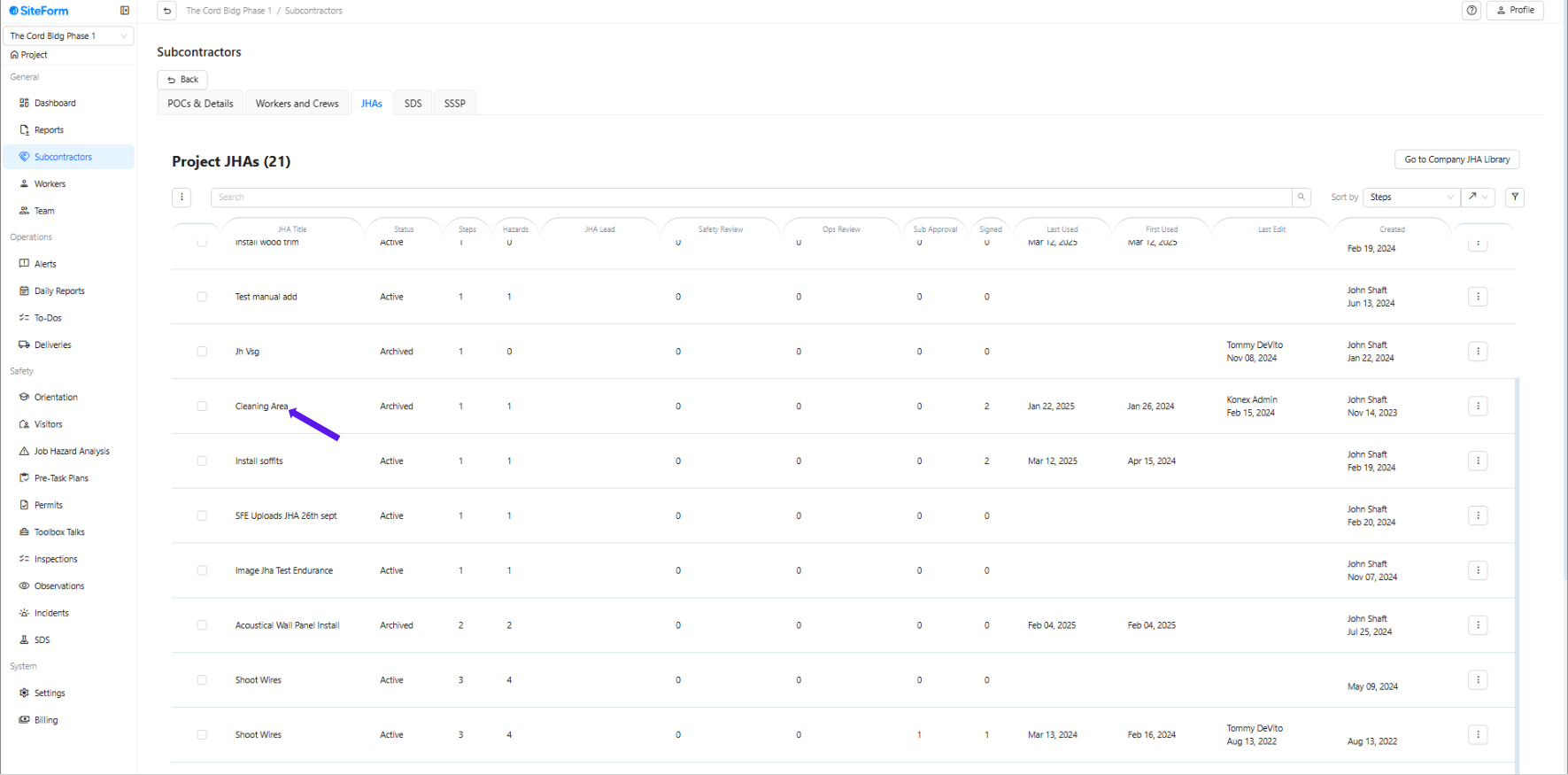
5. Click “Edit”
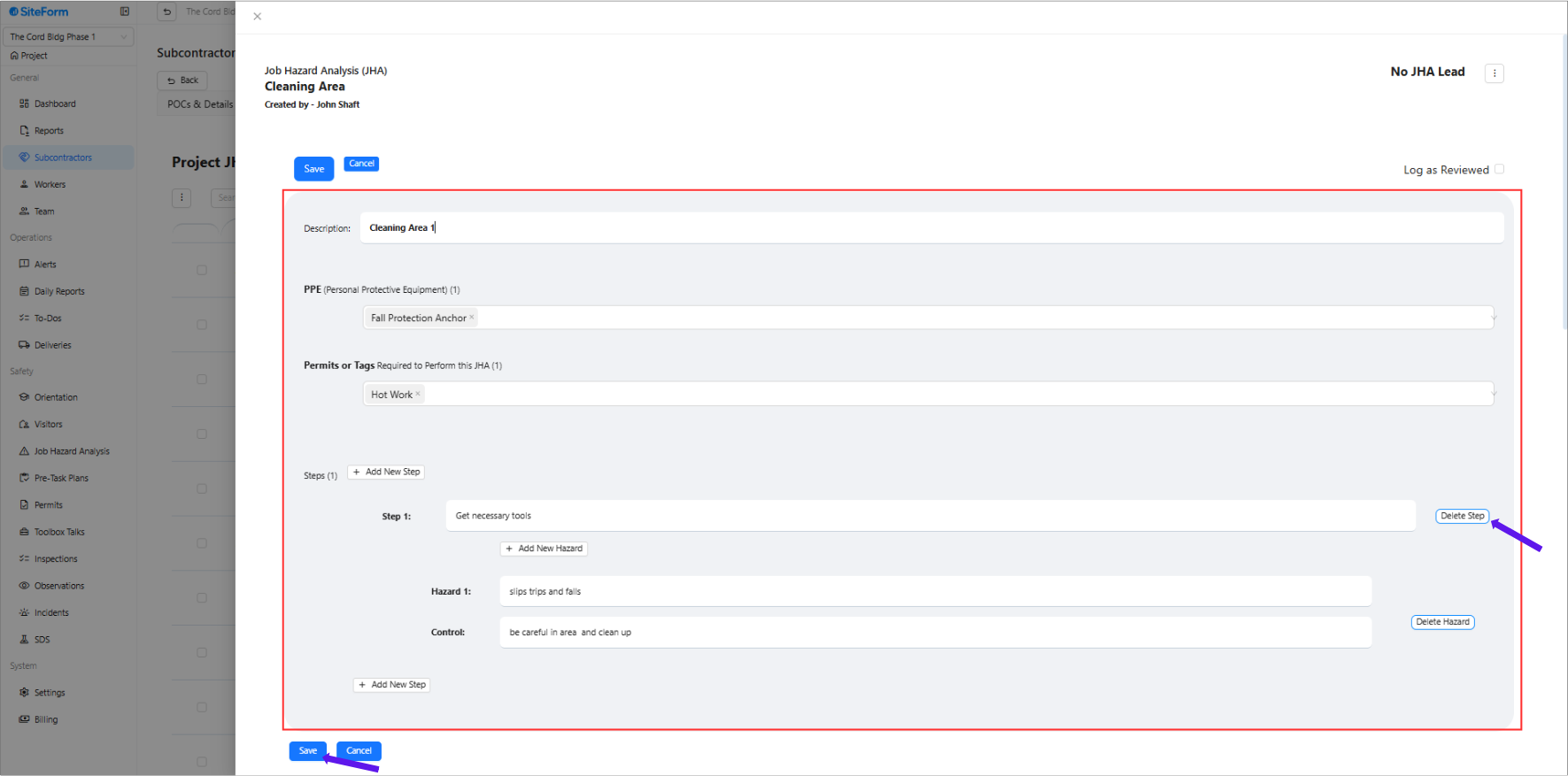
6. Update any necessary information or delete content if needed, and click Save to apply the changes.
Was this article helpful?
That’s Great!
Thank you for your feedback
Sorry! We couldn't be helpful
Thank you for your feedback
Feedback sent
We appreciate your effort and will try to fix the article