Quick Overview on how to report an Incident on site.
- Log in to Siteform and select the Project
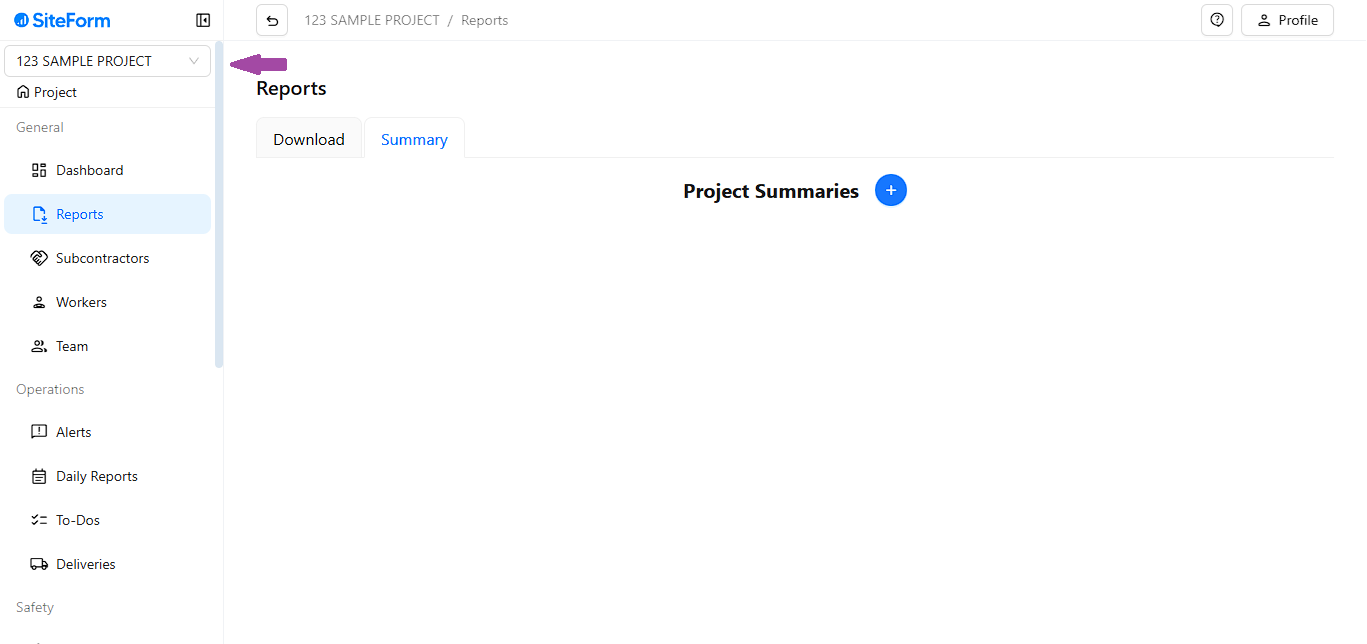
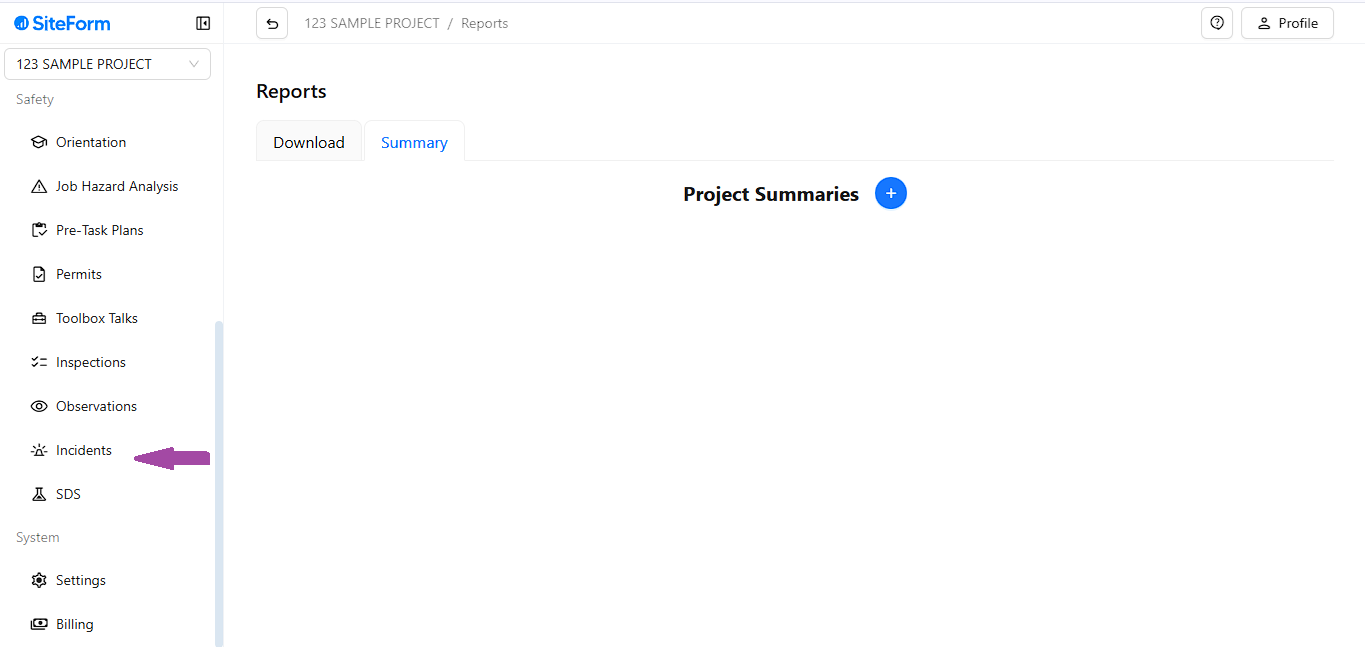
- Scroll down on the left panel and click on Incident
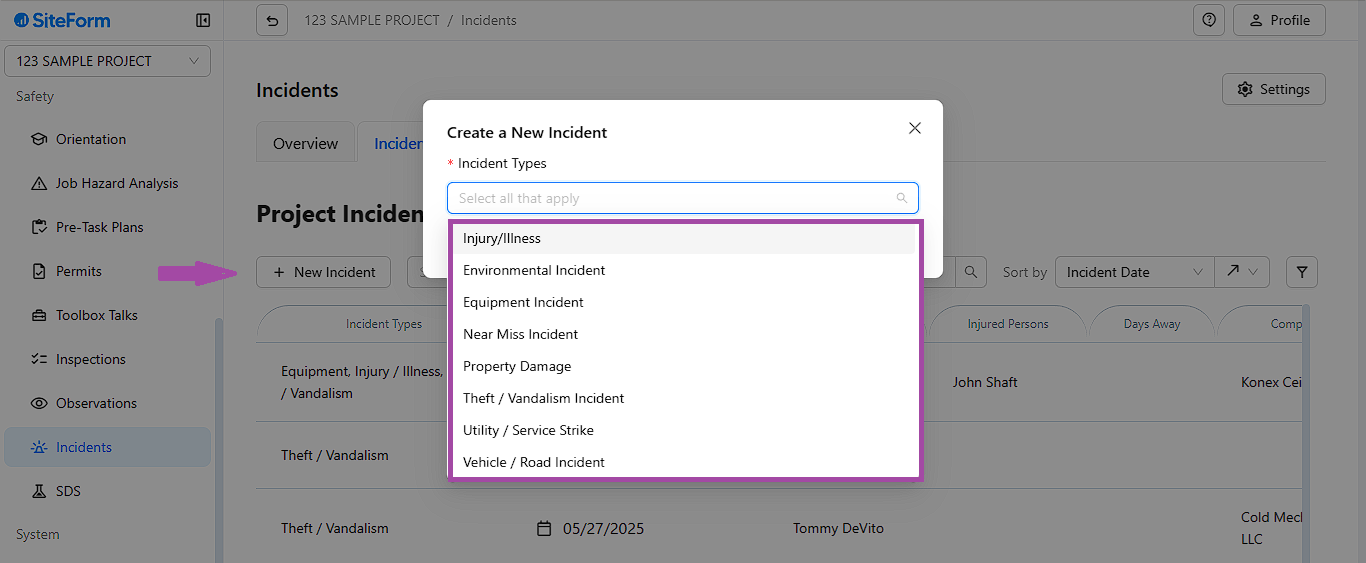
- Click New incident and select the type of Incident that occurred (Multiple Incident can be selected as applicable)
- After clicking on Create fill up the Project Details
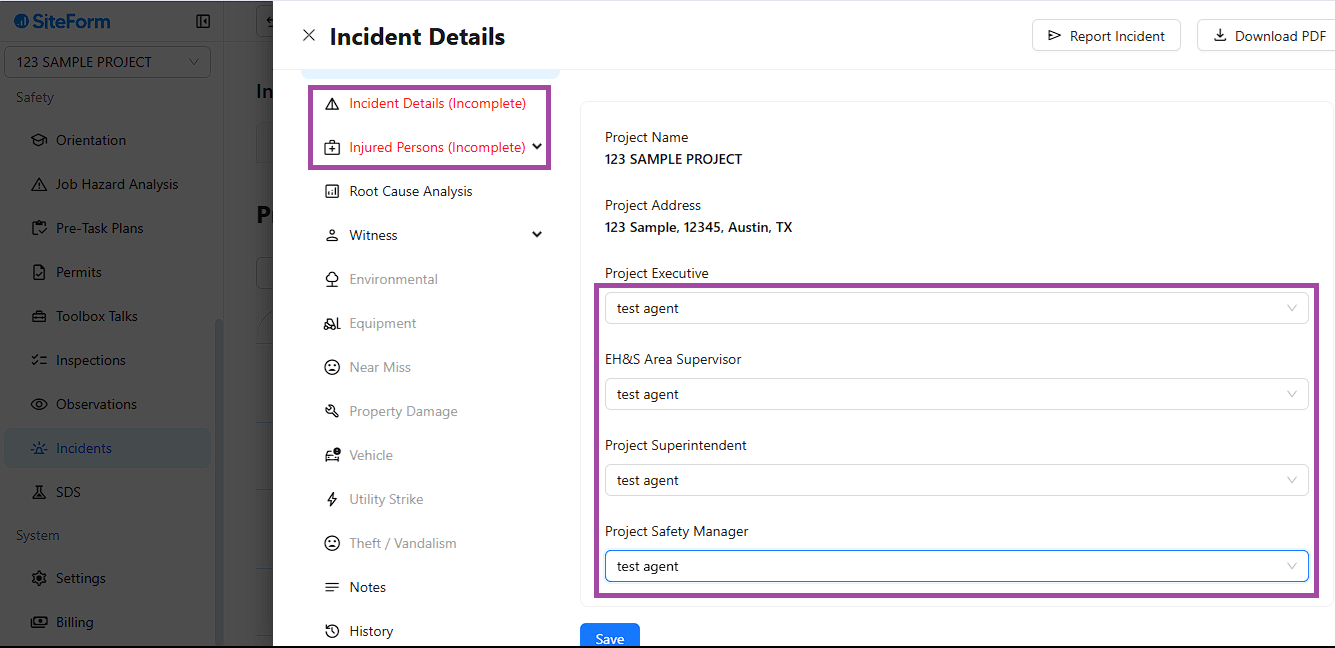
- Next! Fill up the Incident details
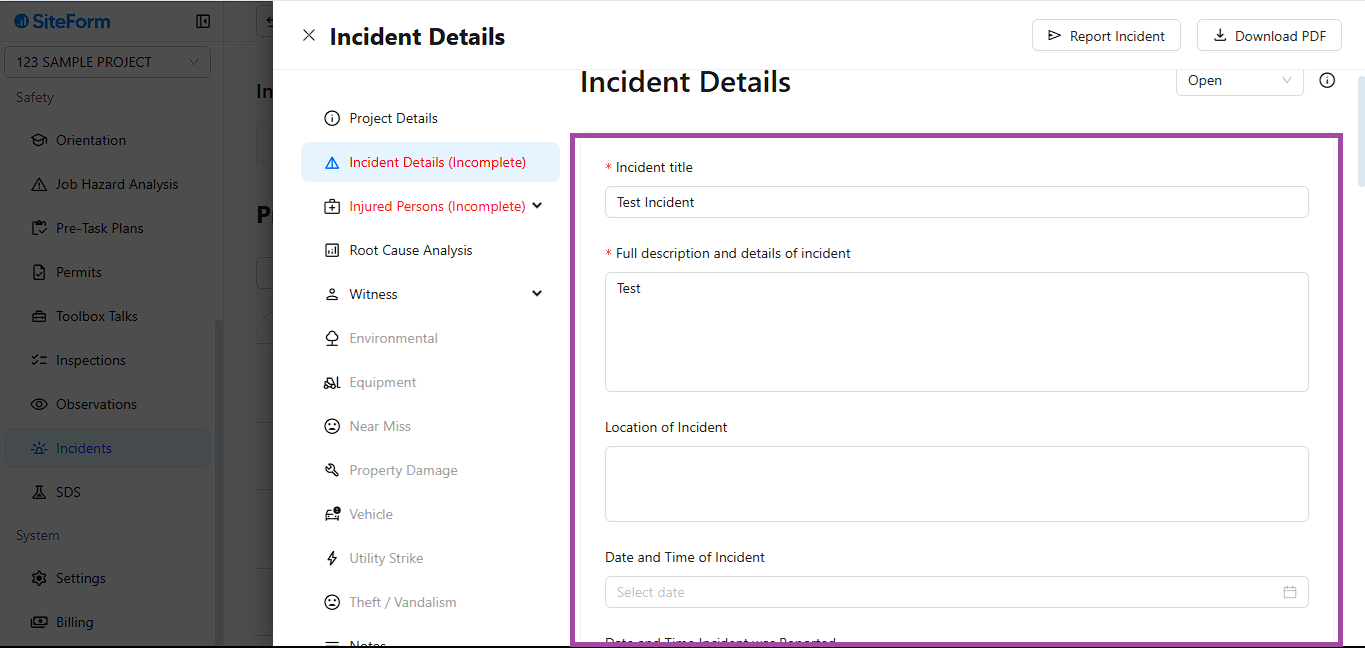
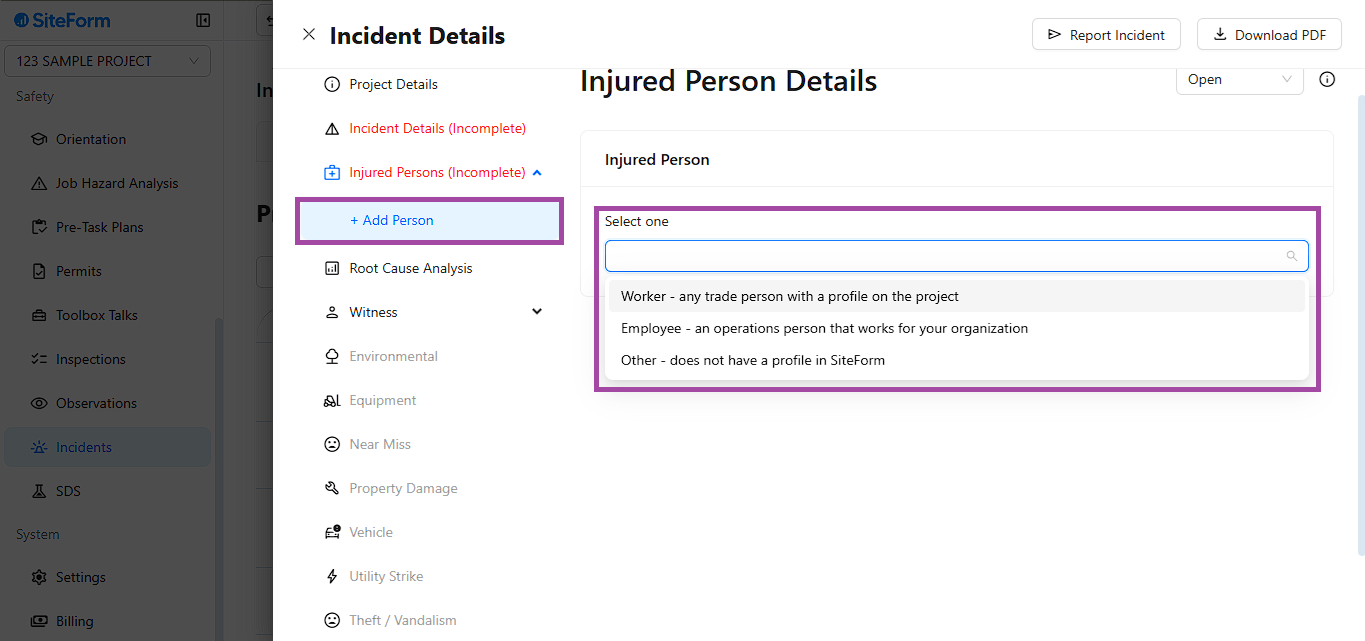
- Finally! Select who are the person's involved in the Incident
Was this article helpful?
That’s Great!
Thank you for your feedback
Sorry! We couldn't be helpful
Thank you for your feedback
Feedback sent
We appreciate your effort and will try to fix the article