Introduction
As a Subcontractor Admin, you play a key role in sharing important safety information across projects. By adding Toolbox Talks to the Community Library in the SiteForm Web App, you help ensure that all foremen on your projects have access to vital safety talks. This guide walks you through the process of uploading a Toolbox Talk, sharing it in the Community Library, and assigning it across projects.
Step-by-Step Guide
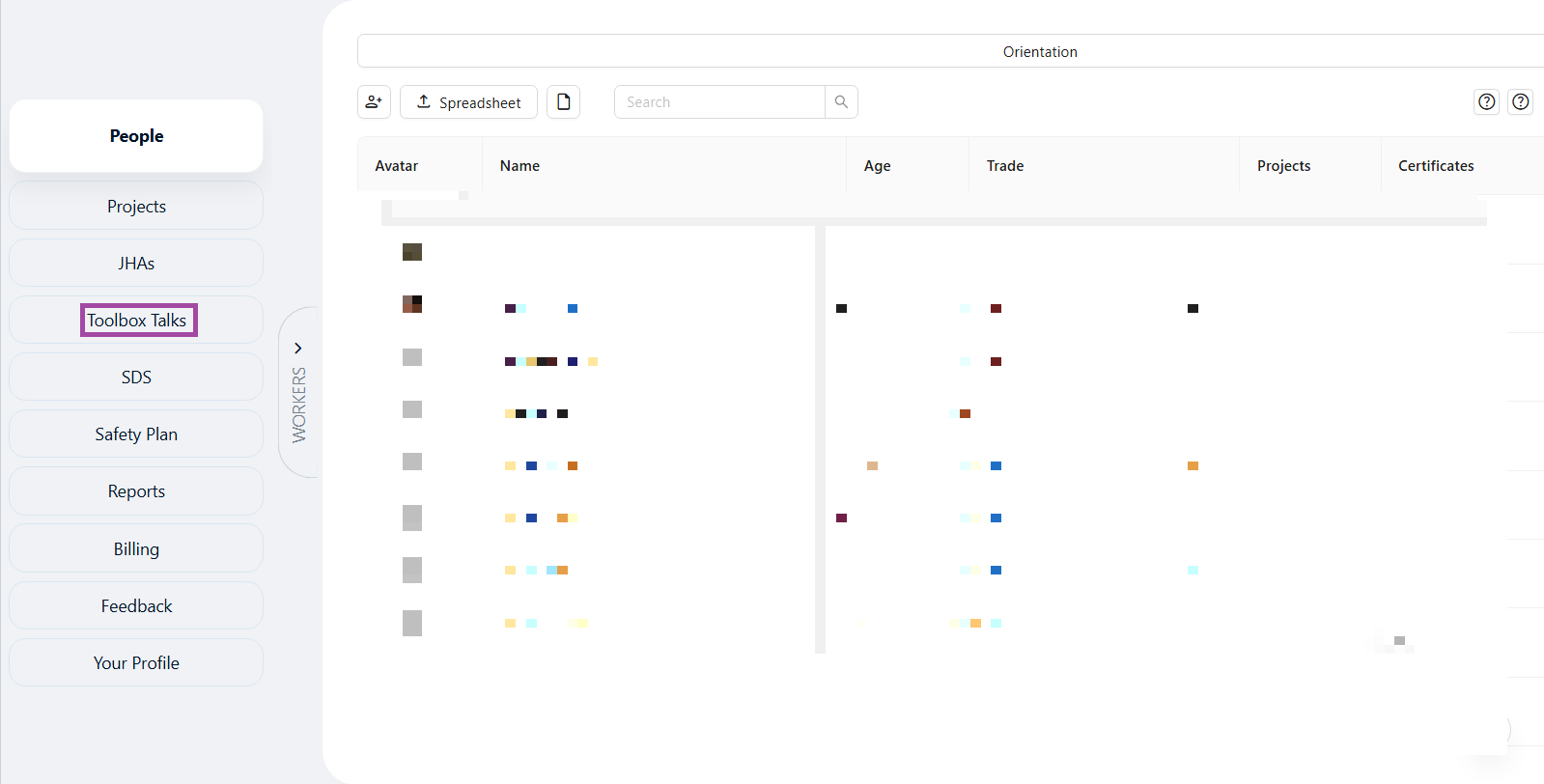
Step 1: Select Toolbox Talks
On the left side menu, click on Toolbox Talks.
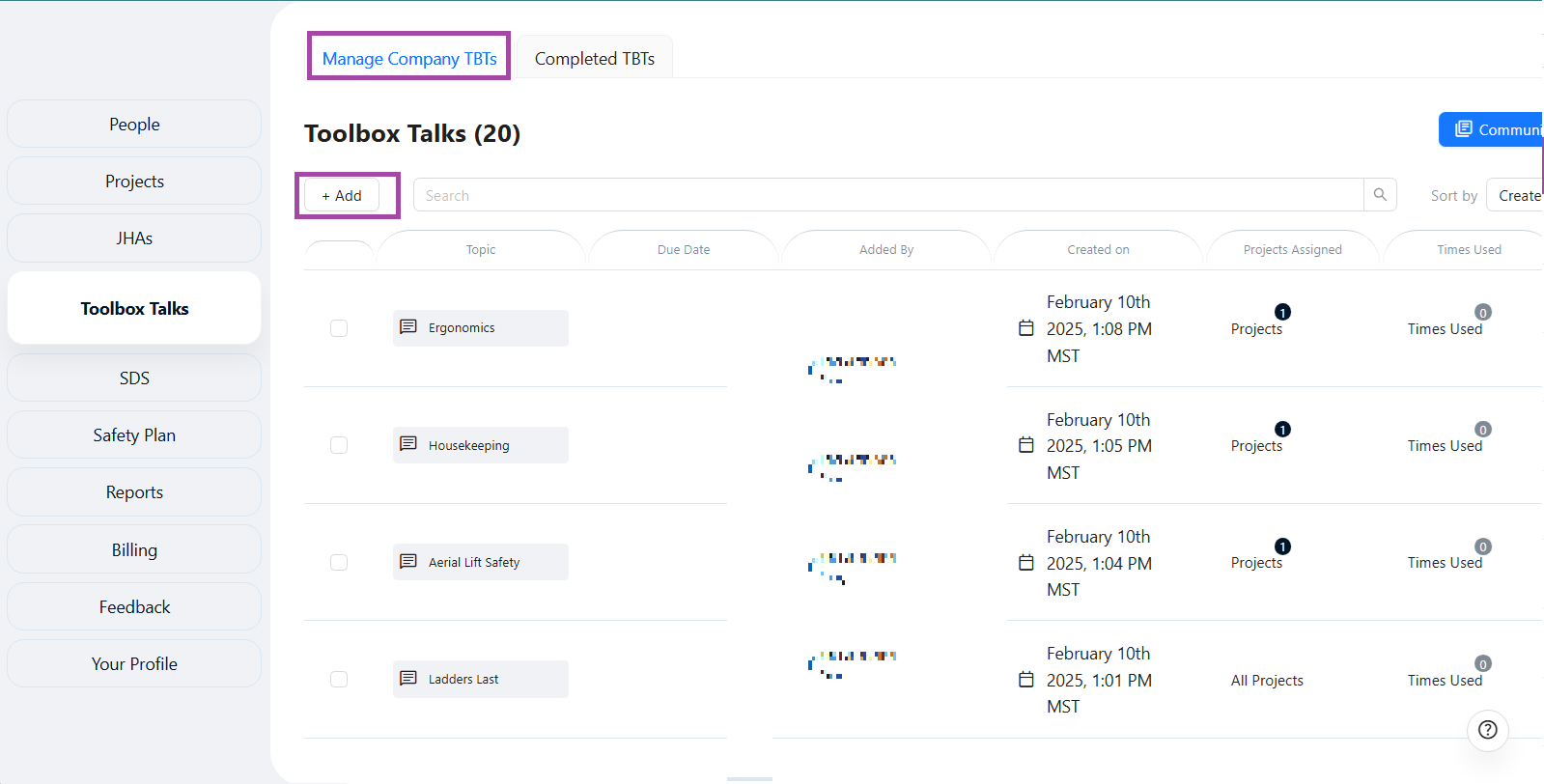
Step 2: Manage Company TBT
Click the Add button. A slide panel will appear where you will enter the Toolbox Talk details.
Step 3: Upload Toolbox Talk File
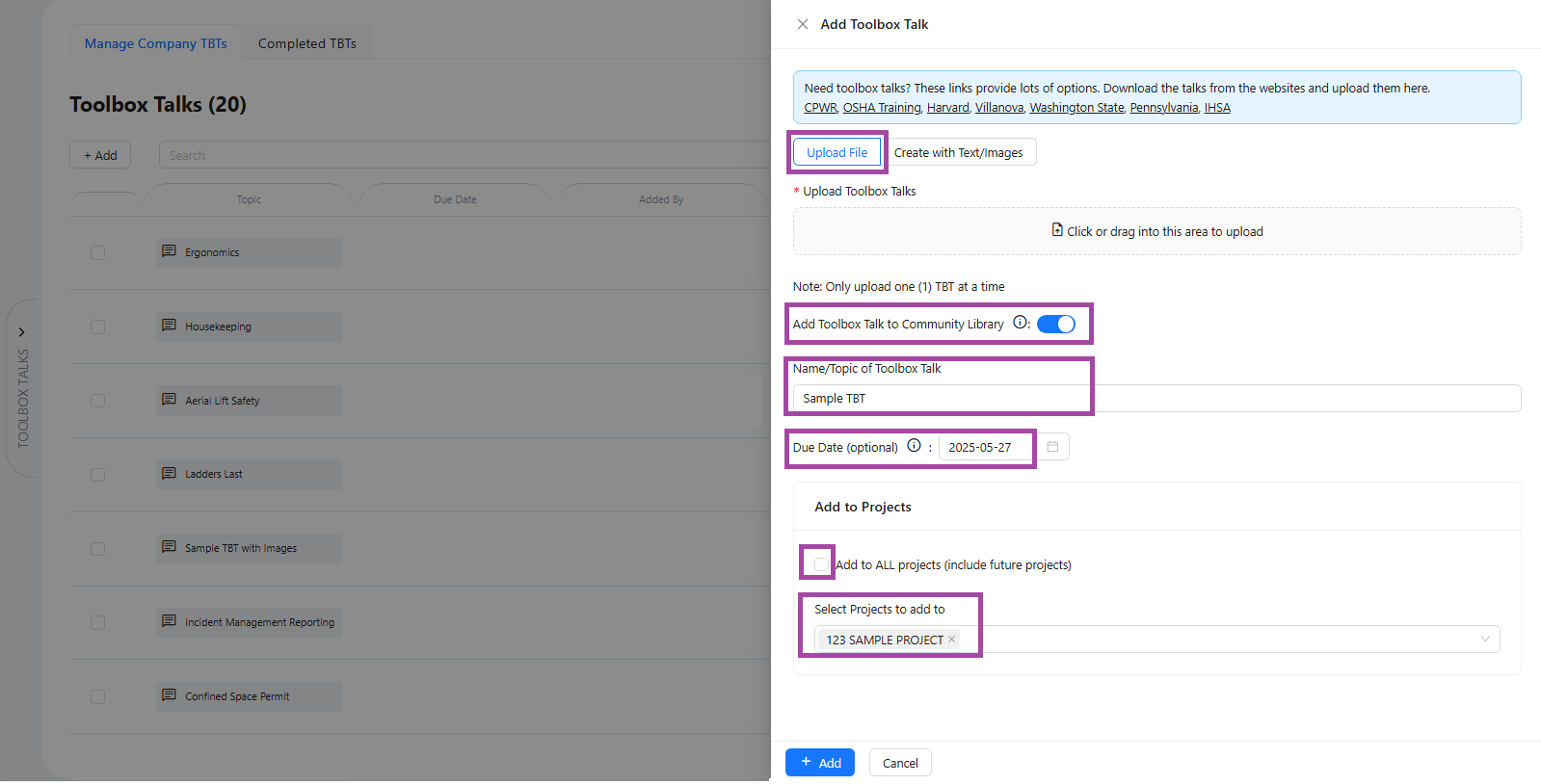
- In the slide panel, click Upload File or drag and drop your Toolbox Talk document into the upload area.
- Click the switch ON/OFF button to add this Toolbox Talk to the Community Library for sharing.
Enter the Name/Topic of your Toolbox Talk.
(Optional) Add a Due Date if desired.
Click the checkbox to add the Toolbox Talk to all projects (including future projects).
Or use the search bar to select specific projects to assign it to.
- Click the Add button at the bottom of the slide panel to complete the process.
Done!
Your Toolbox Talk is now added to the Community Library and assigned to the selected projects, making it accessible to all foremen on those projects.
Adding Toolbox Talks to the Community Library keeps safety communication consistent across projects and helps foremen stay informed and ready to protect their teams.
Safety first—one Toolbox Talk at a time!
Was this article helpful?
That’s Great!
Thank you for your feedback
Sorry! We couldn't be helpful
Thank you for your feedback
Feedback sent
We appreciate your effort and will try to fix the article