What Are Subcontractor Administrators?
Subcontractor Administrators are employees of the subcontractor company who manage documentation in SiteForm. They might be project managers, safety managers, superintendents, accountants, or other support staff.
Key Points:
- They primarily upload documentation for foremen to use in the mobile app
- They can access the mobile app and create reports
- They're different from "Project Representatives," who work directly on a specific project
- You can add them to the system without inviting them to use SiteForm (useful for company owners who only need to receive notifications)
How to Add Subcontractor Administrators
You can add Subcontractor Administrators in two different ways:
Option 1: From the Subcontractors Main Page
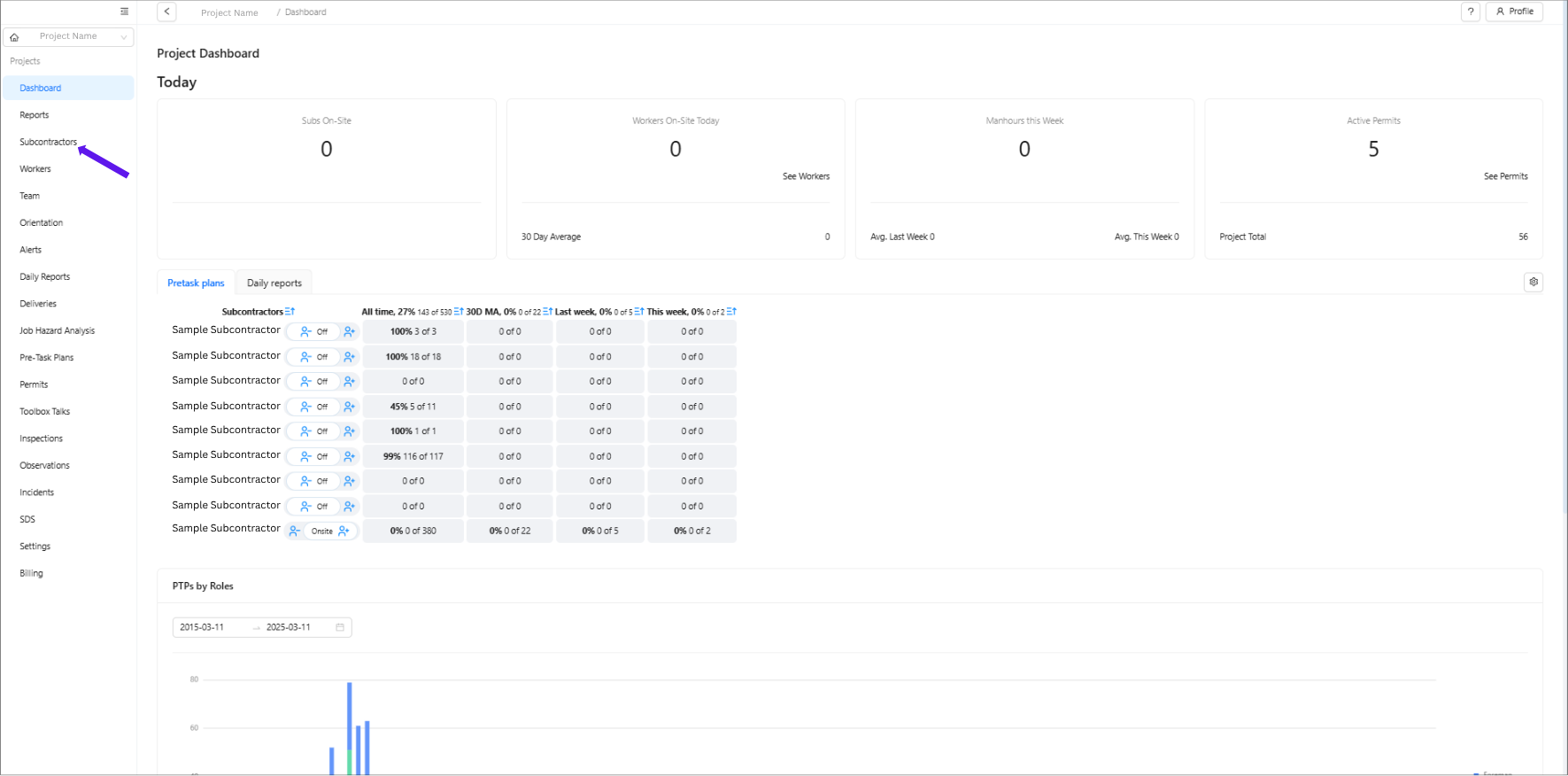
Click "Subcontractors" in the left menu
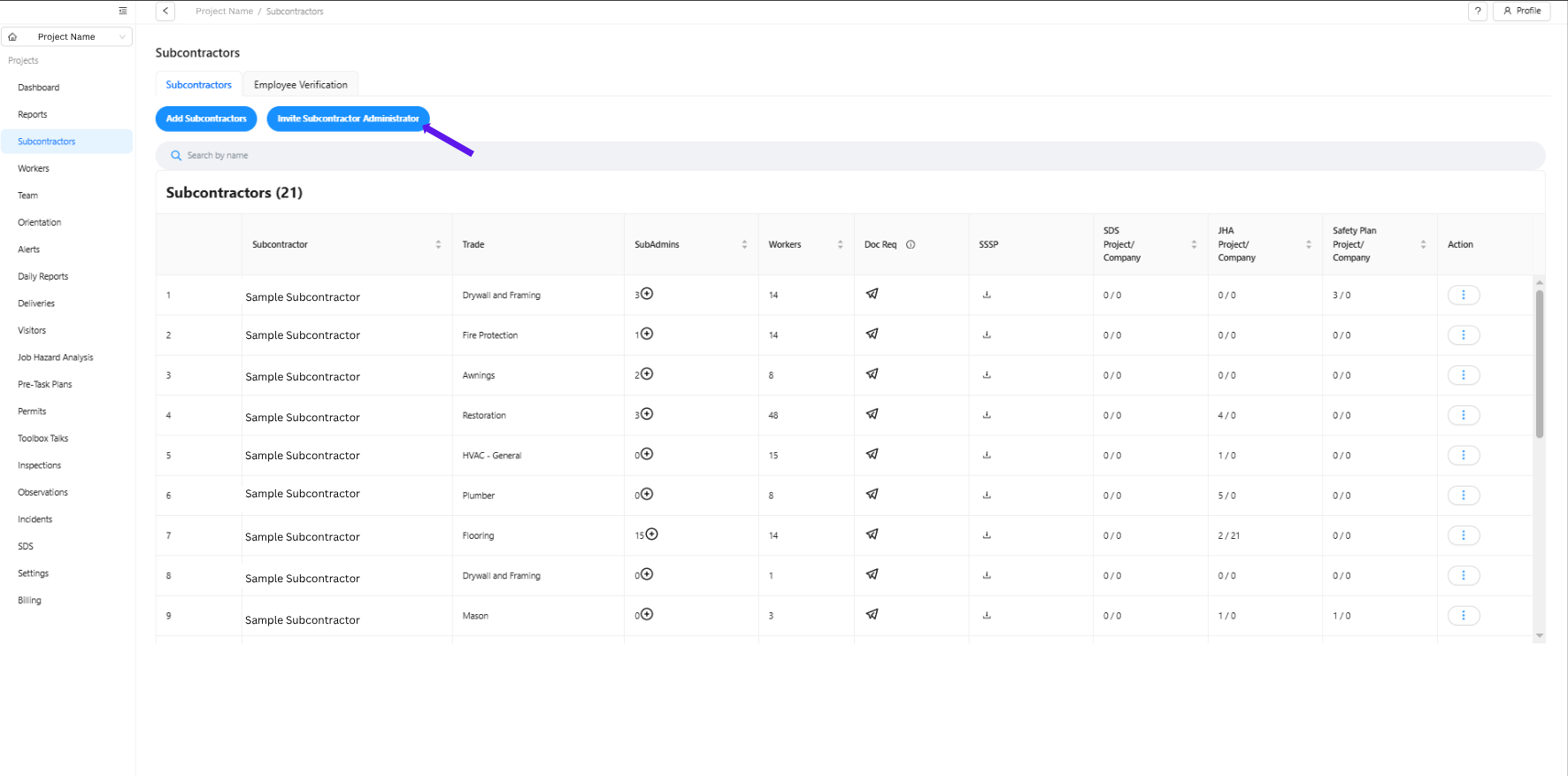
Click the blue "Invite Subcontractor Administrator" button
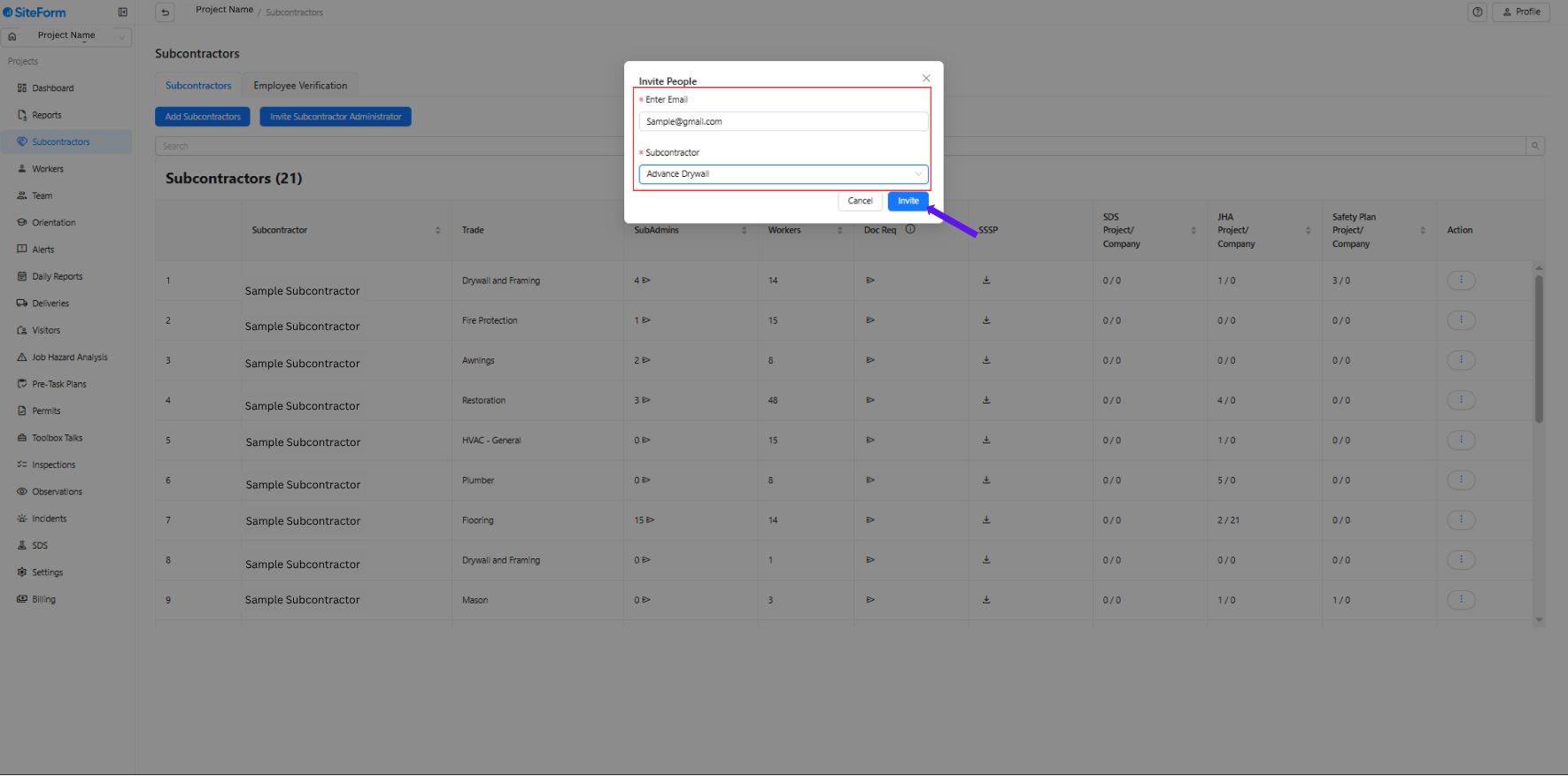
Input the email and choose the subcontractor company
Option 2: From the Subcontractor Detail Page
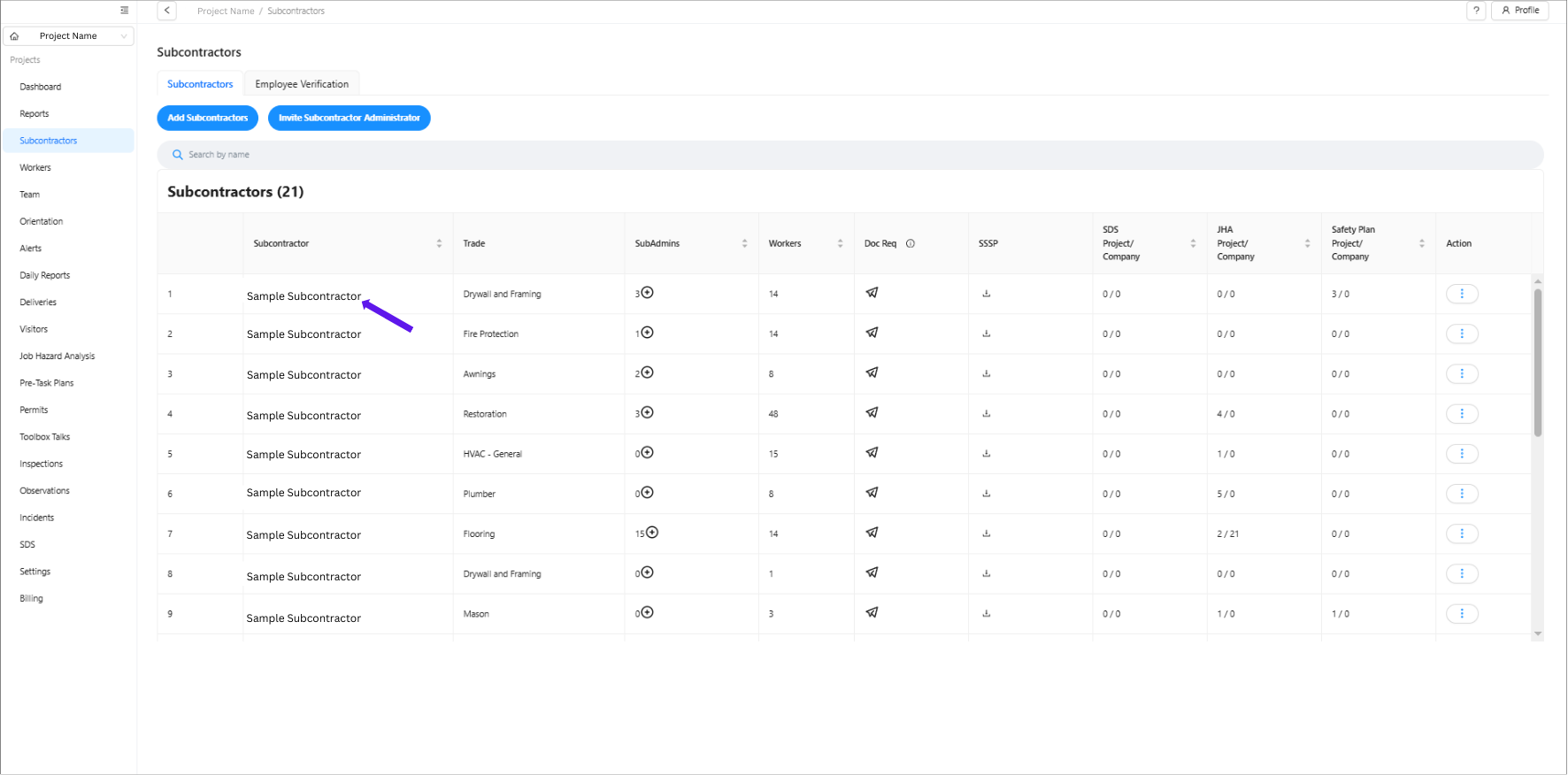
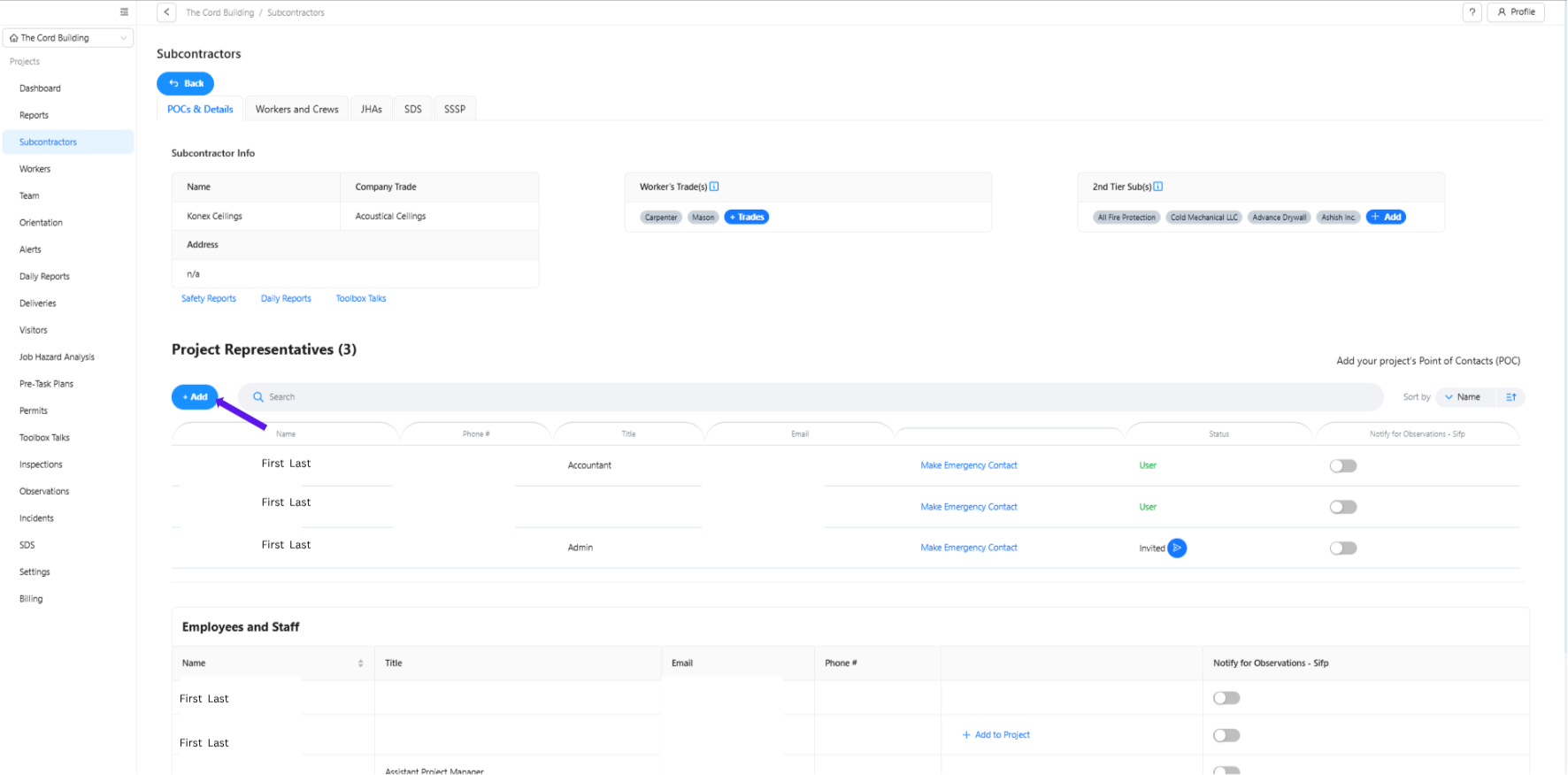
Click on a specific subcontractor to open their details page
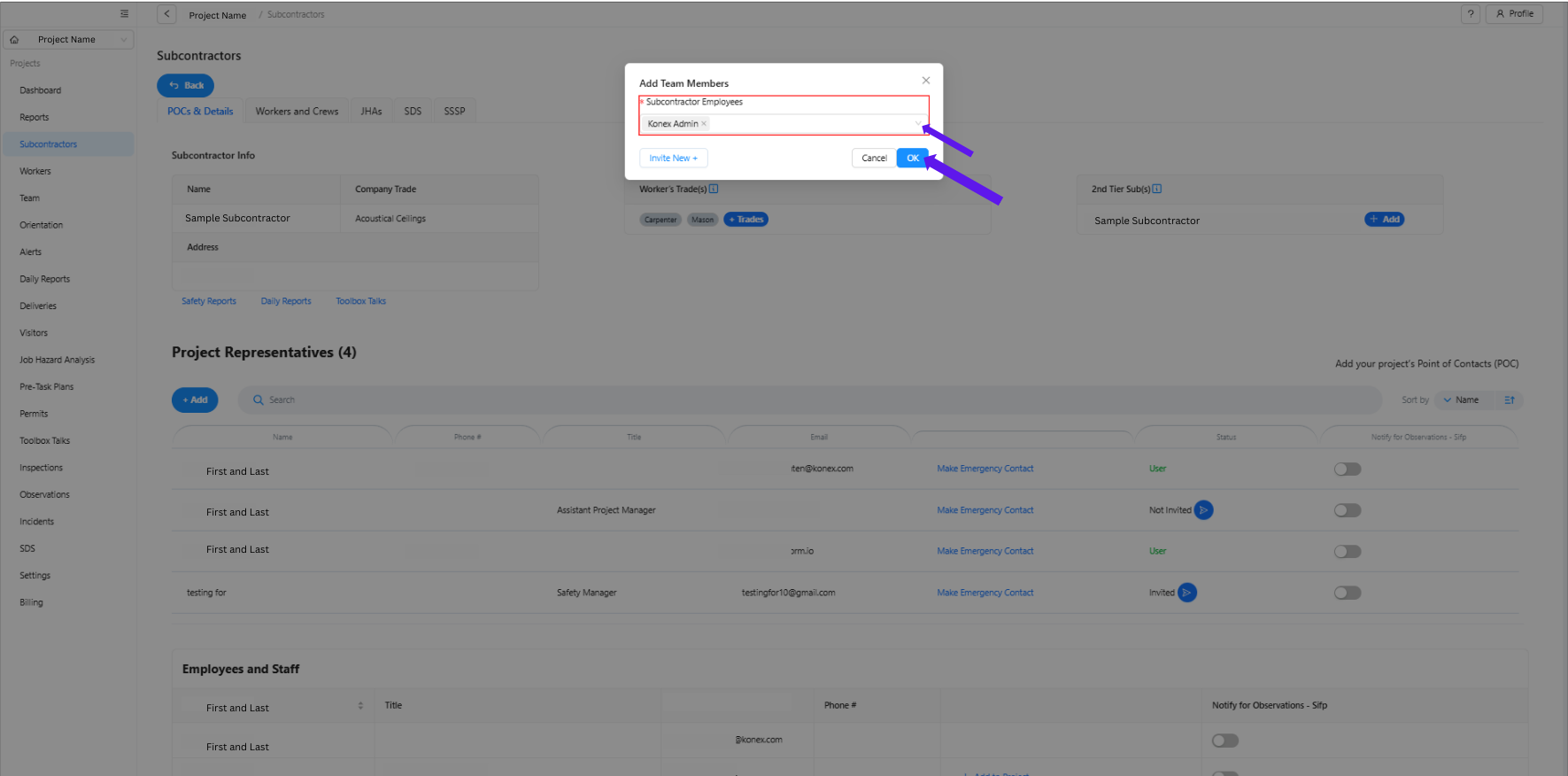
In the "Employees and Staff" section, click "+ Add" to add an existing employee to the project
Or click "+ Add" in the "Project Representatives" section to add a new representative
Important Tips
- Adding someone as an administrator doesn't automatically give them access to SiteForm unless you check "Send Invite."
- Use this feature to include company owners who only need to receive notifications about safety incidents
- Administrators have access to all projects for their company in SiteForm
- Project Representatives are only assigned to specific projects
Was this article helpful?
That’s Great!
Thank you for your feedback
Sorry! We couldn't be helpful
Thank you for your feedback
Feedback sent
We appreciate your effort and will try to fix the article