This tutorial will show you how to add a Subcontractor or Trade Partner to your project from the website.
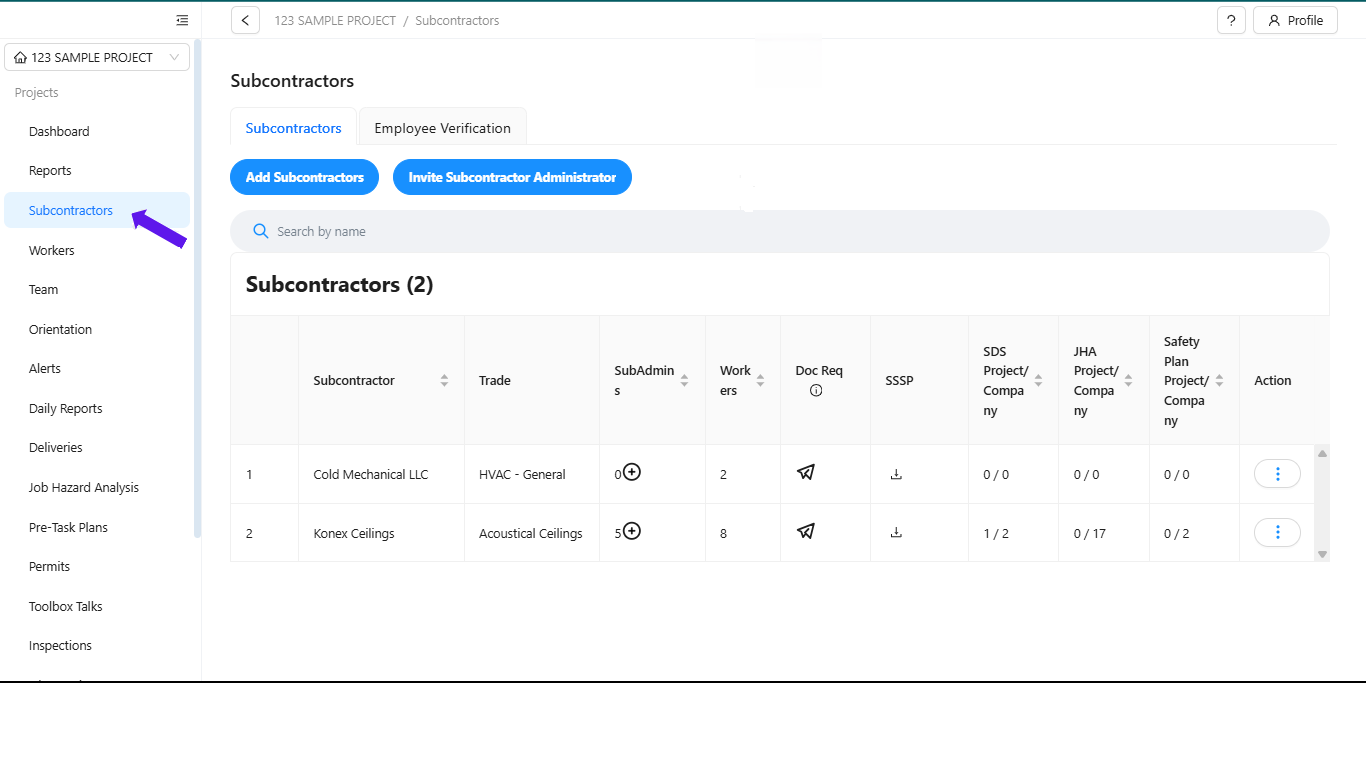
Step 1: Go to Subcontractors
Click "Subcontractors" in the left menu
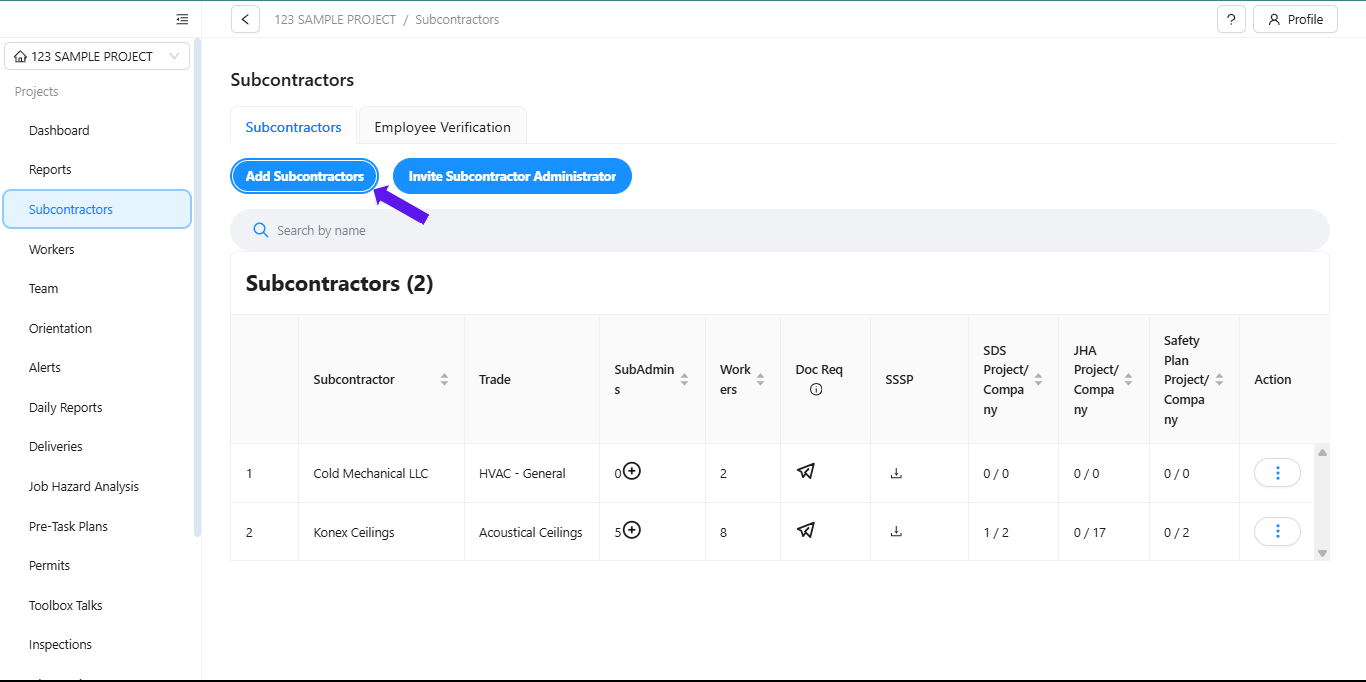
Step 2: Add Subcontractors
Click the blue "Add Subcontractors" button.
Step 3: Choose an Option
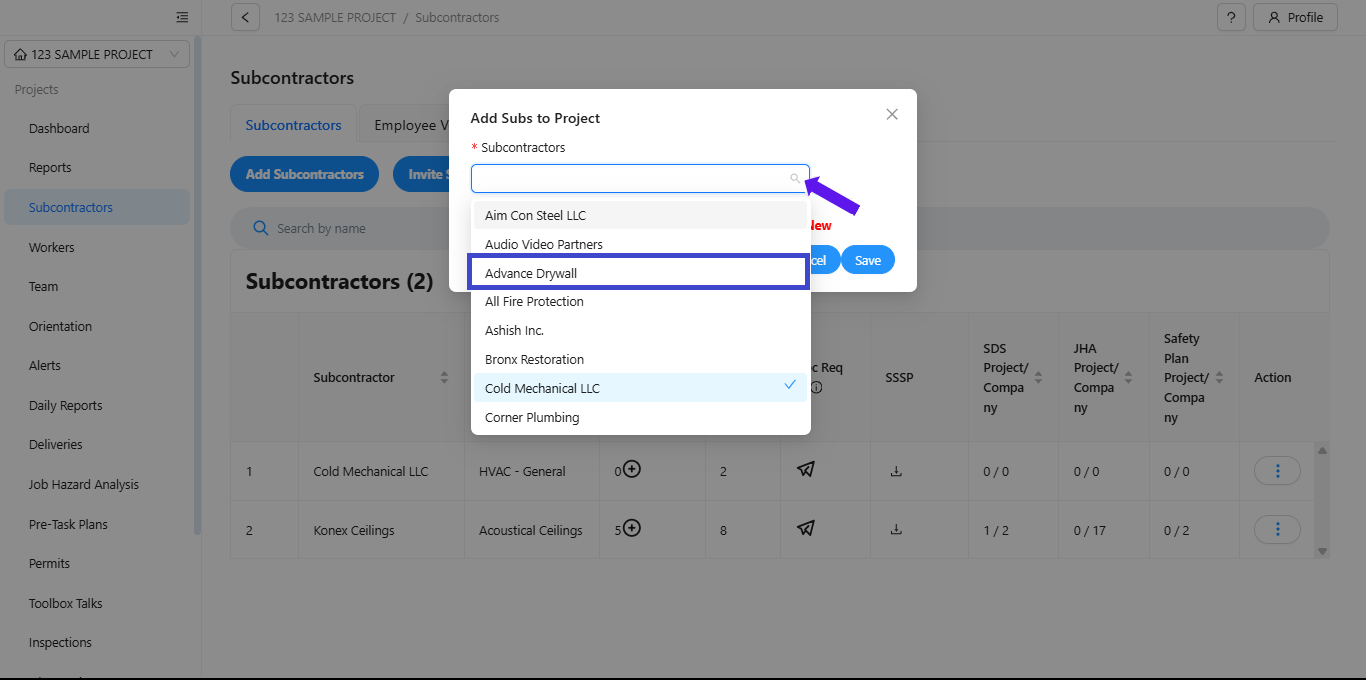
Option A: Select Existing Subcontractors
Pick from the dropdown list
Select multiple companies if needed (they'll show checkmarks)
Click "Save"
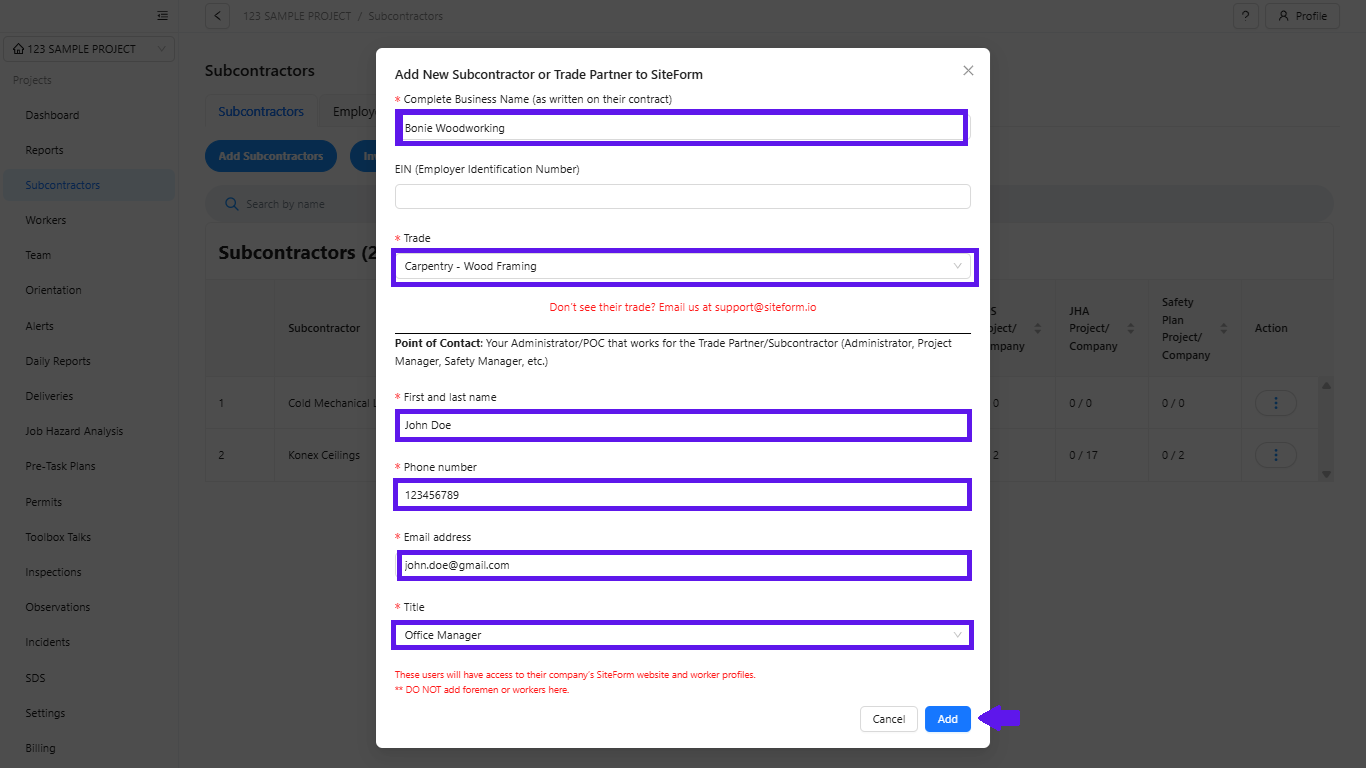
Option B: Create New Subcontractor
If your subcontractor isn't listed:
Click "+ Create New"
Fill out the required fields (marked with *)
Click "Add" then follow the steps in Option A to add Subcontractor to the project.
Need Help?
Email: support@siteform.io
Was this article helpful?
That’s Great!
Thank you for your feedback
Sorry! We couldn't be helpful
Thank you for your feedback
Feedback sent
We appreciate your effort and will try to fix the article