Introduction
Toolbox Talks are essential for reinforcing job site safety, addressing daily risks, and ensuring compliance with safety regulations. Using the SiteForm App, you can quickly and easily deliver Toolbox Talks, collect digital signatures, and maintain accurate records for your project.
Follow these simple steps to complete your Toolbox Talk session with confidence.
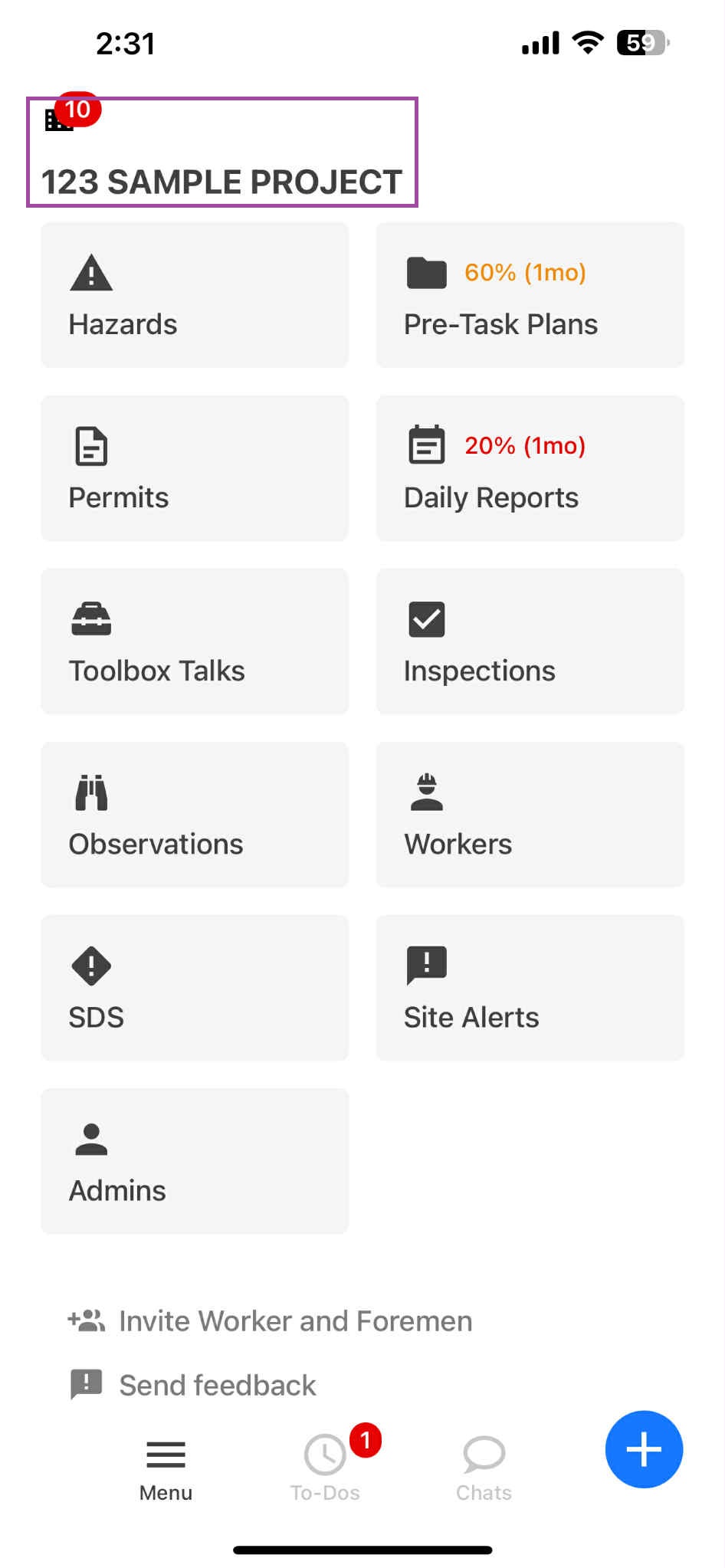
Step 1: Go to Project
On the SiteForm platform, go to the Project you are working on.
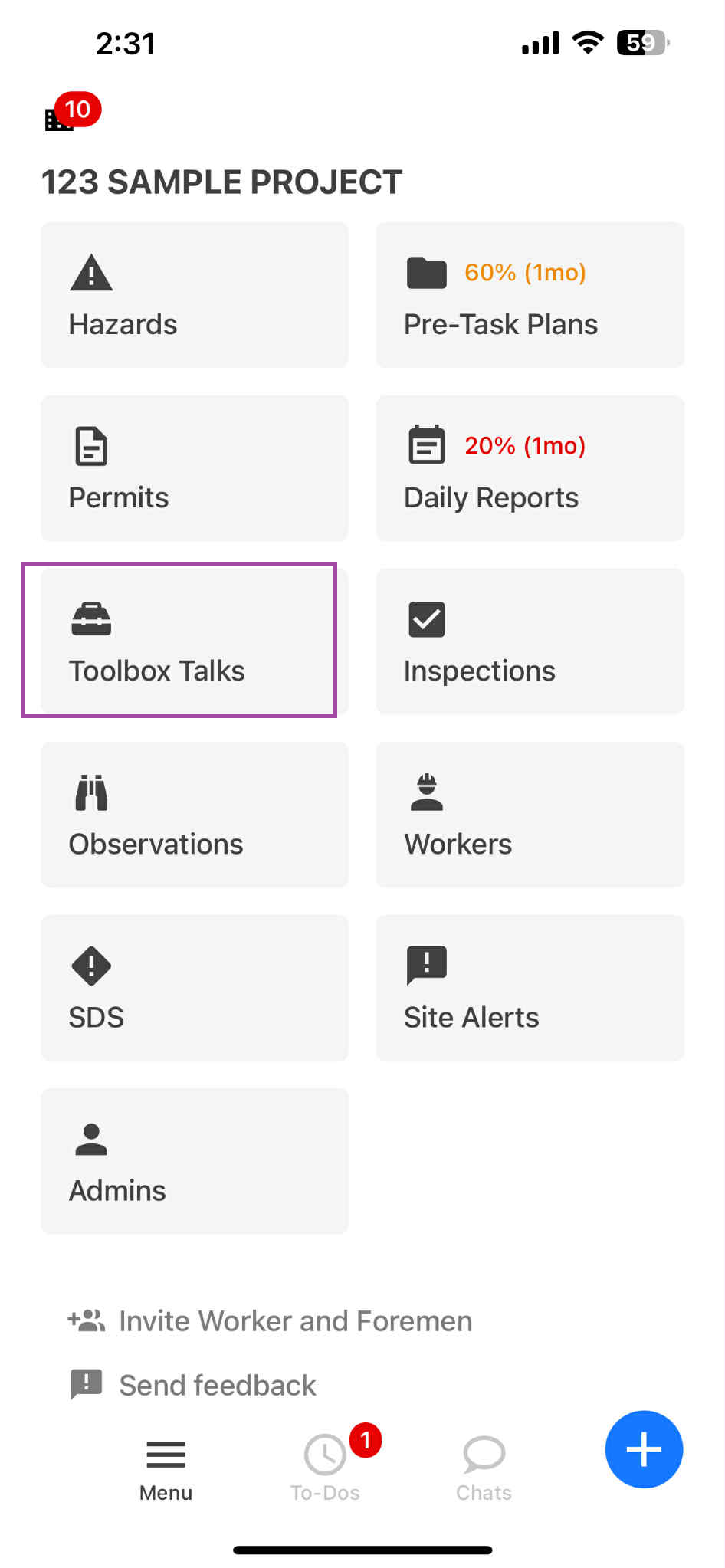
Step 2: Click on Toolbox Talk
Within the Project section, click on Toolbox Talk.
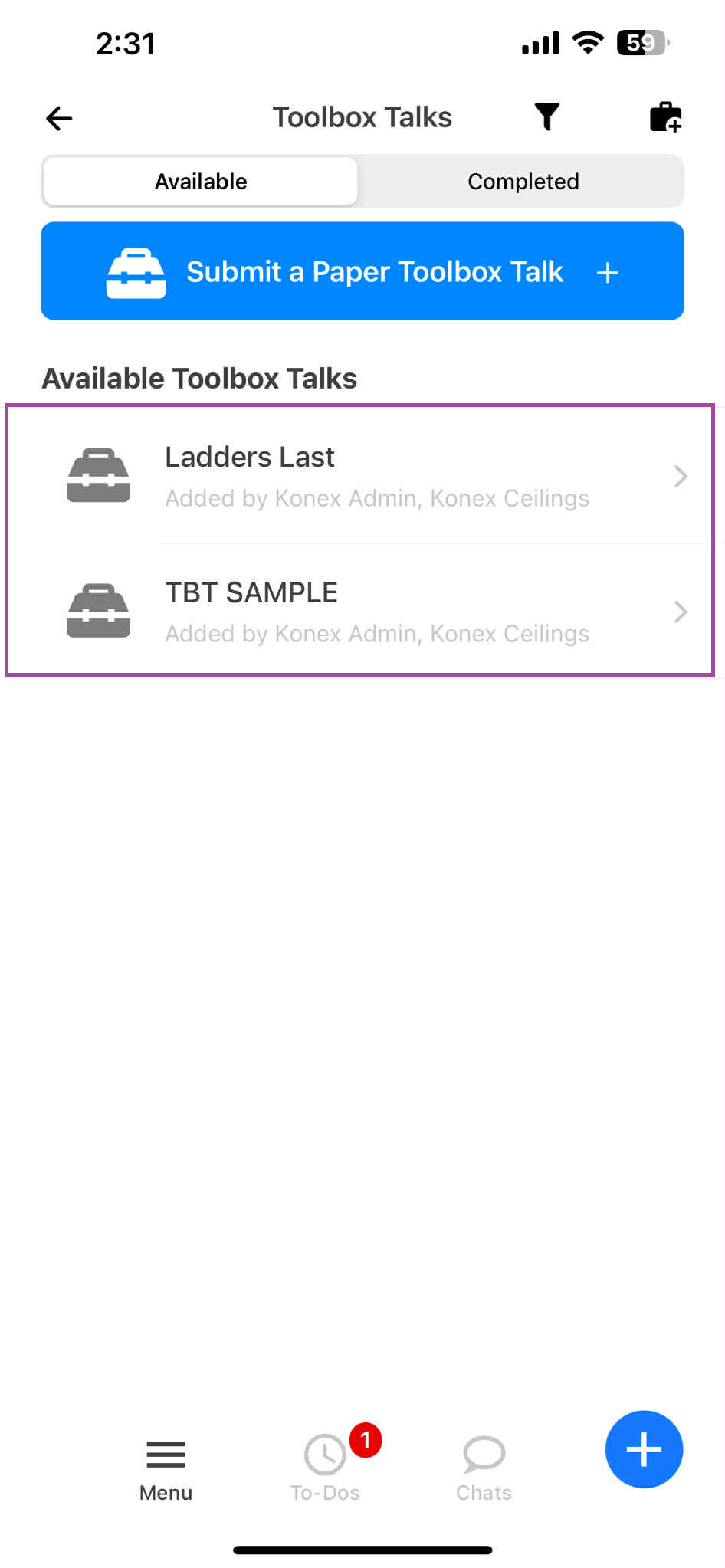
Step 3: Click the Bag Sign
Select among the available TBT Subjects below you want to complete
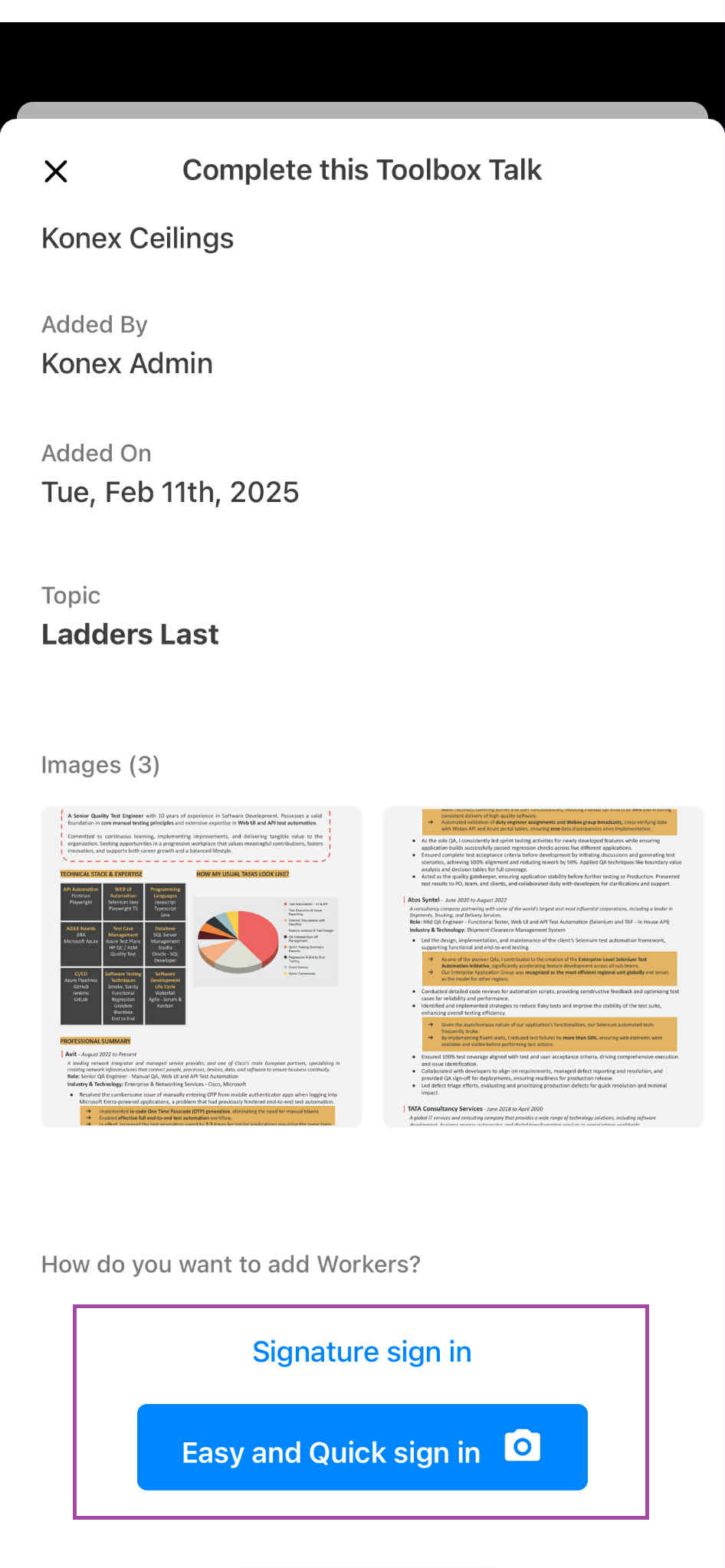
Step 4: Select a Toolbox Talk and Sign In
"Signature Sign In" means worker will sign individually, works better for small group
Click on the "Easy and Quick Sign In" button to sign in and complete the process, one snap shot of the whole group and the foreman can just select who are the persons present during the TBT.
Completing Toolbox Talks in the SiteForm App helps keep everyone informed and safe on site. Proper documentation ensures compliance and promotes a strong safety culture.
Safety starts with you—make every Toolbox Talk count!
Was this article helpful?
That’s Great!
Thank you for your feedback
Sorry! We couldn't be helpful
Thank you for your feedback
Feedback sent
We appreciate your effort and will try to fix the article