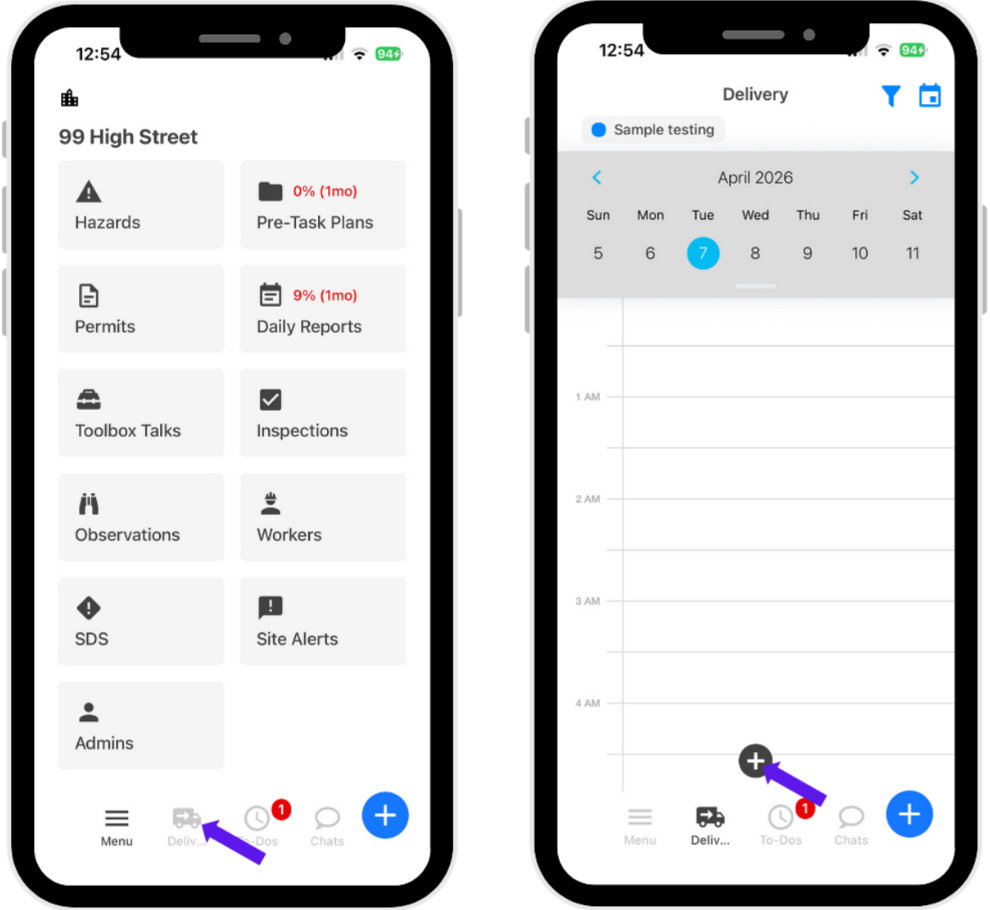
- Click “Delivery.”
- Click the Add button at the bottom center.
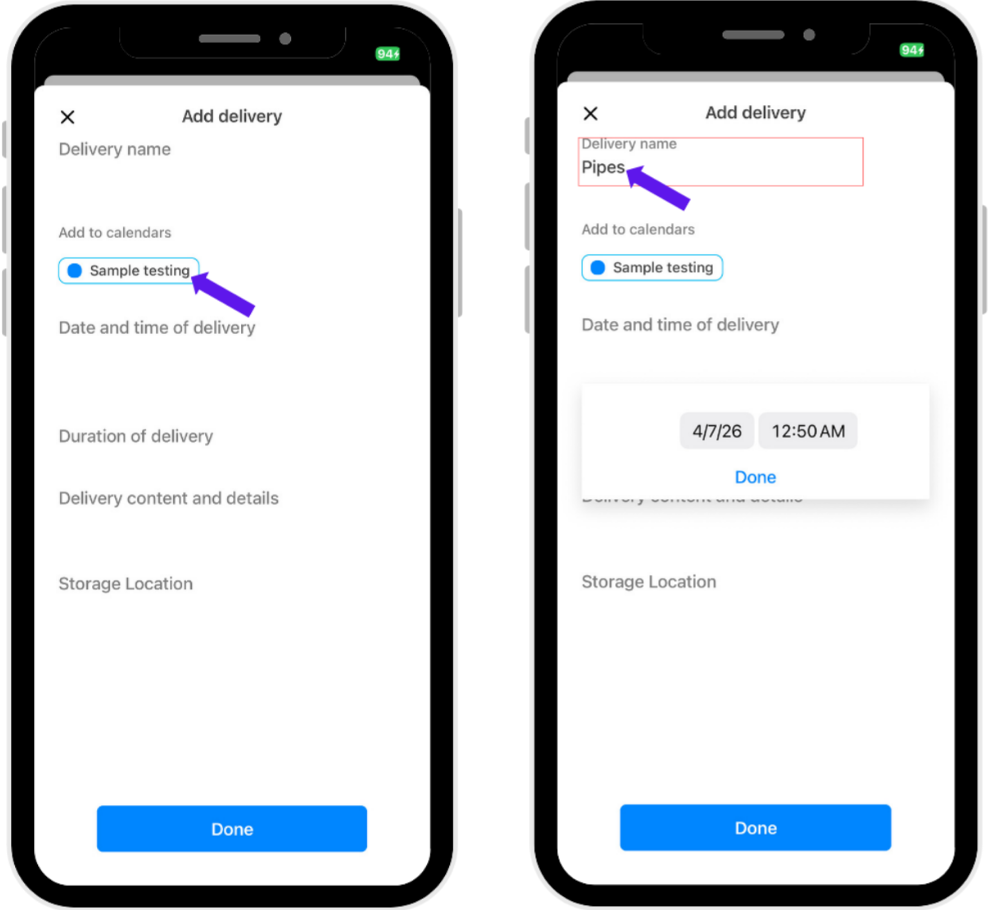
- Select the calendar and location of the delivery.
- Enter the name of the delivery.
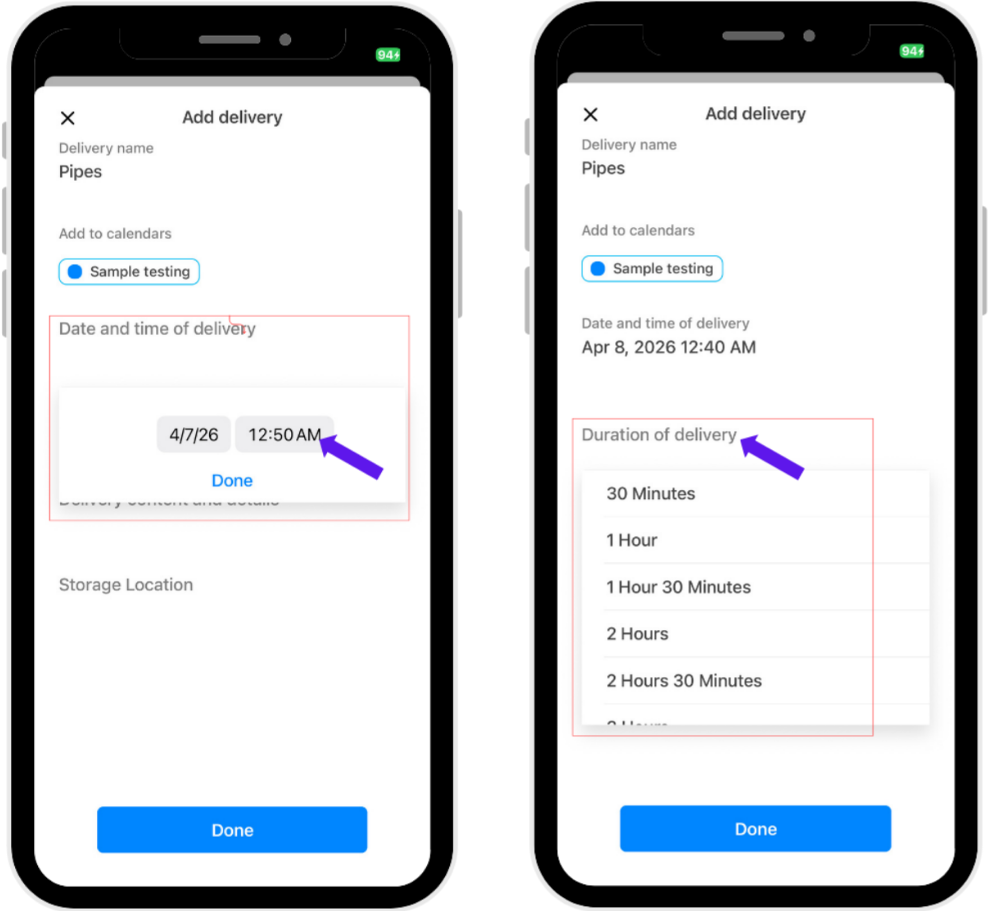
- Select the date and time of the delivery.
- Select the duration of the delivery.
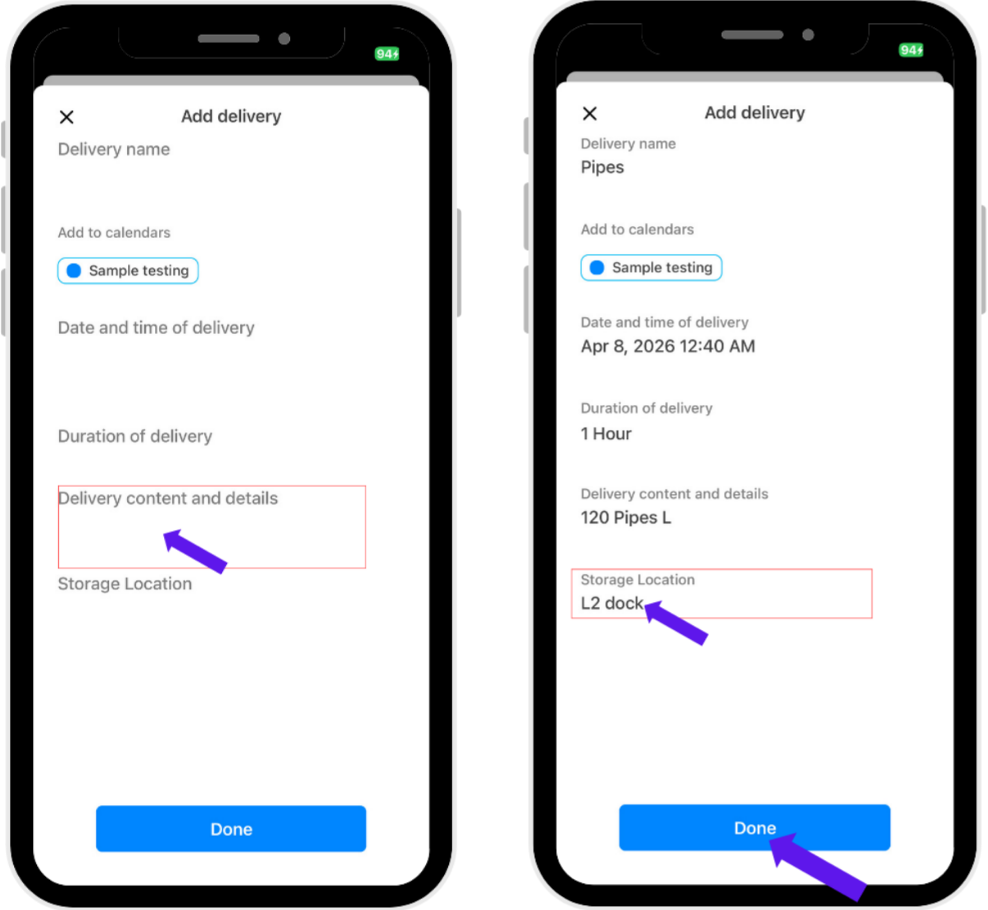
- Fill in the required information and click Done once all required fields are completed.
Was this article helpful?
That’s Great!
Thank you for your feedback
Sorry! We couldn't be helpful
Thank you for your feedback
Feedback sent
We appreciate your effort and will try to fix the article