The Monthly Hours Report provides a summary of all trades and contractors who were active on the project during the month. It details the total manhours worked by each trade, offering insight into workforce utilization.
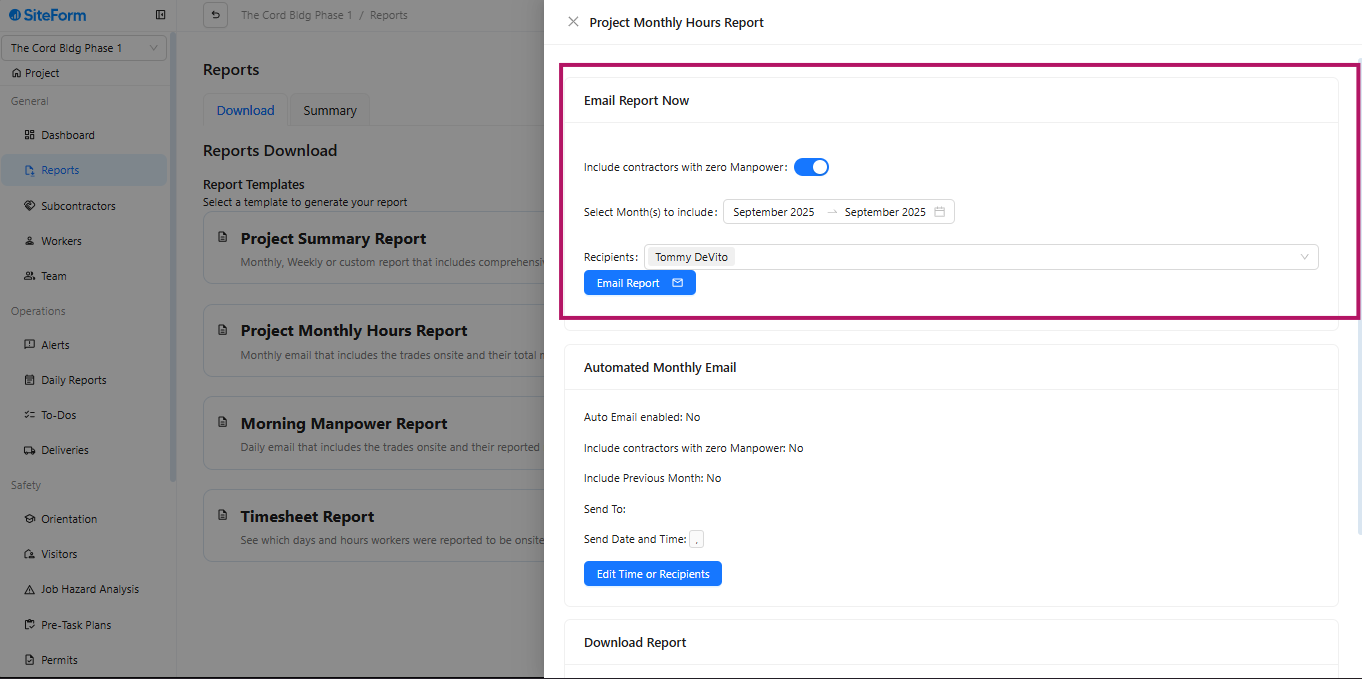
Allows users to instantly generate and send the Monthly Hours Report to selected recipients.
Options:
Include Contractors with Zero Manpower: Adds all contractors, even those with no recorded hours.
Select Month(s) to Include: Choose one or multiple months (e.g., September 2025).
Recipients: Select who will receive the report via email.
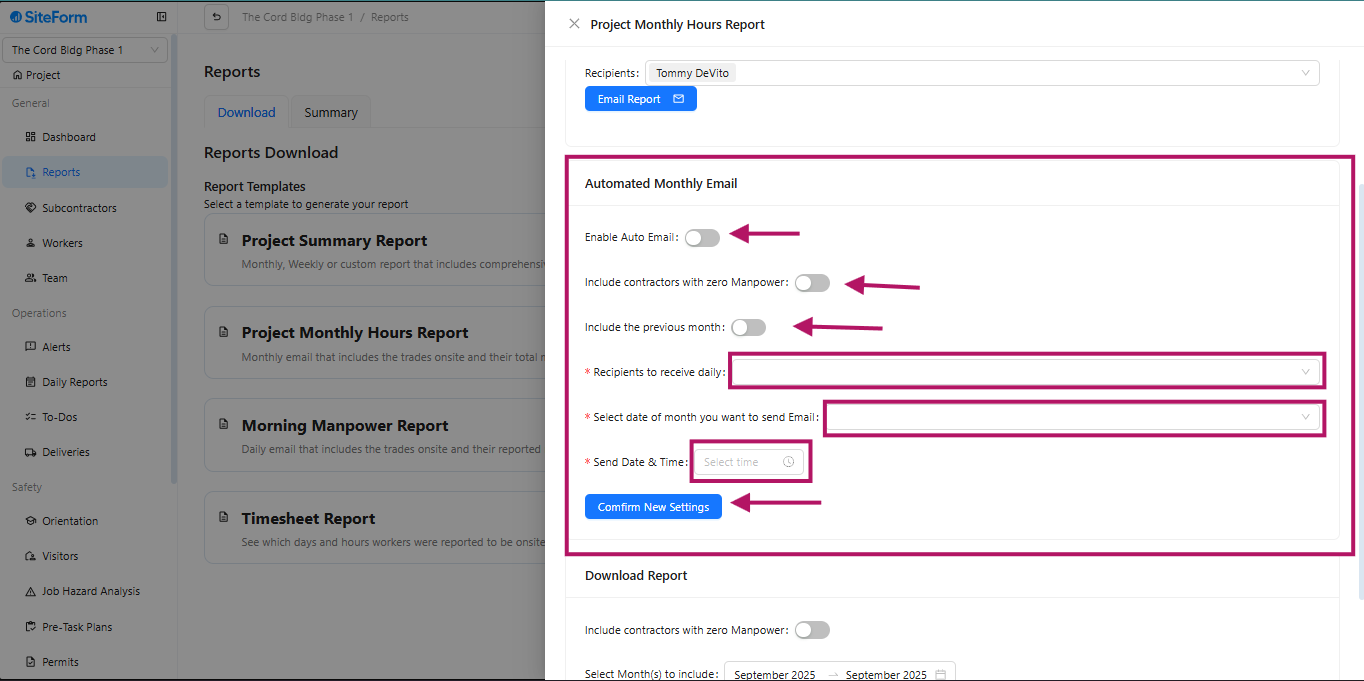
Options:
Enable Auto Email: Turns on automatic report delivery.
Include Contractors with Zero Manpower: Adds all contractors, even with no hours.
Include Previous Month: Sends data for the prior month.
Recipients to Receive Daily: Choose who gets daily reports if needed.
Select Date of Month: Set the date to send the report.
Send Date & Time: Schedule the exact delivery time.
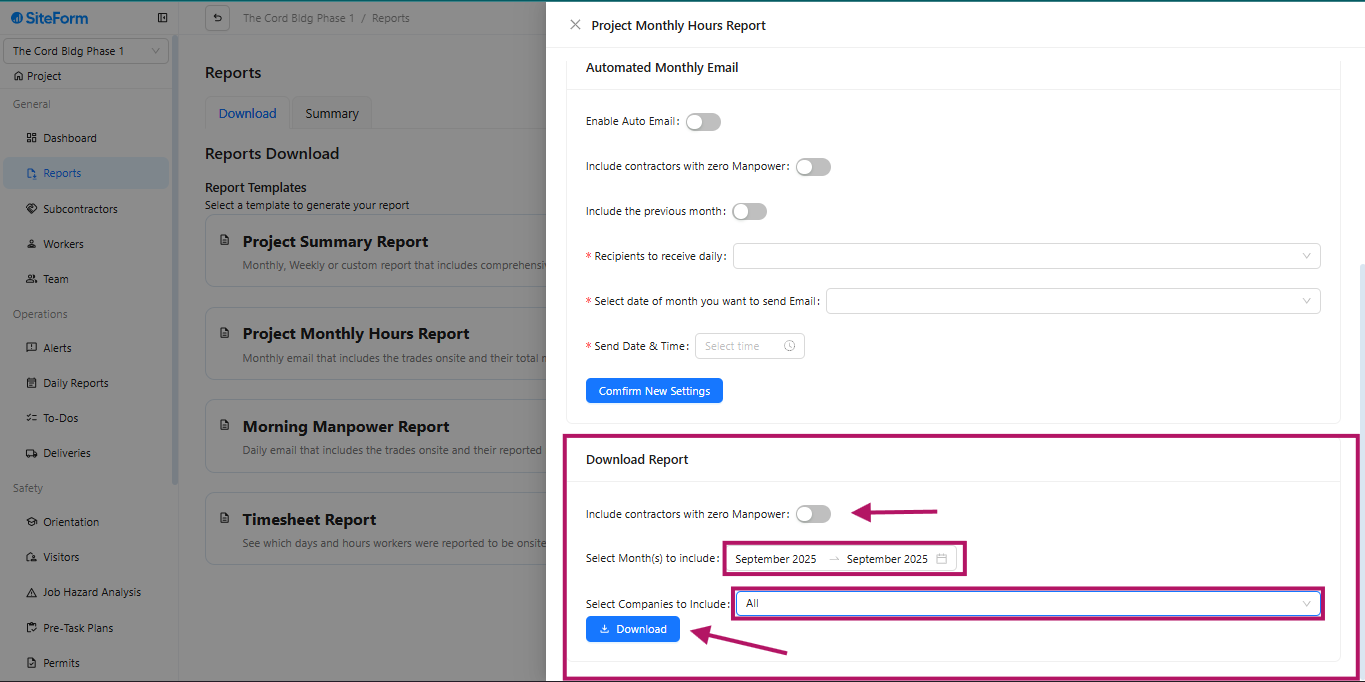
Allows users to generate and download the Monthly Hours Report for selected months and companies.
Options:
Include Contractors with Zero Manpower: Shows all contractors, even those with no recorded hours.
Select Month(s) to Include: Choose one or multiple months (e.g., September 2025).
Select Companies to Include: Filter which subcontractor to appear in the report.
Was this article helpful?
That’s Great!
Thank you for your feedback
Sorry! We couldn't be helpful
Thank you for your feedback
Feedback sent
We appreciate your effort and will try to fix the article