Instructions
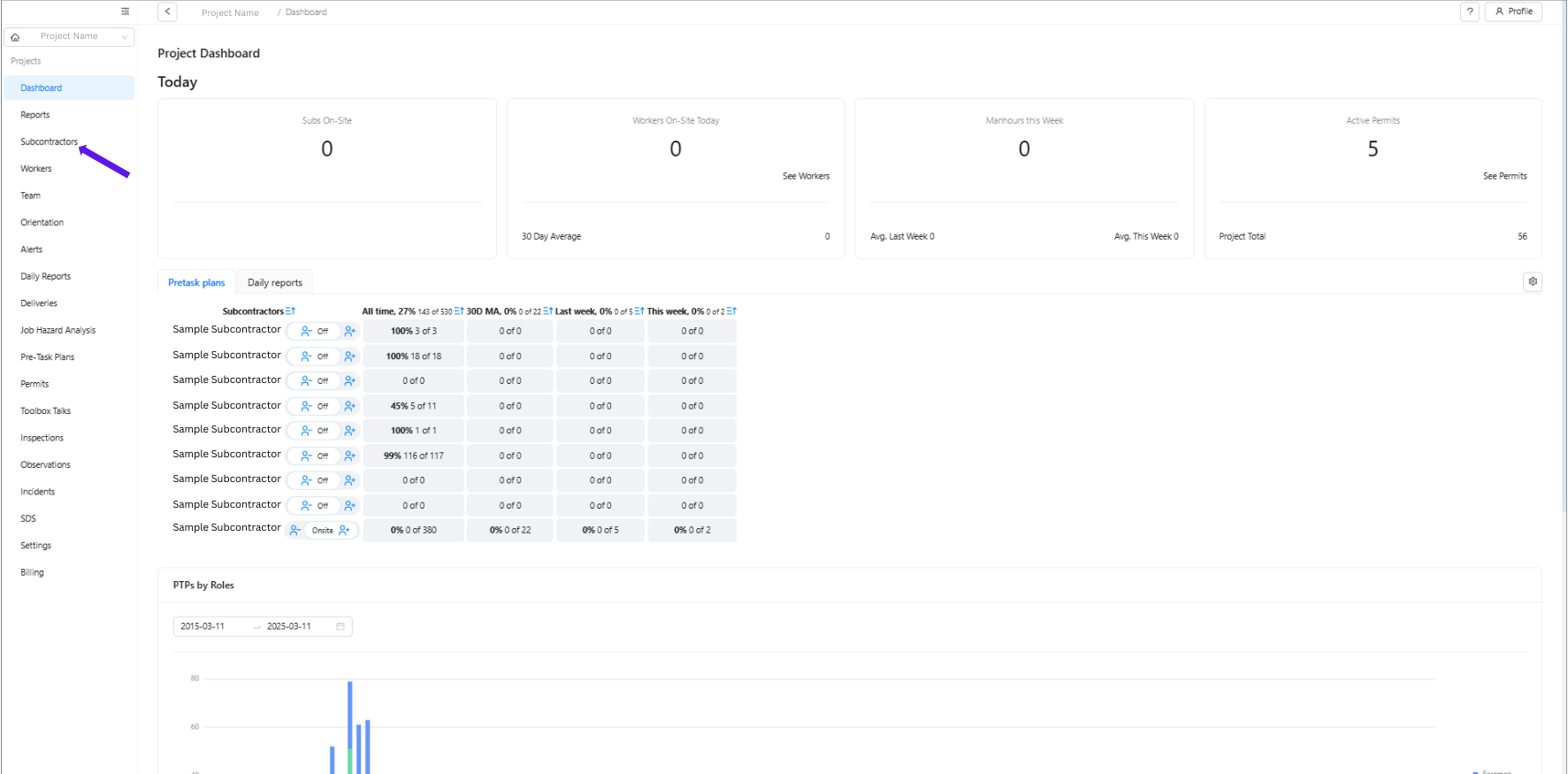
1. Select Subcontractor
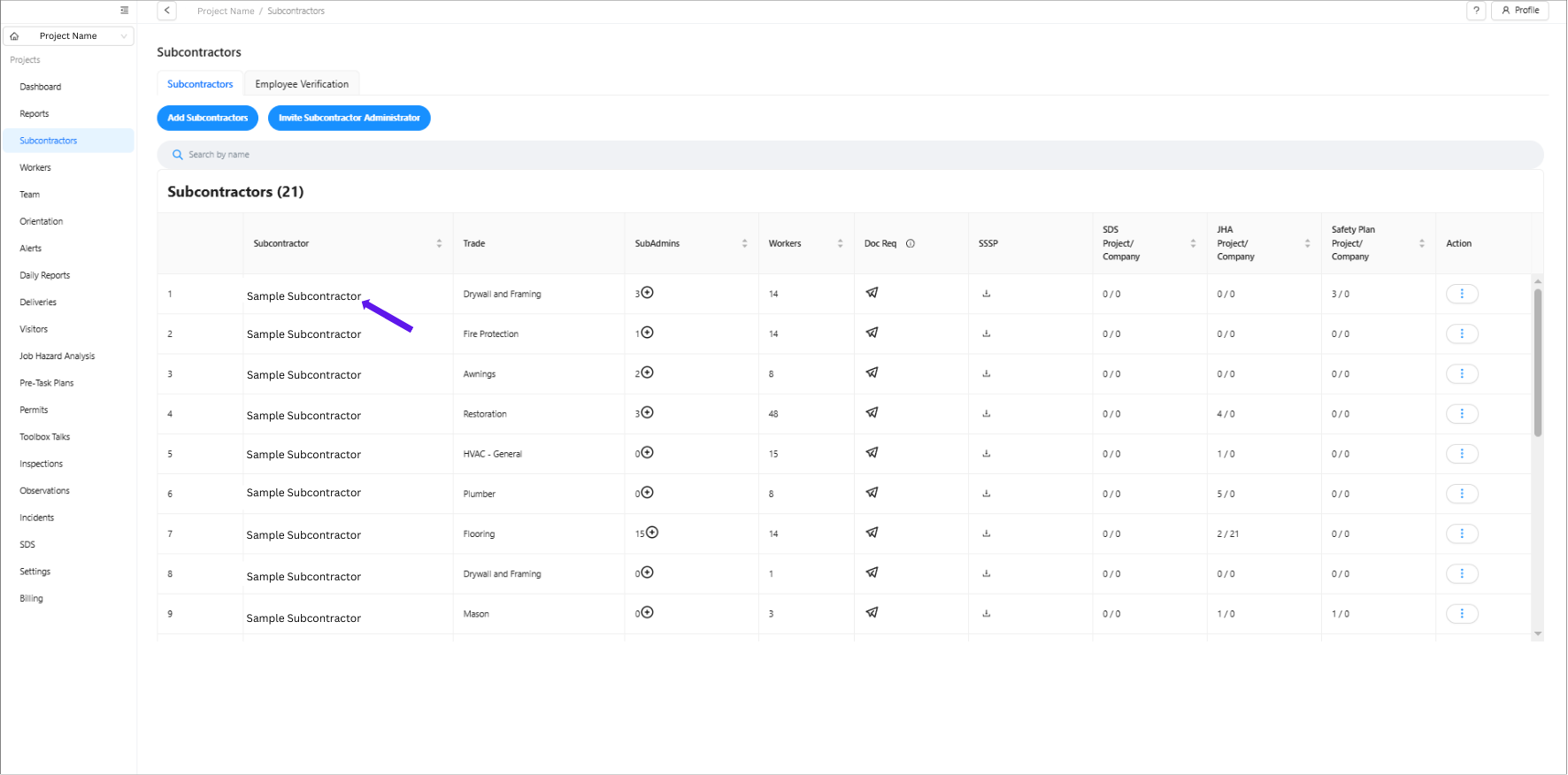
2. Choose the subcontractor company to which you want to add an admin.
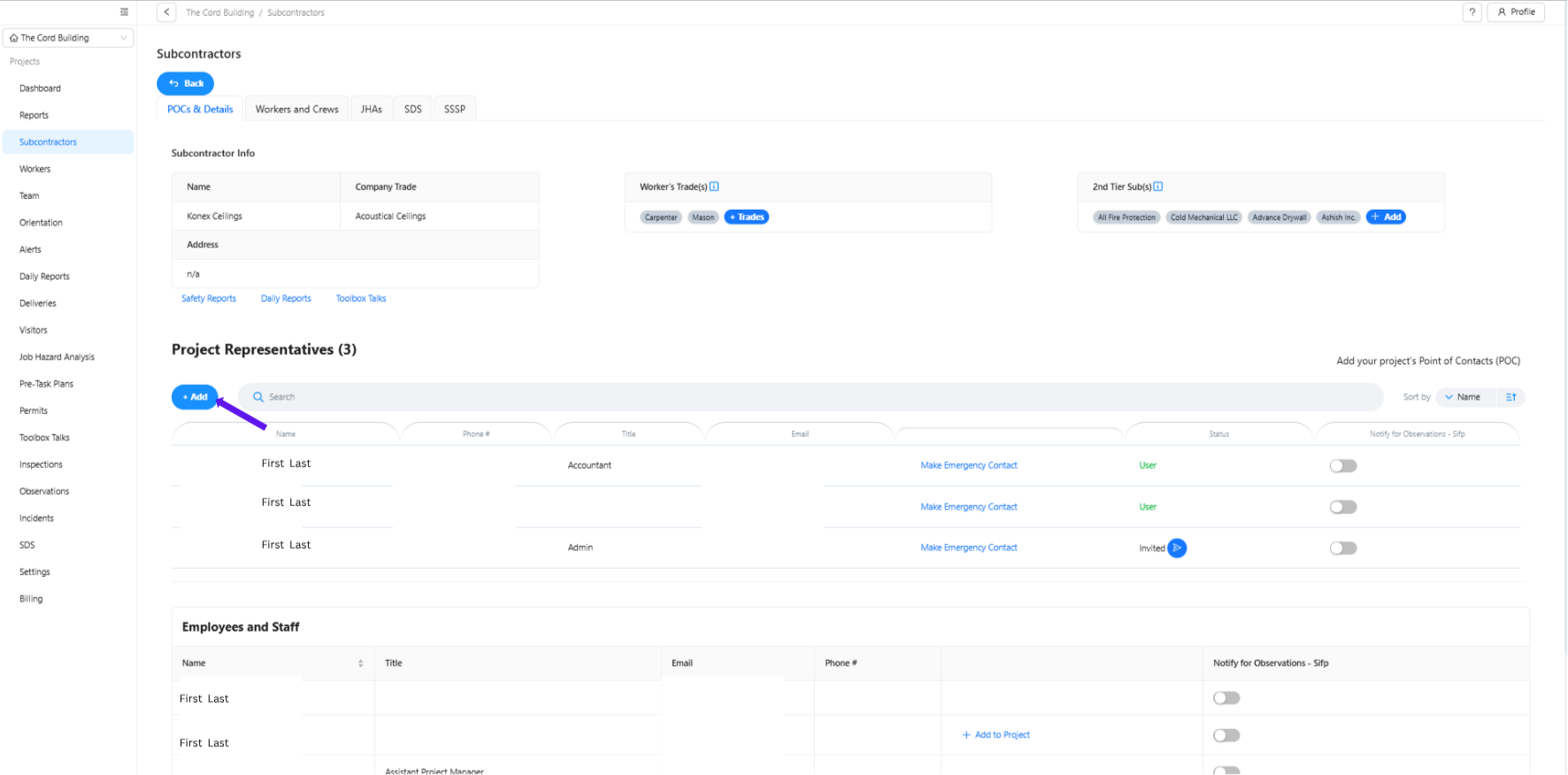
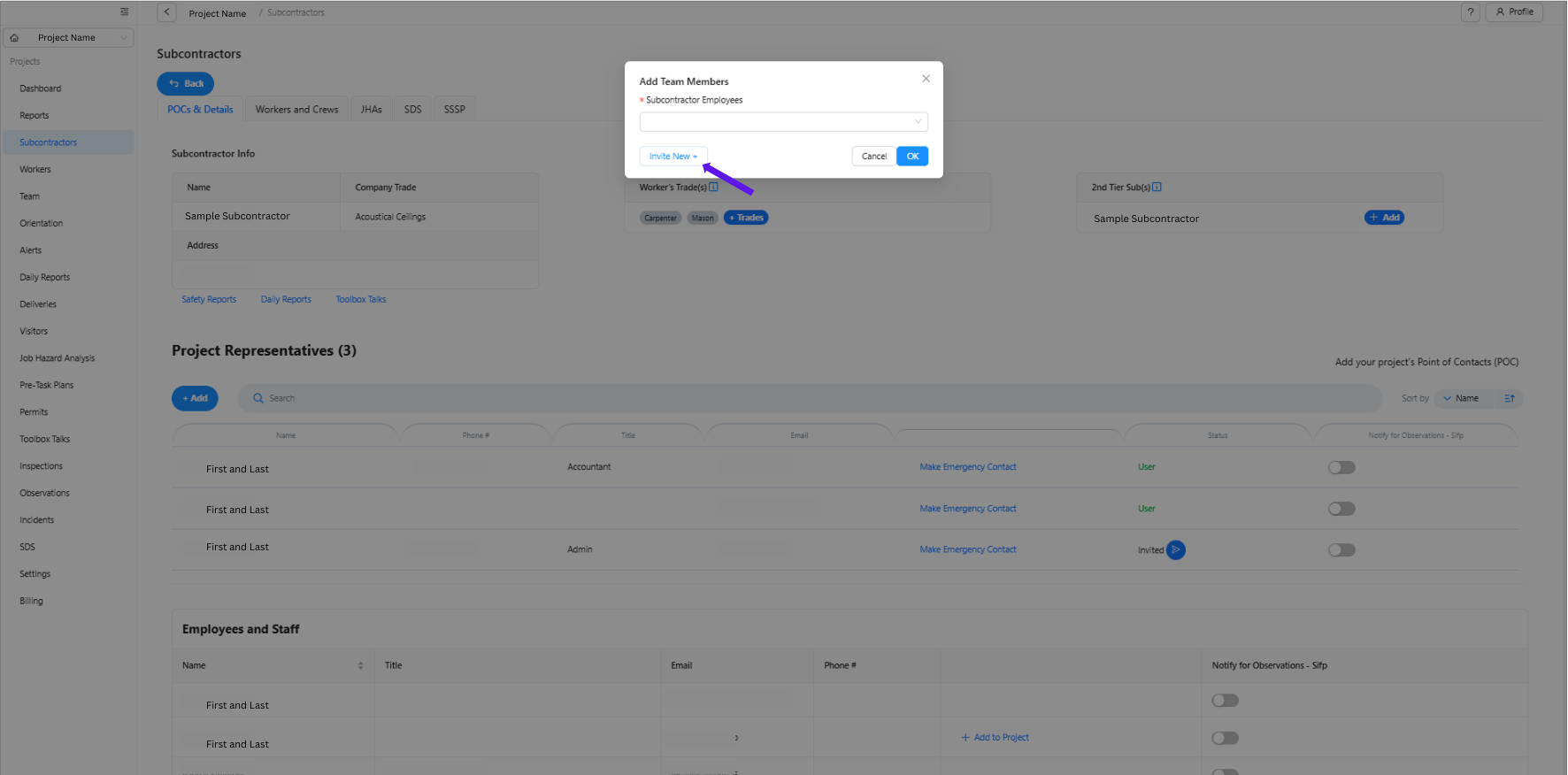
3. Ensure you are under POCs and Details, then scroll down to Project Representatives and click + Add.
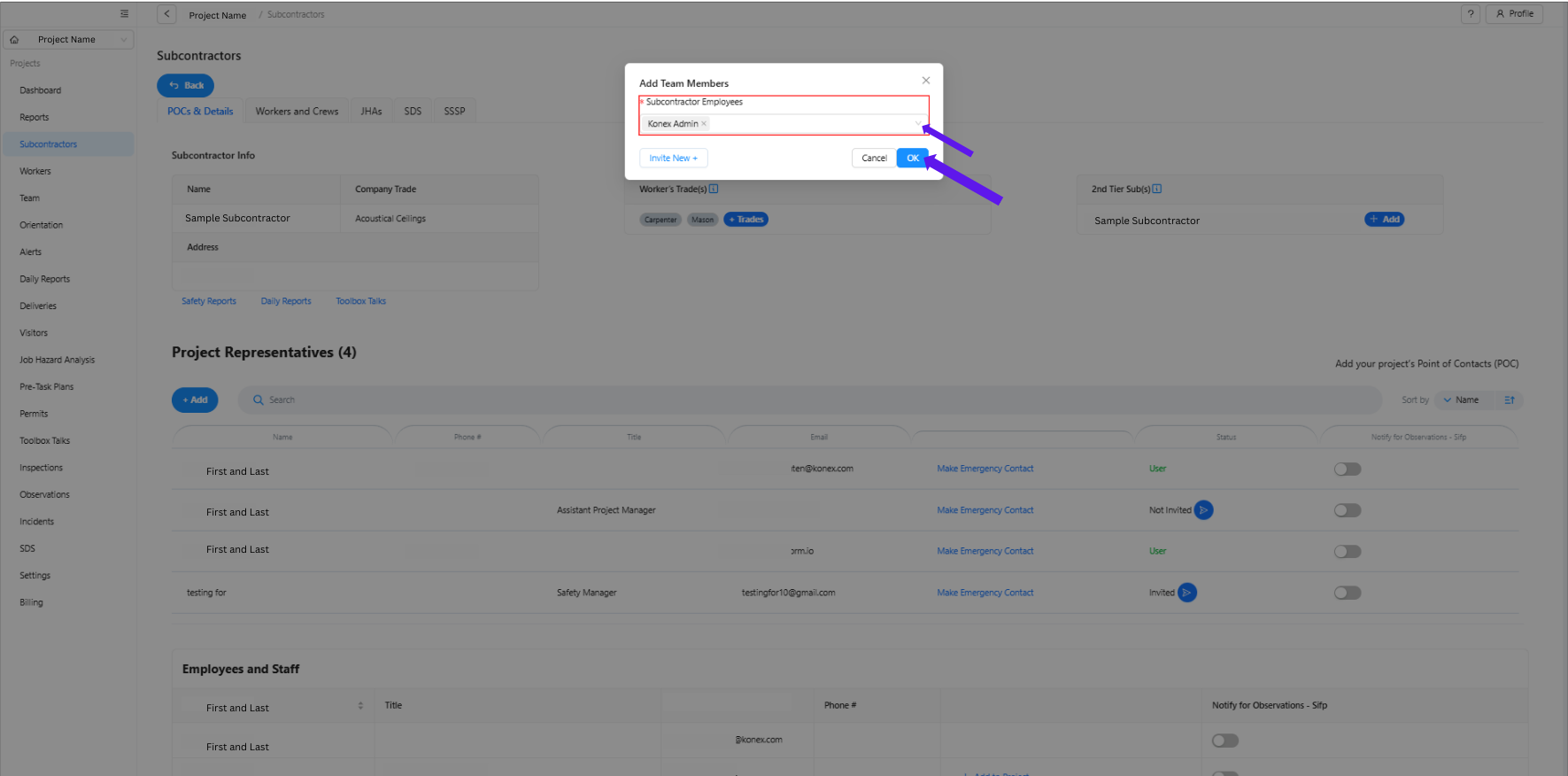
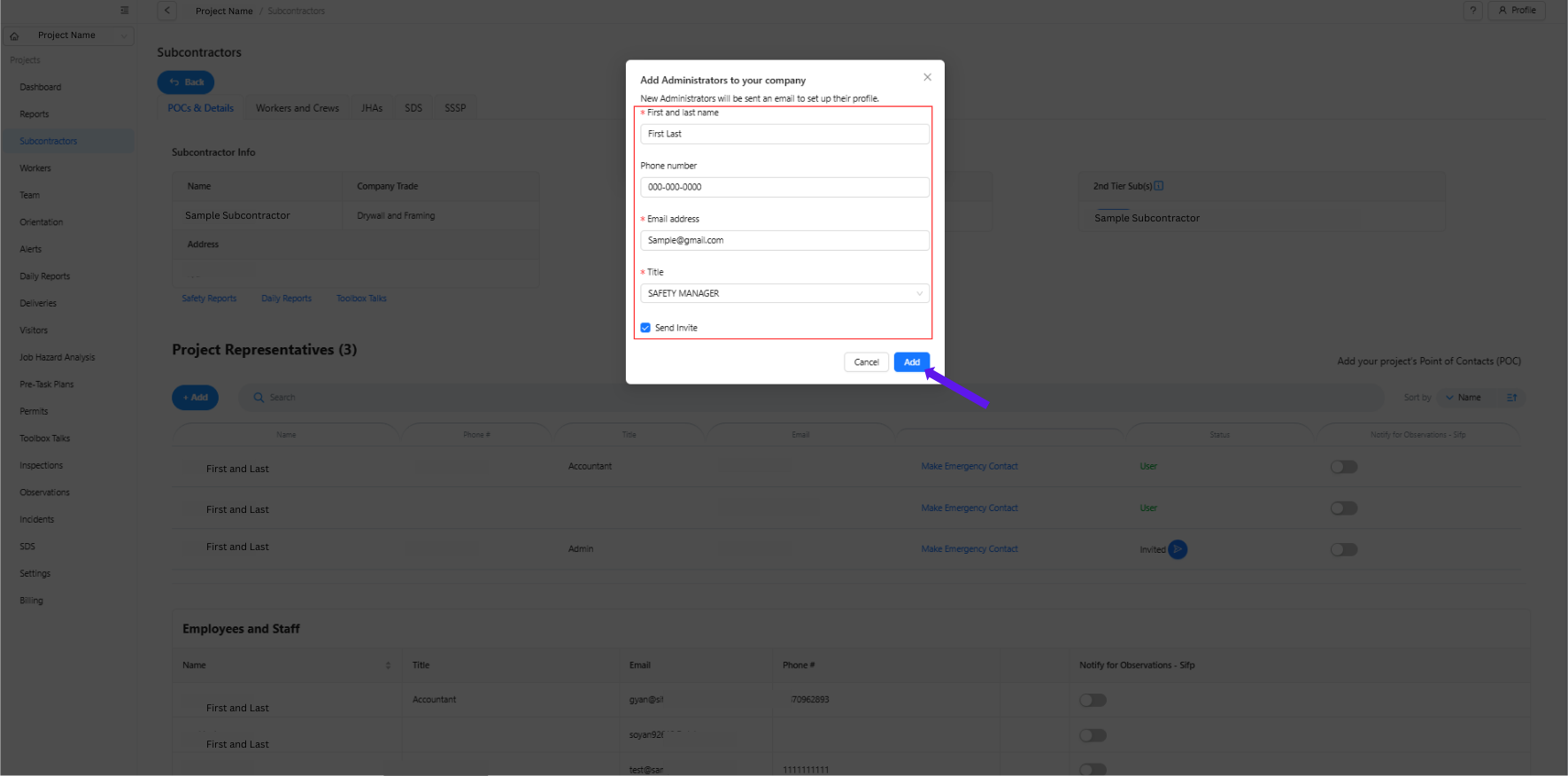
4. Click Invite New and fill out the required information:
First Name
Last Name
Mobile Number
Email
Title
Click Add to complete the process.
Was this article helpful?
That’s Great!
Thank you for your feedback
Sorry! We couldn't be helpful
Thank you for your feedback
Feedback sent
We appreciate your effort and will try to fix the article