How to Convert Worker to Subcontractor Administrator
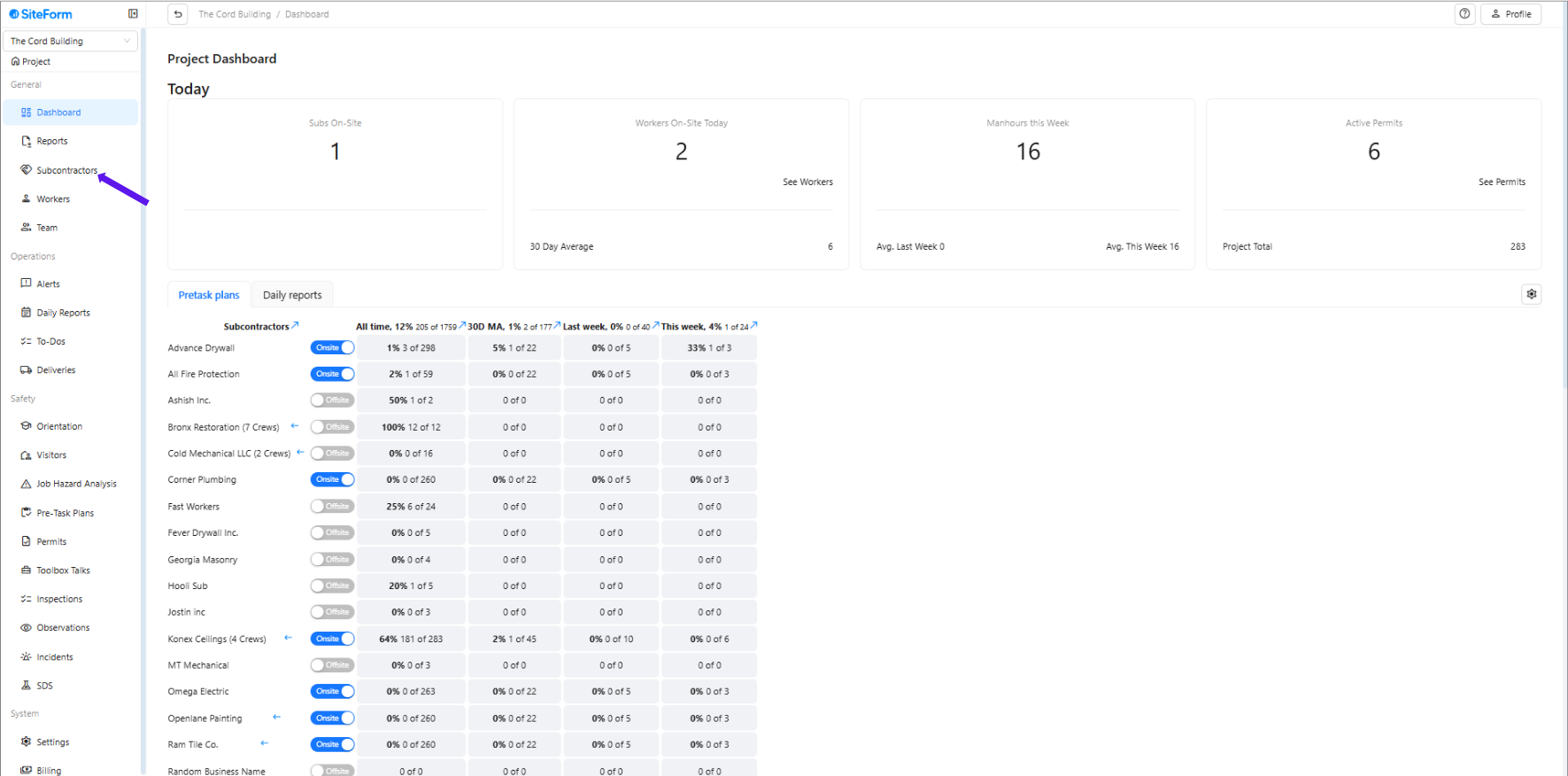
1. Navigate to the left-hand menu and click on Workers.
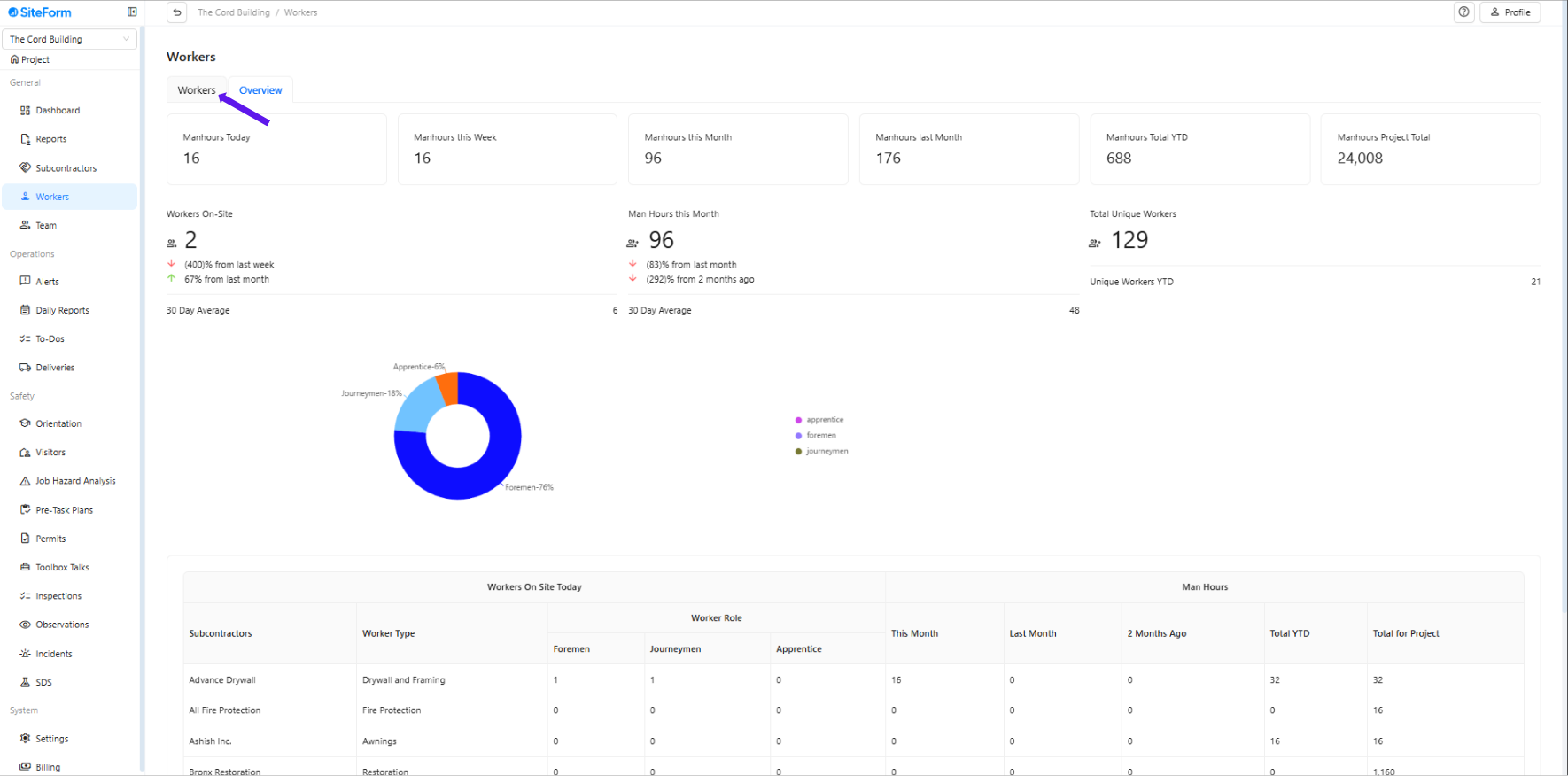
2. Make sure you are on the “Workers” tab
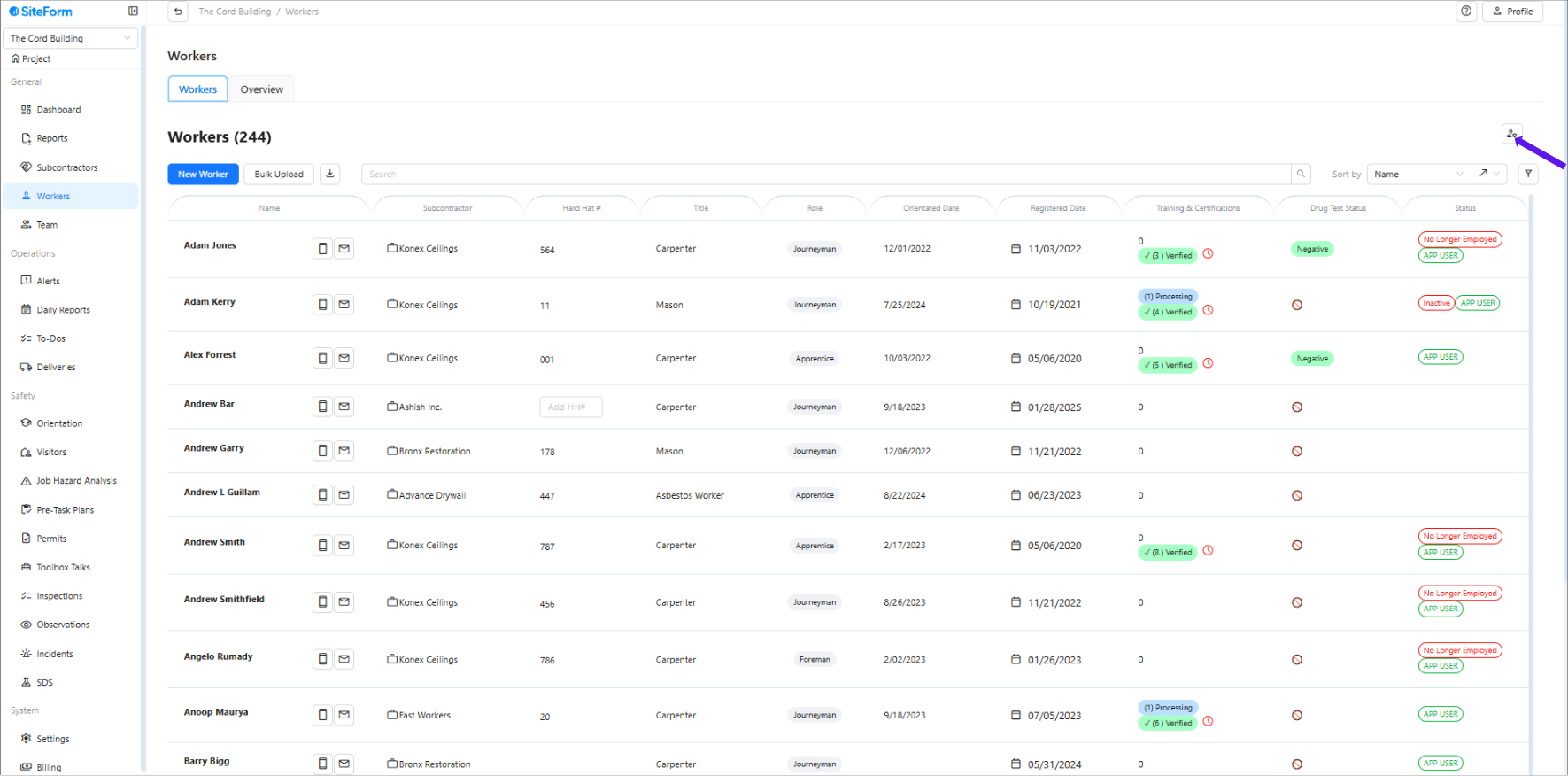
3. Click the icon with the person and wrench.
4. Select “Worker to Subcontractor Administrator”
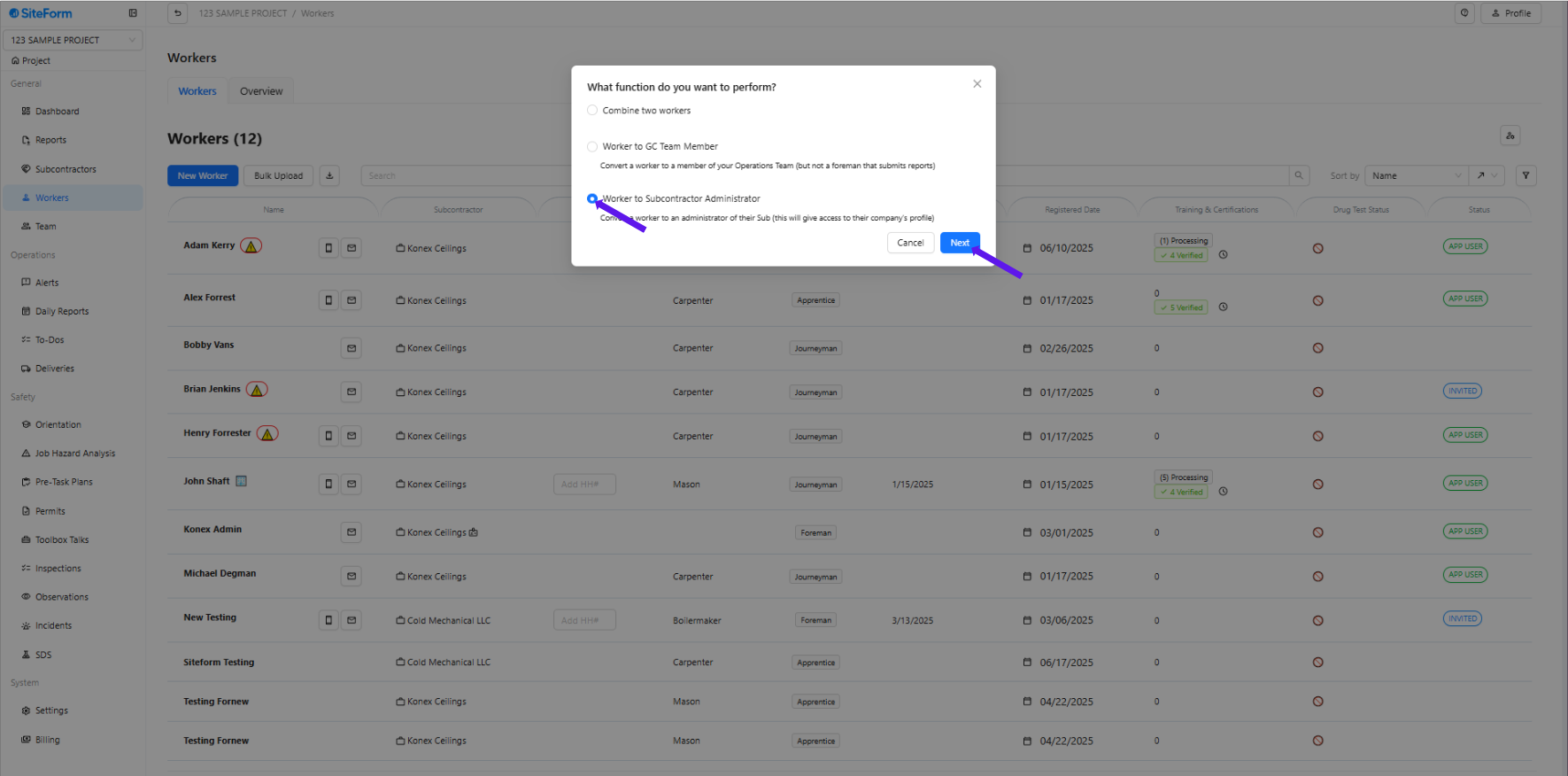
5. Select the Worker you want to convert as Subcontractor Administrator.
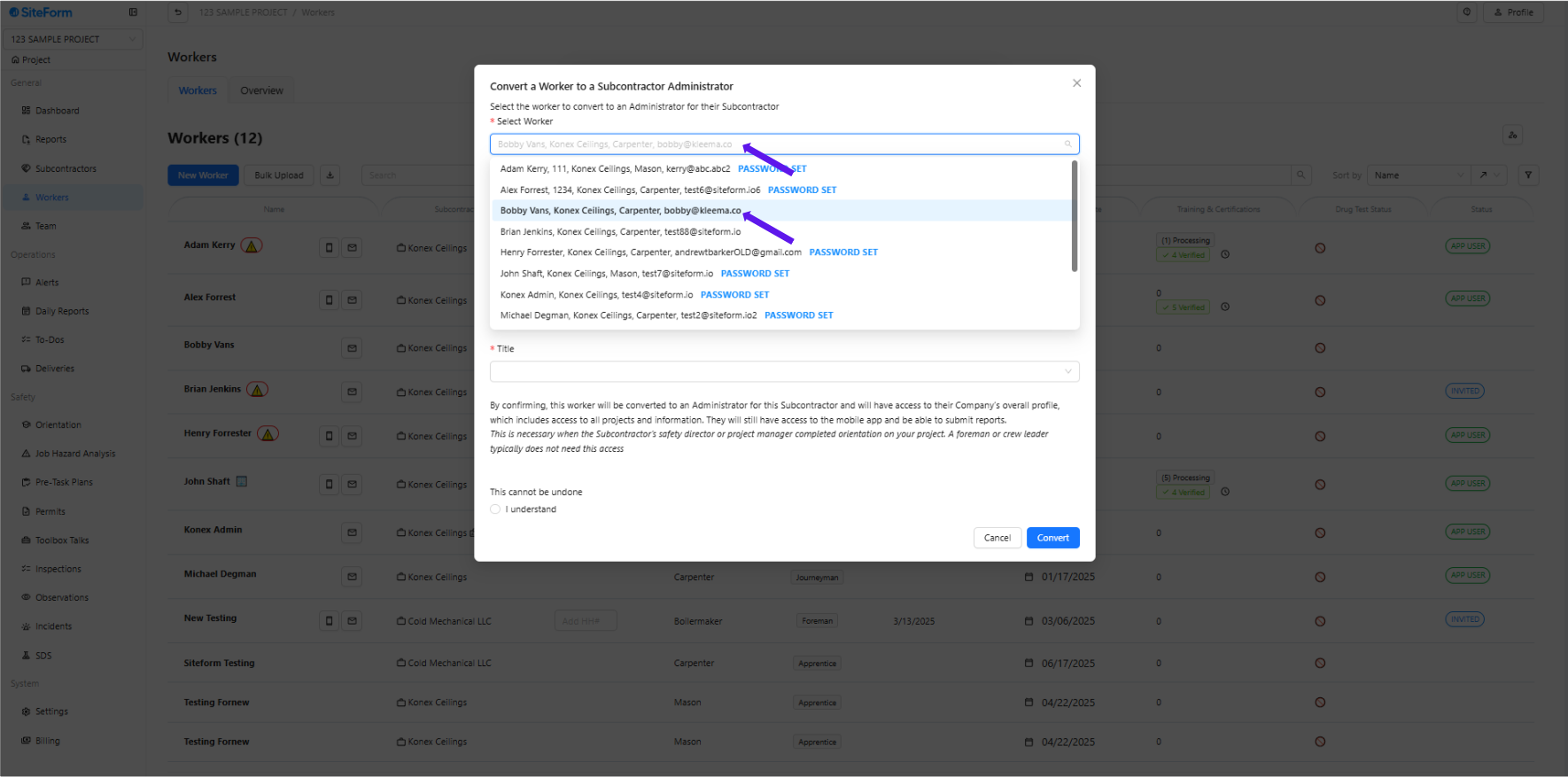
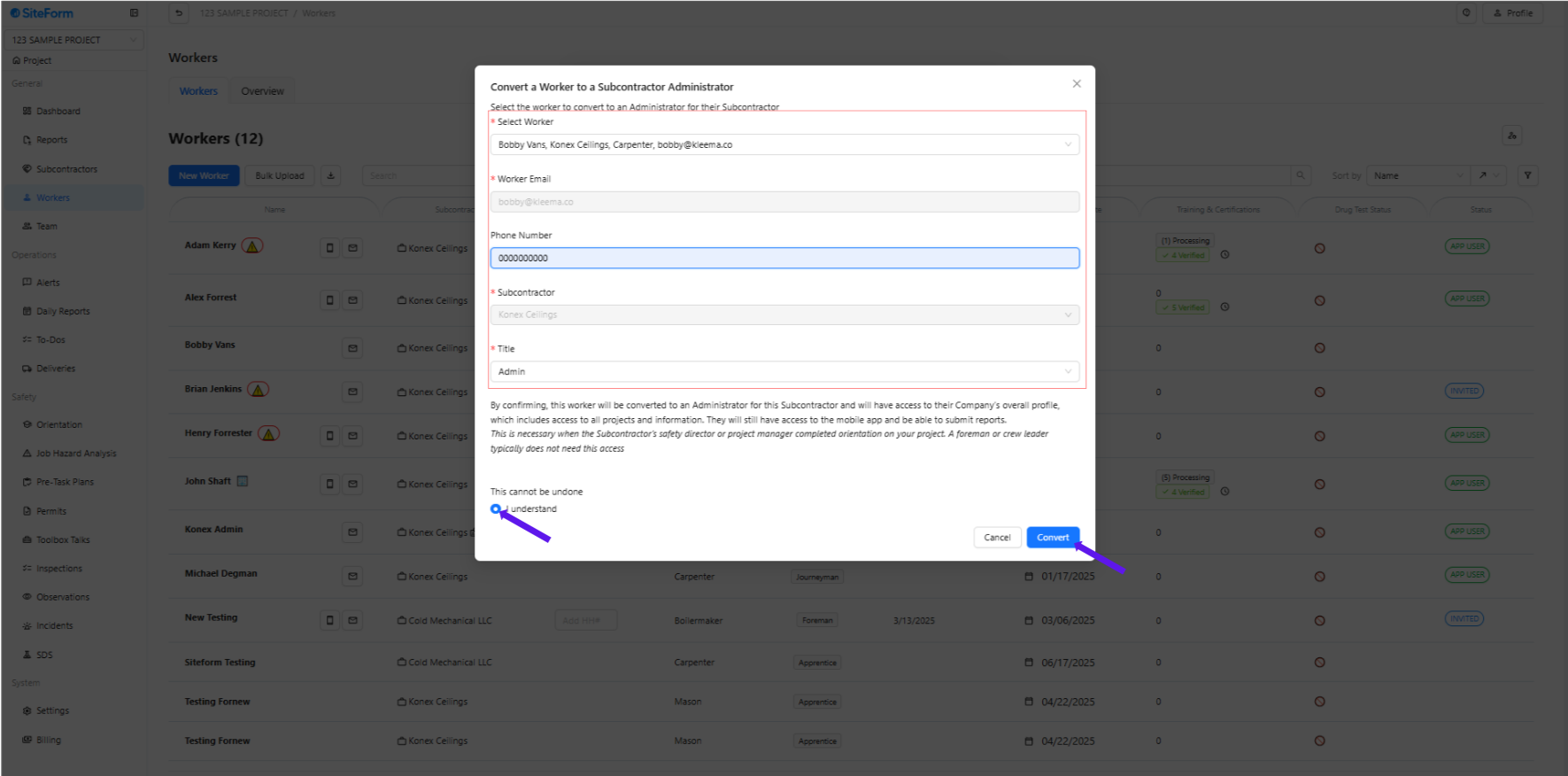
6.Fill in the required information, toggle on “I Understand,” and click Convert.
Was this article helpful?
That’s Great!
Thank you for your feedback
Sorry! We couldn't be helpful
Thank you for your feedback
Feedback sent
We appreciate your effort and will try to fix the article