1. Select Subcontractors from the menu.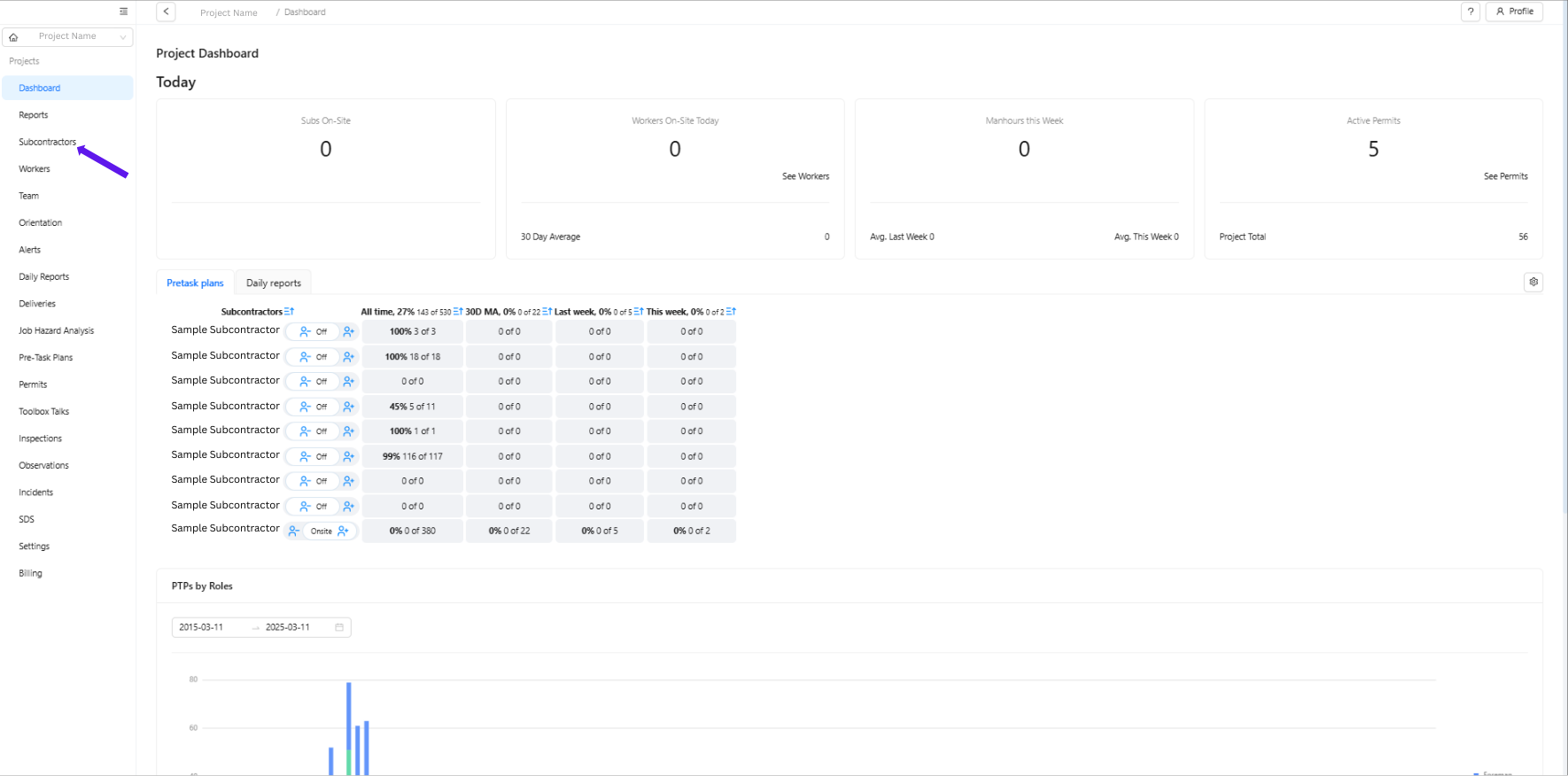
2. Make sure you are under Subcontractors to see the list of subcontractor companies. Select the subcontractor company of the worker whose password you wish to reset.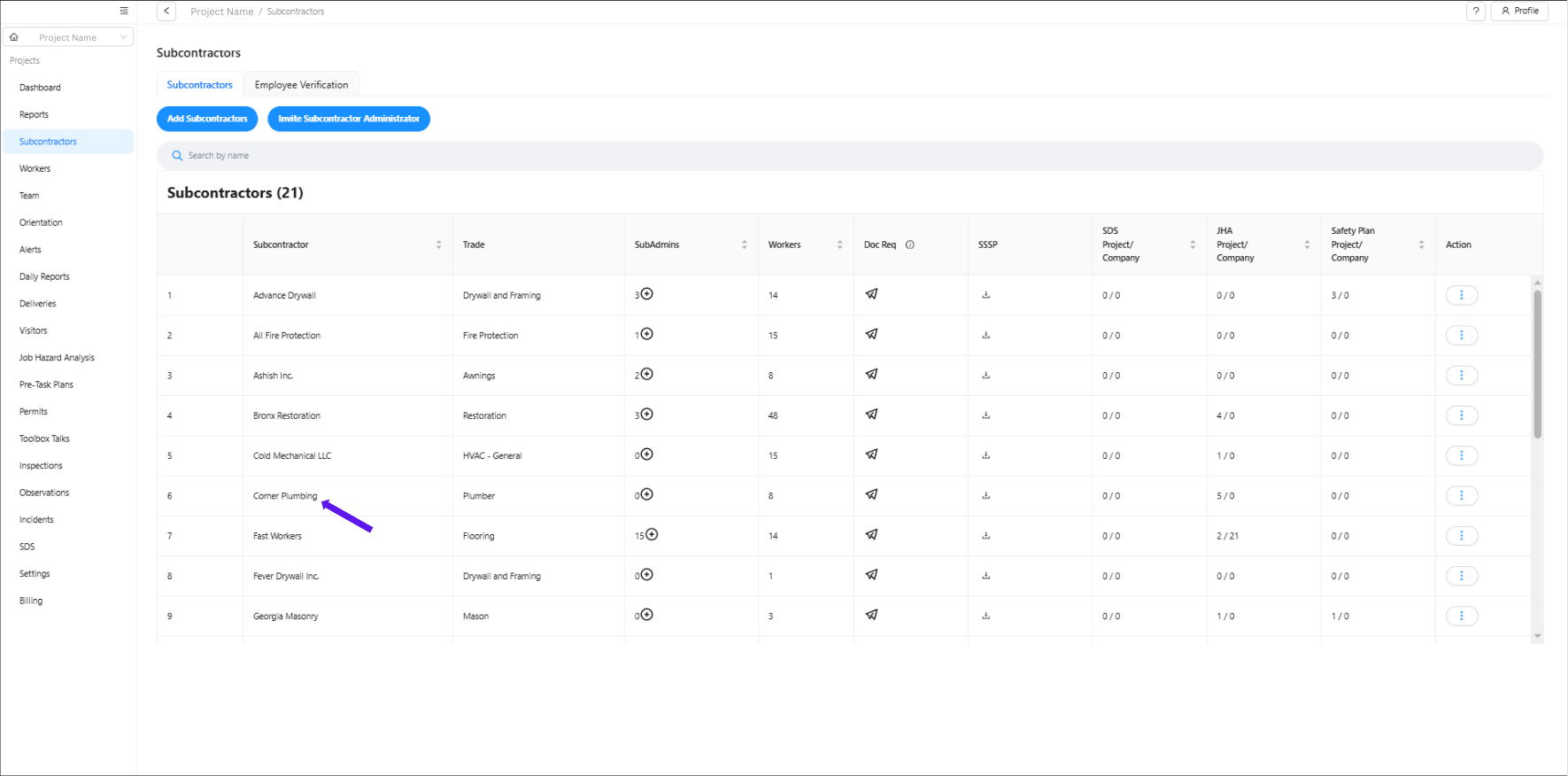
3. Click "Workers and Crew."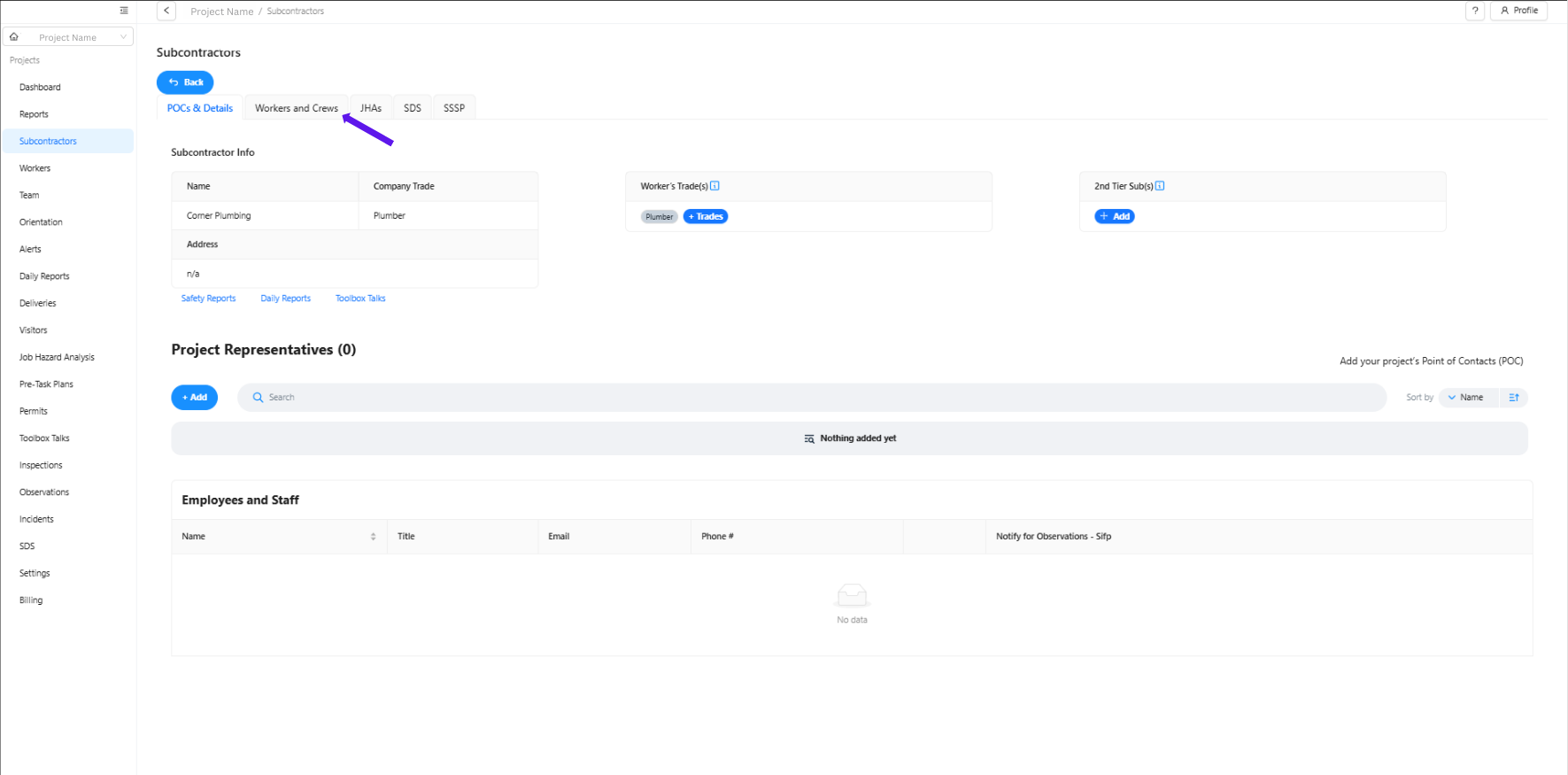
4. Scroll down and under the "Workers" section, search for the name of the worker and click on it.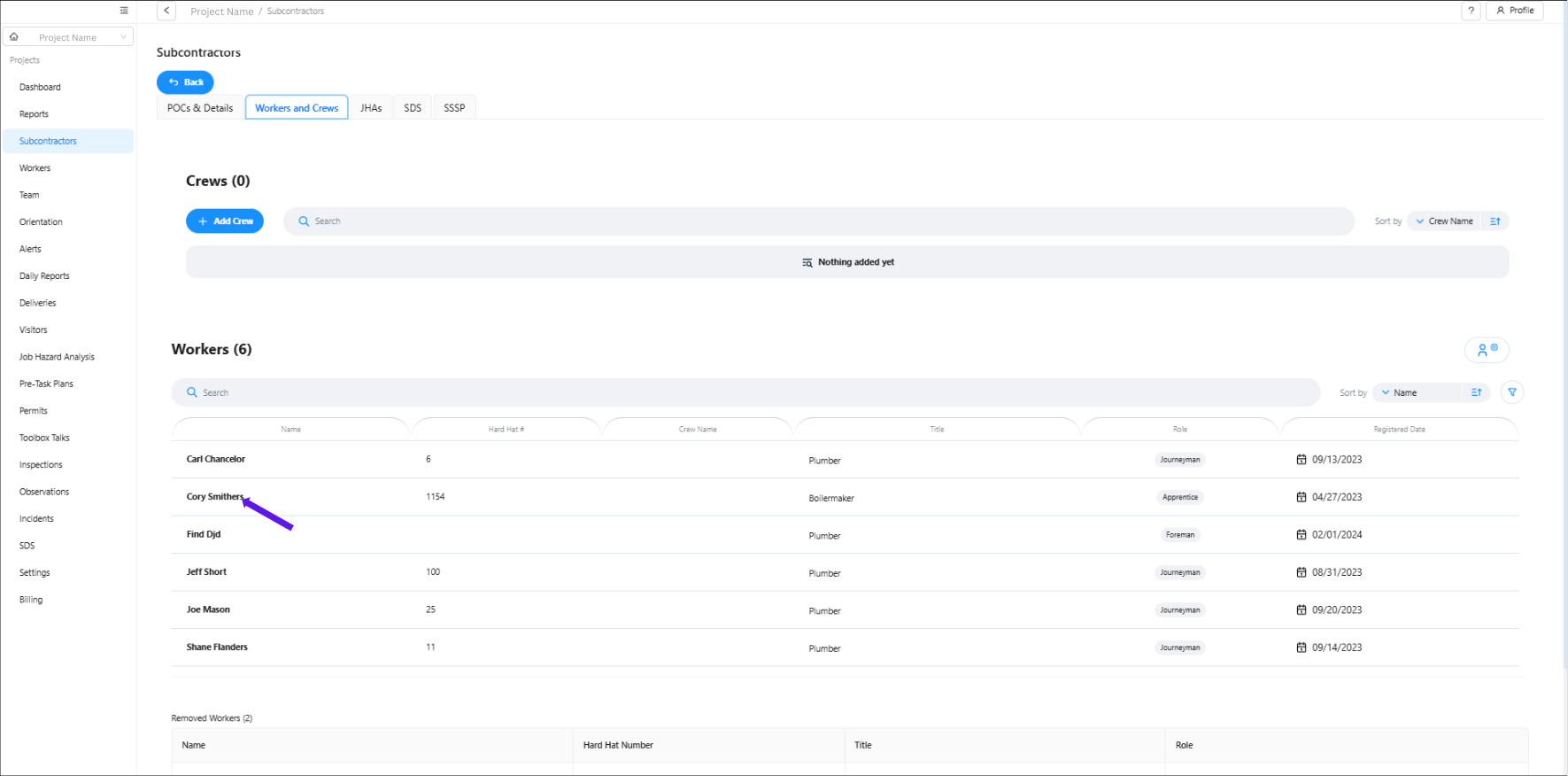
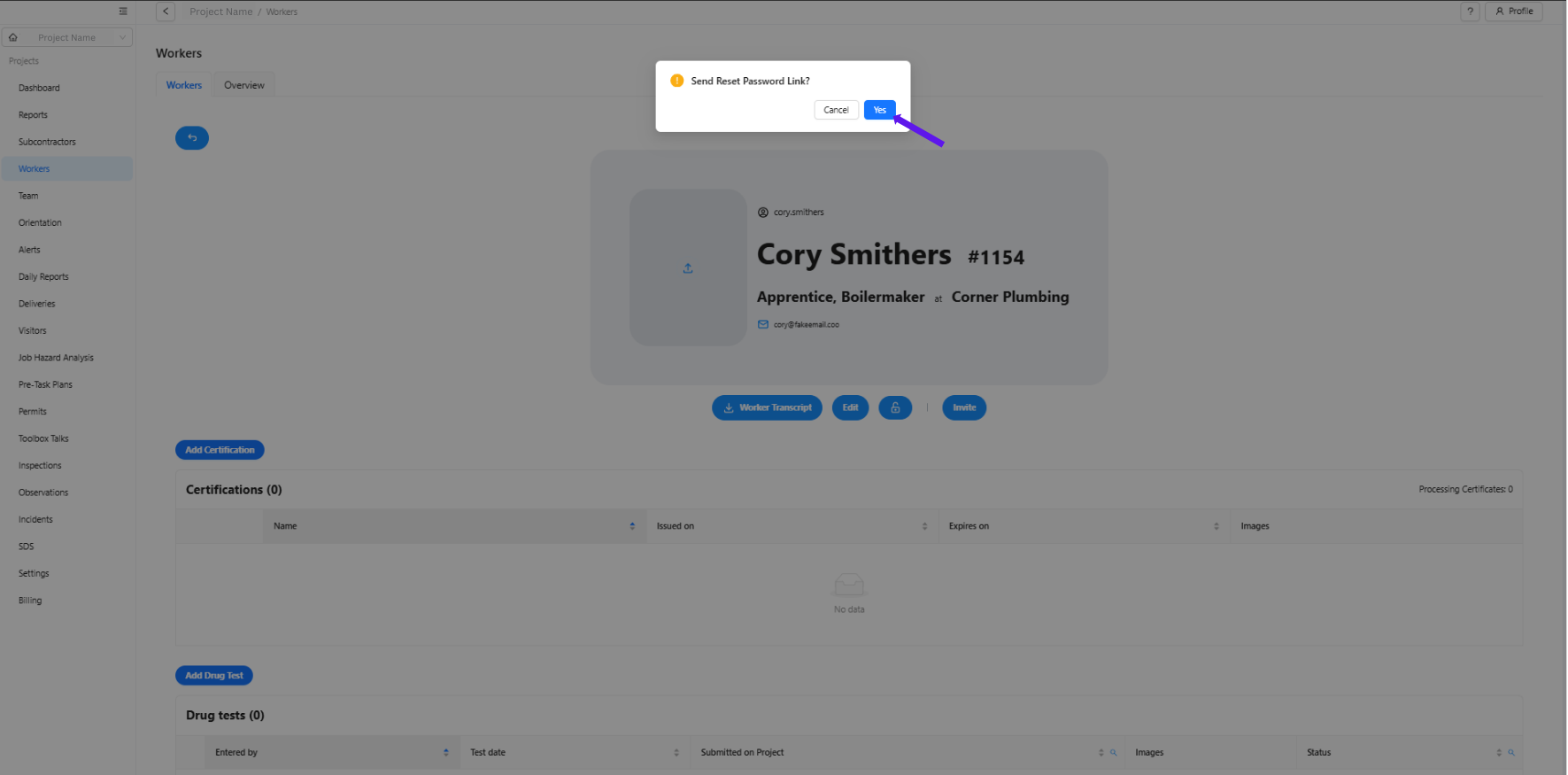
5. Look for the padlock icon, and a pop-up box will ask you if you want to send a reset password link. 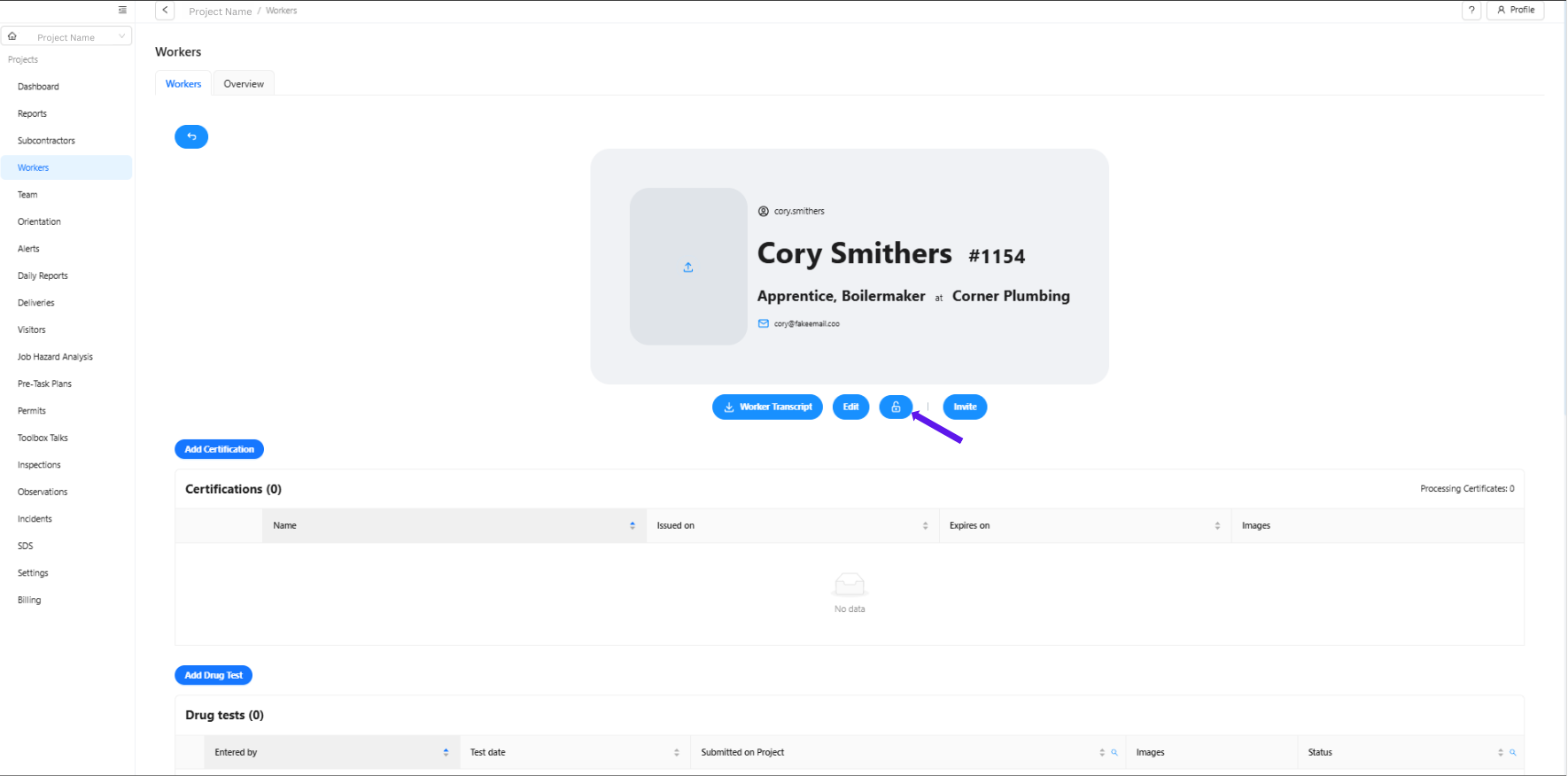
6. Click "Yes."
Was this article helpful?
That’s Great!
Thank you for your feedback
Sorry! We couldn't be helpful
Thank you for your feedback
Feedback sent
We appreciate your effort and will try to fix the article