Steps to Invite a Worker
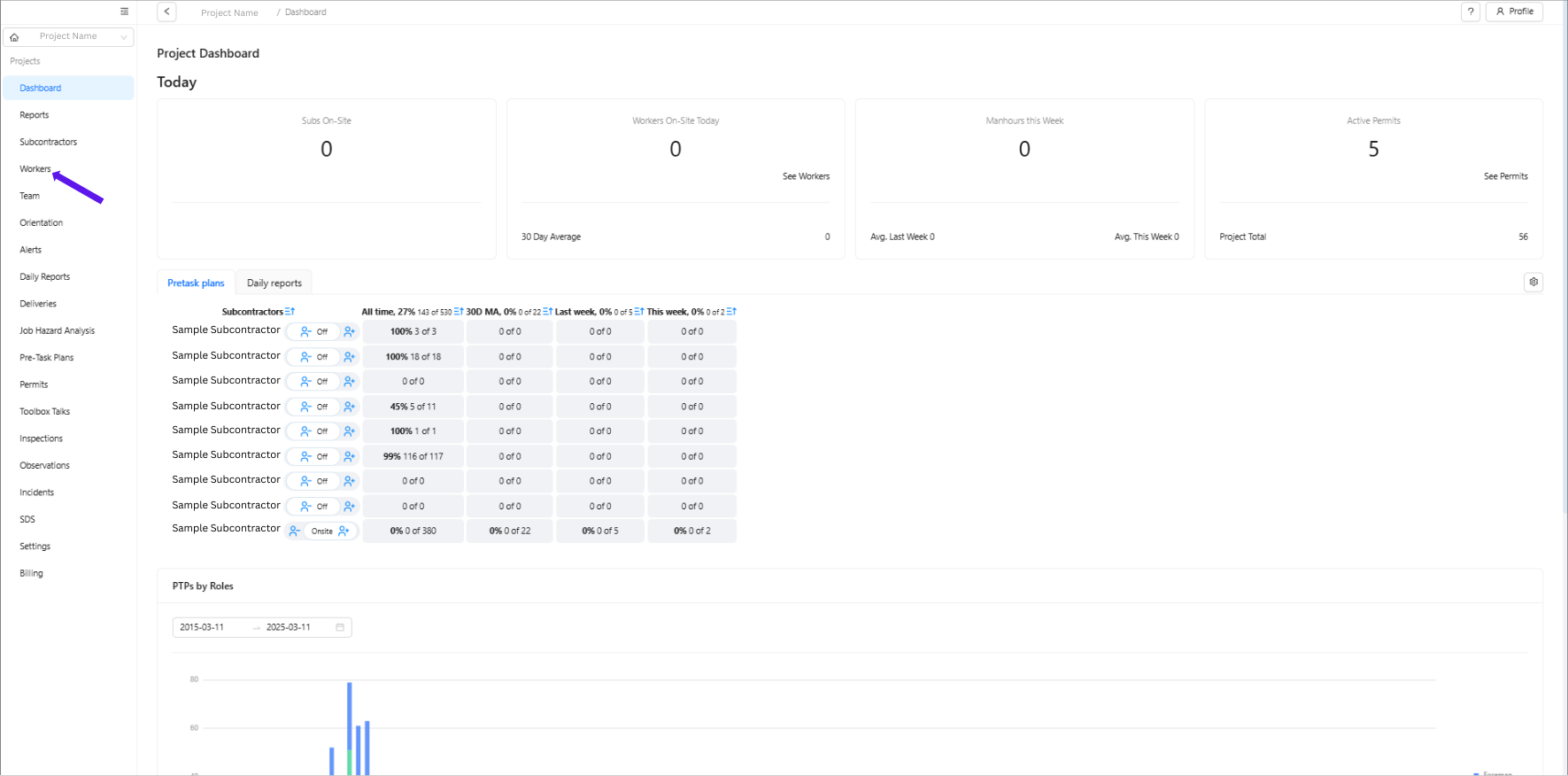
Select "Workers" from the menu.
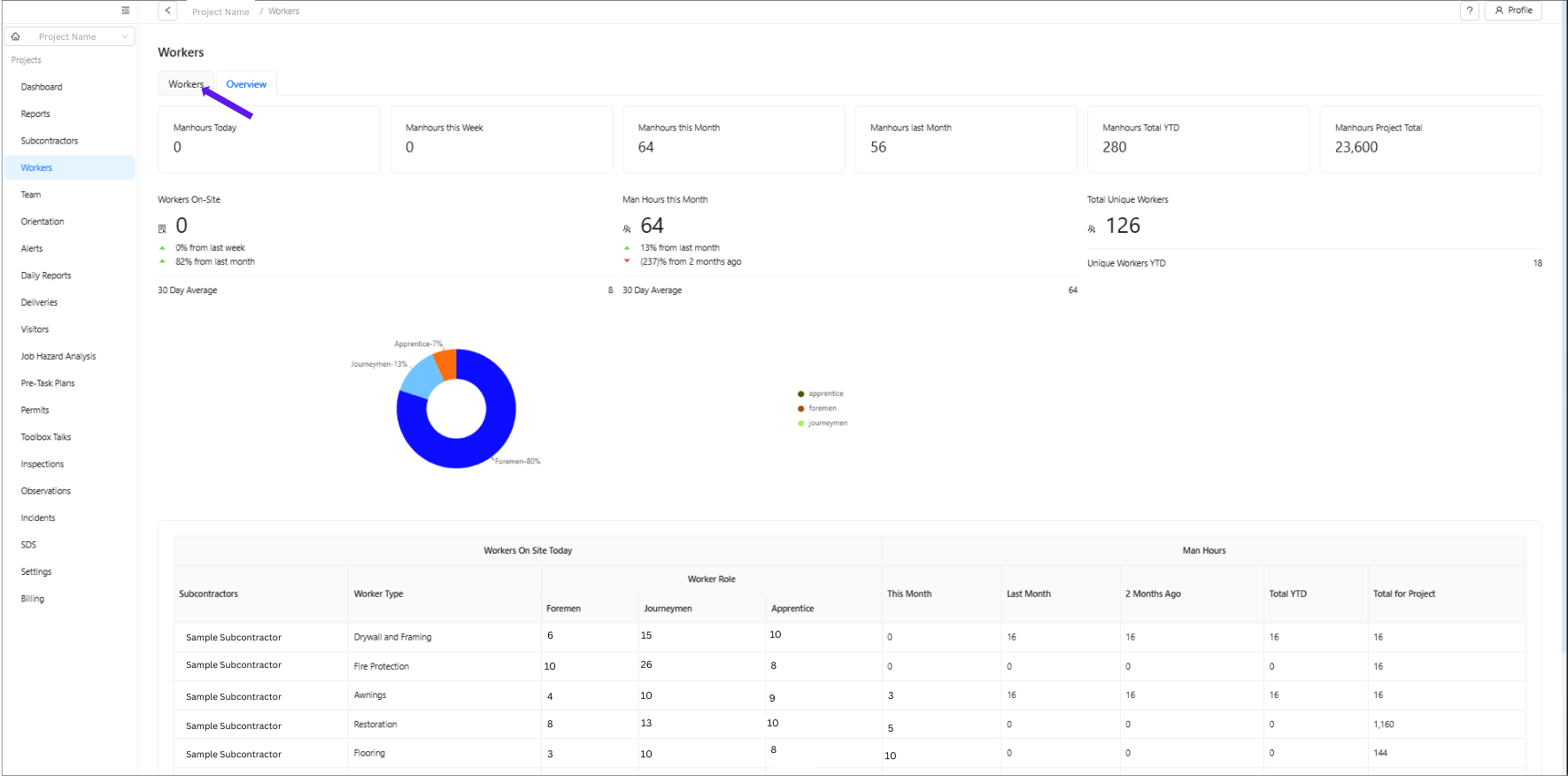
Ensure you are on the Workers page.
Use the search box to type in the worker's name and press Enter.
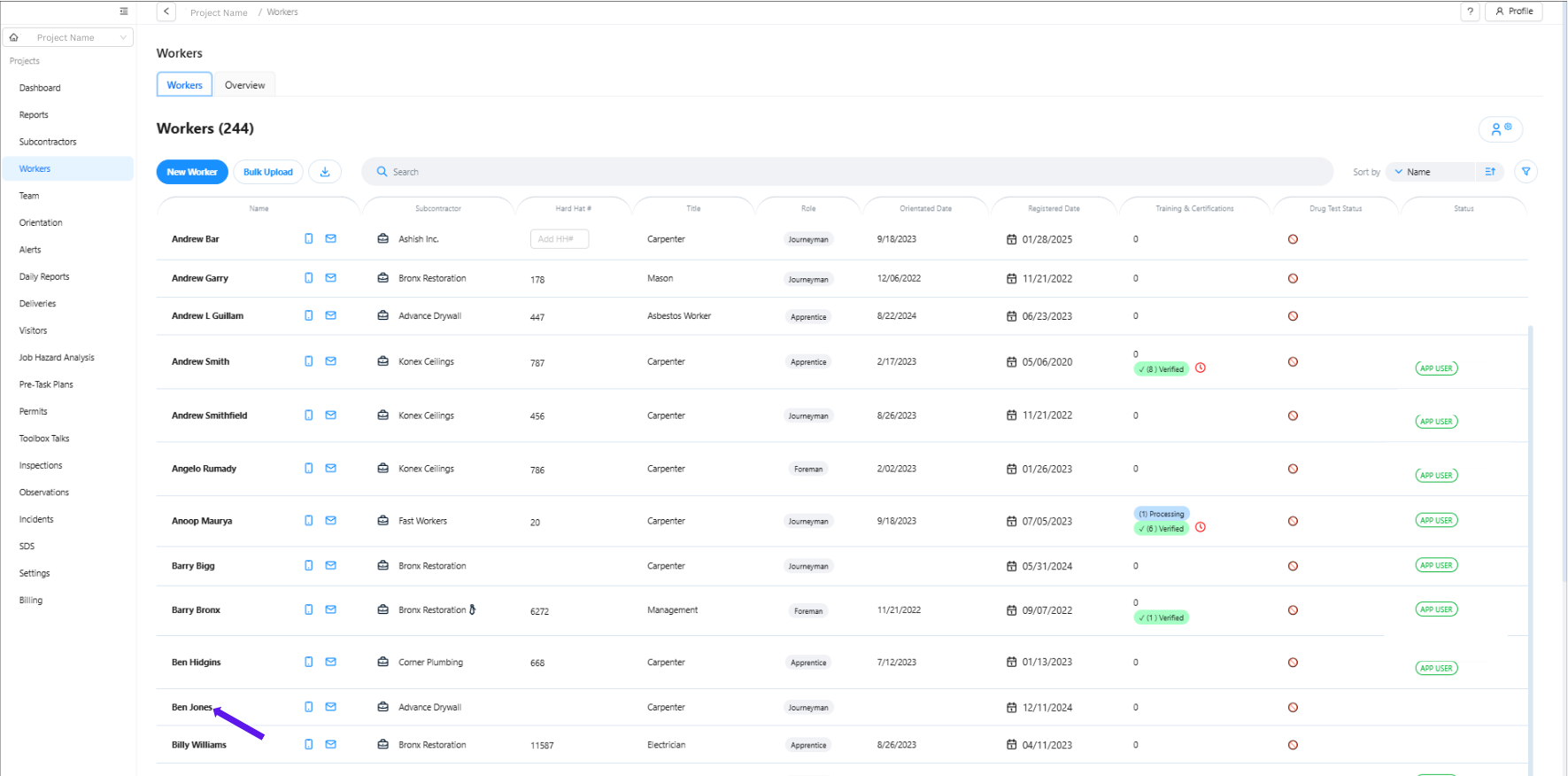
Click on the worker's name, then on the right side, locate their profile/details.
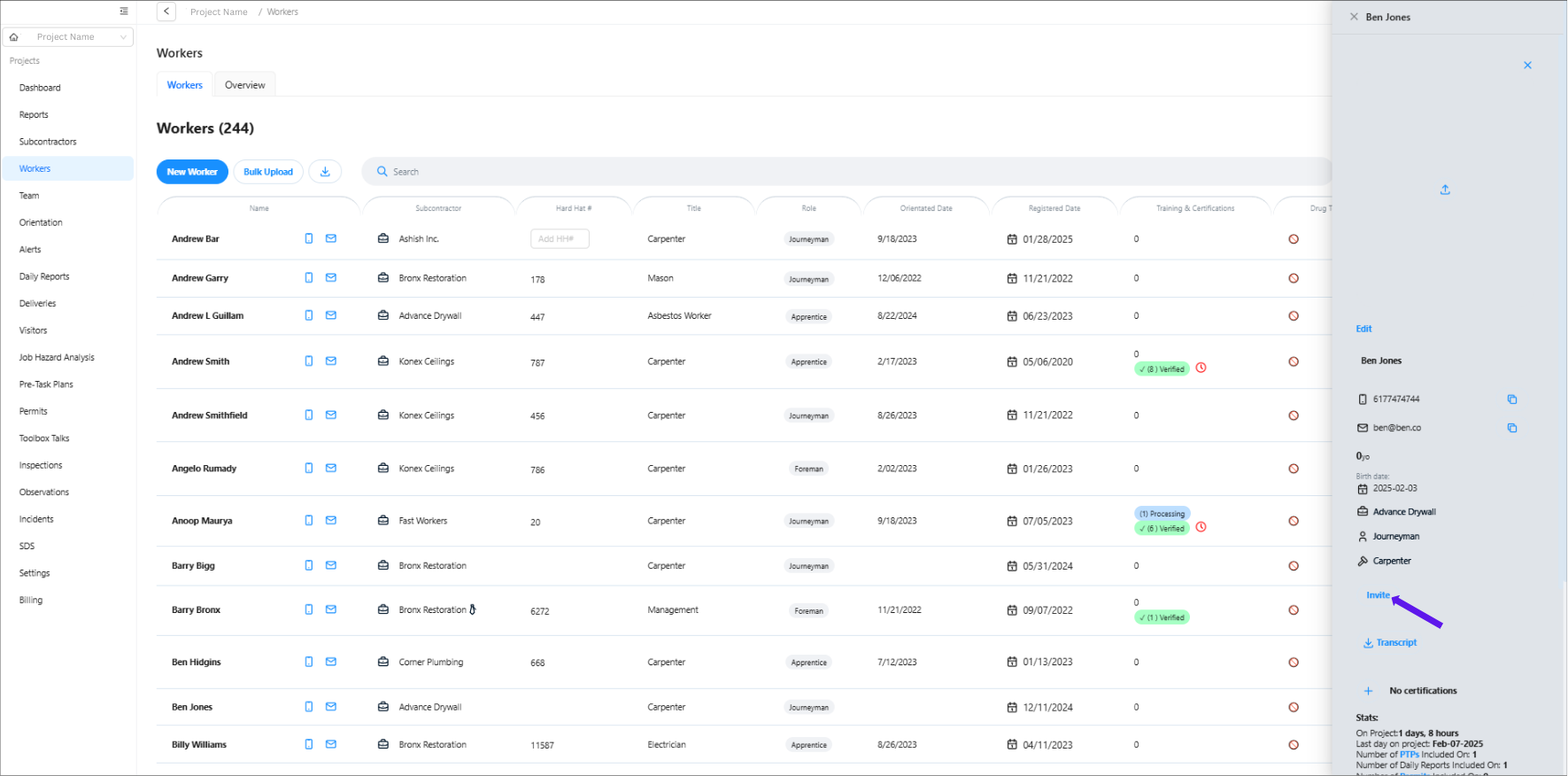
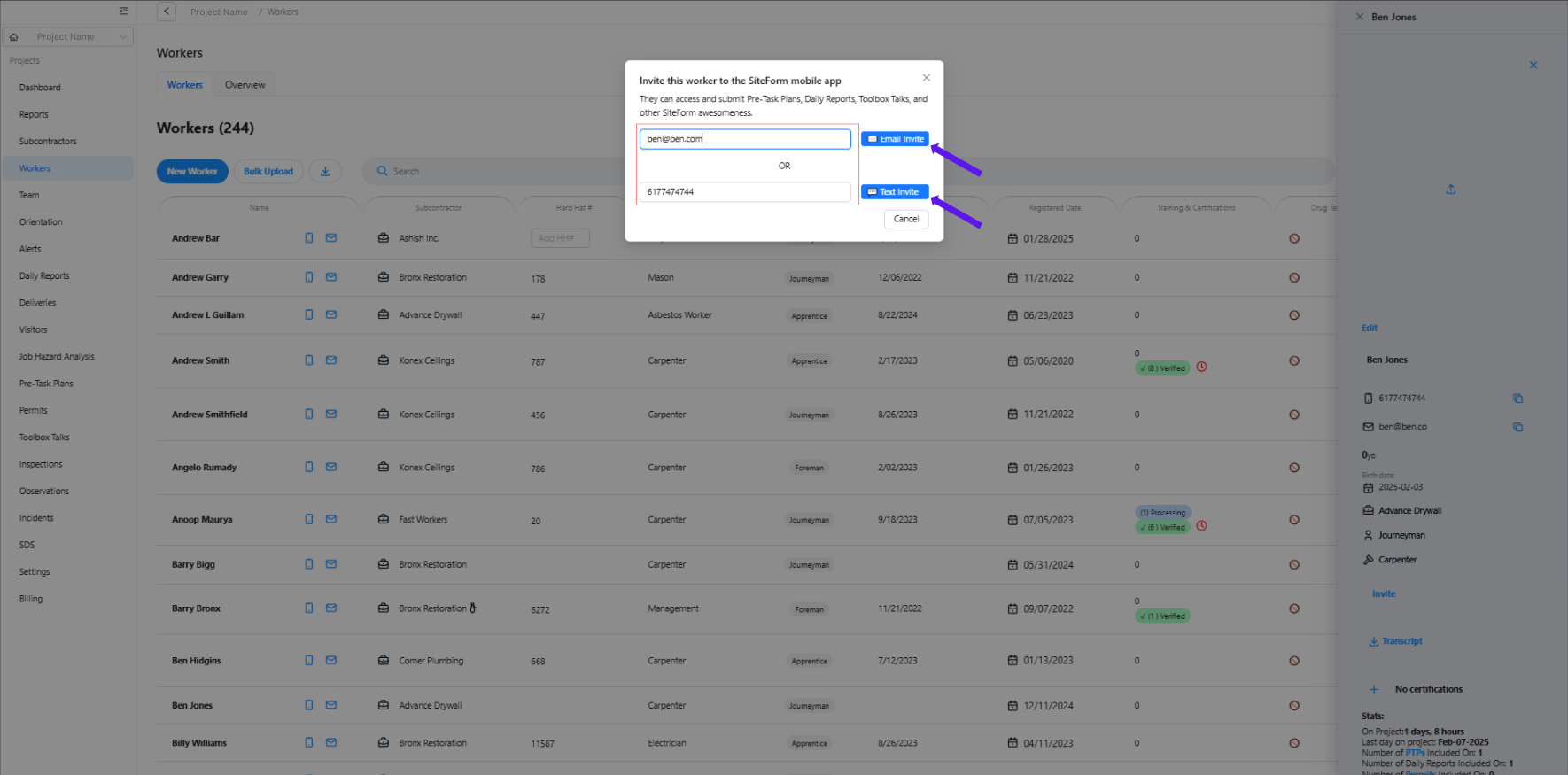
Scroll down and click "Invite", then enter the worker’s email or phone number to send the invite link.
Was this article helpful?
That’s Great!
Thank you for your feedback
Sorry! We couldn't be helpful
Thank you for your feedback
Feedback sent
We appreciate your effort and will try to fix the article