Removing / Marking a Worker as Inactive in the Project
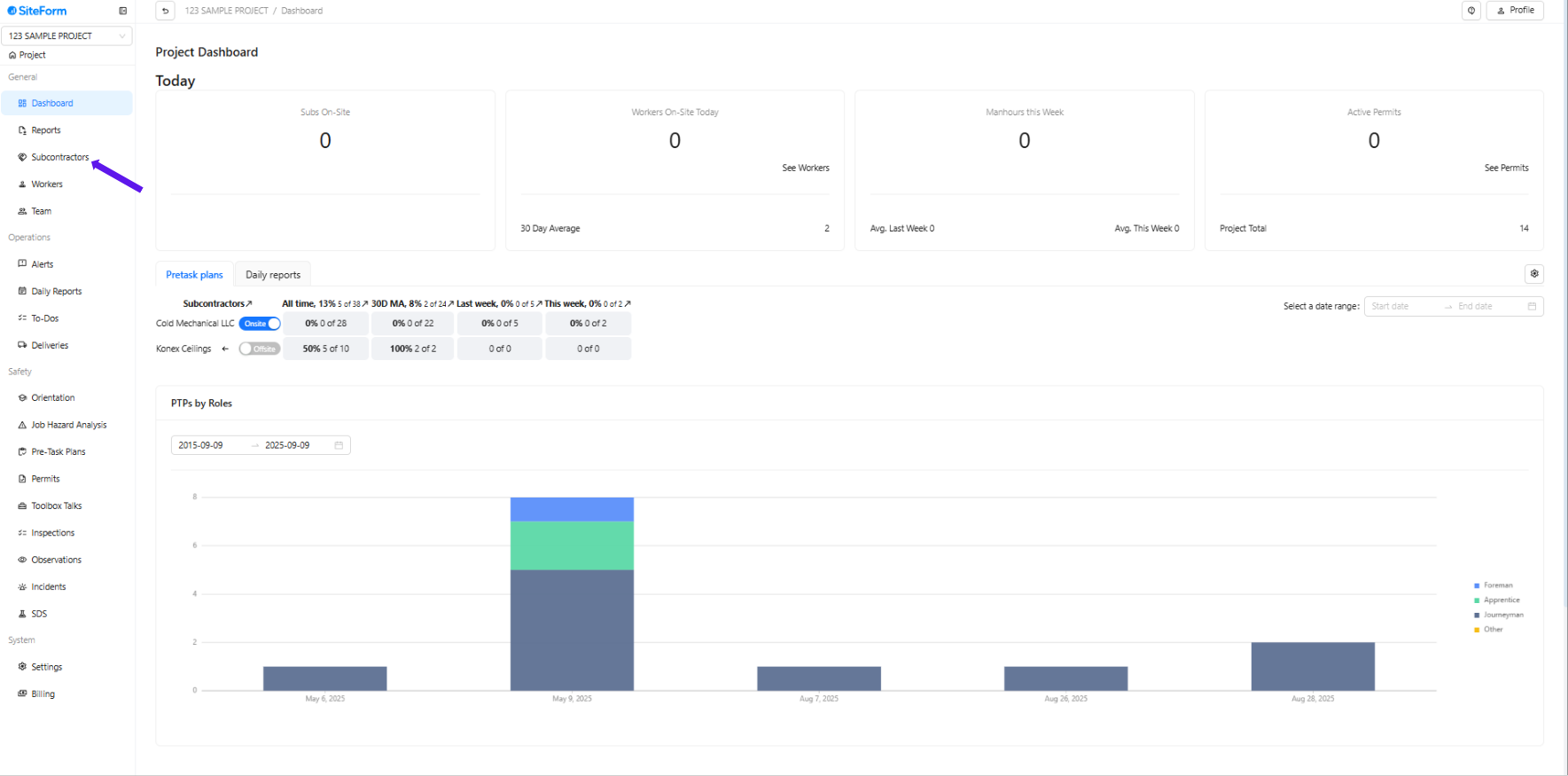
1. Select the project name, then click Subcontractor in the left-hand corner.
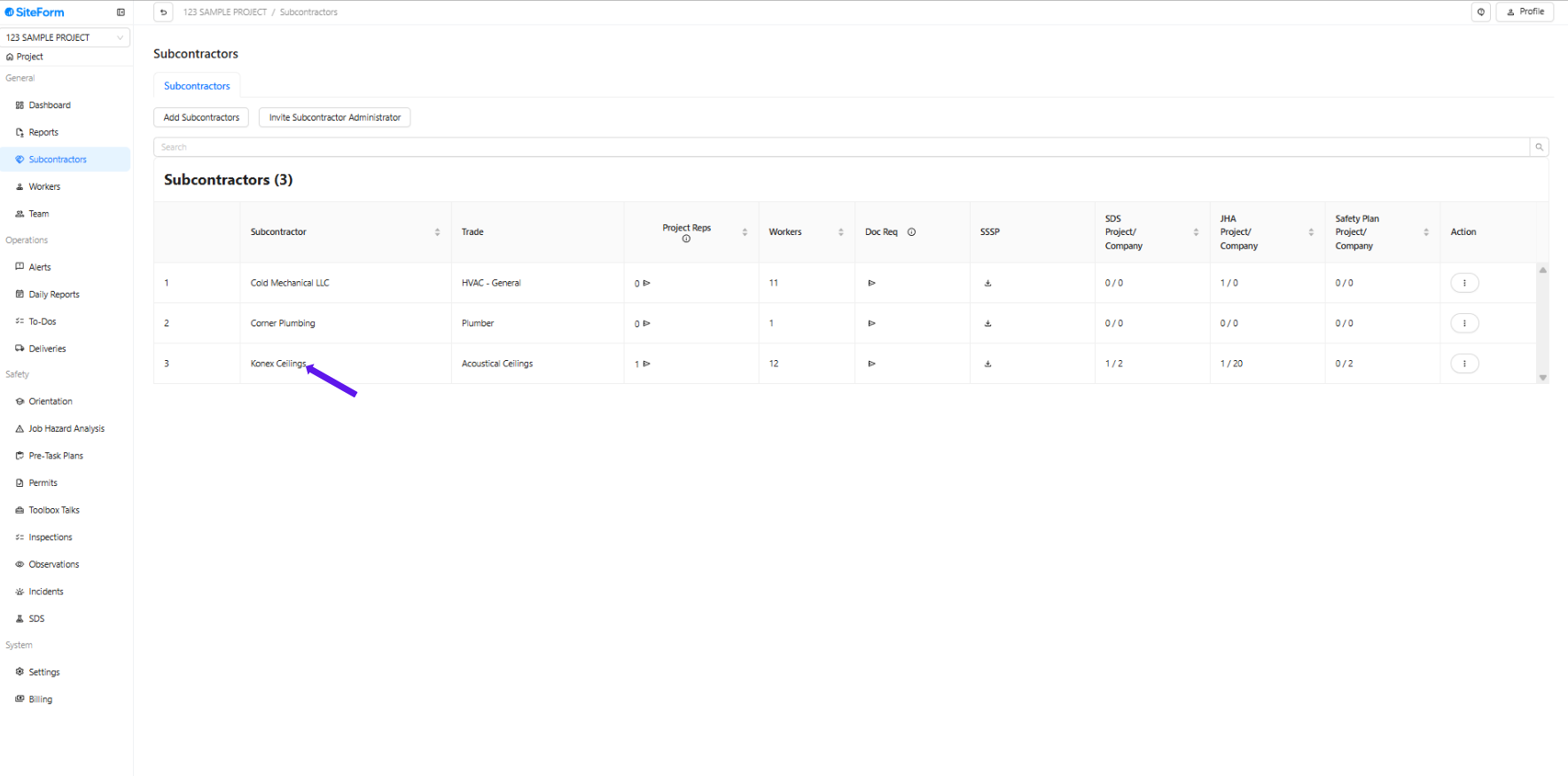
2. Select the subcontractor.
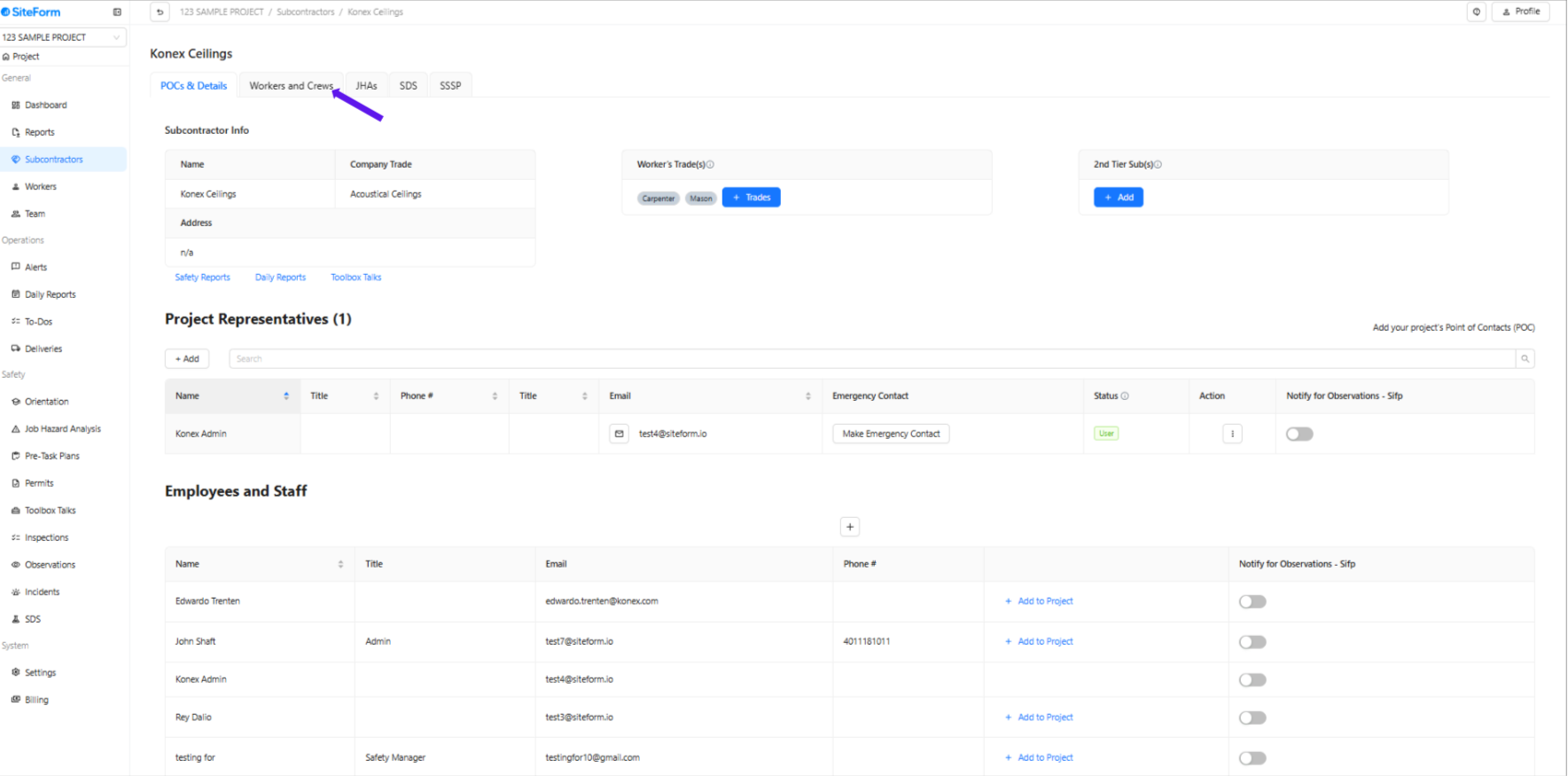
3. Click the “Workers and Crews” tab at the top.
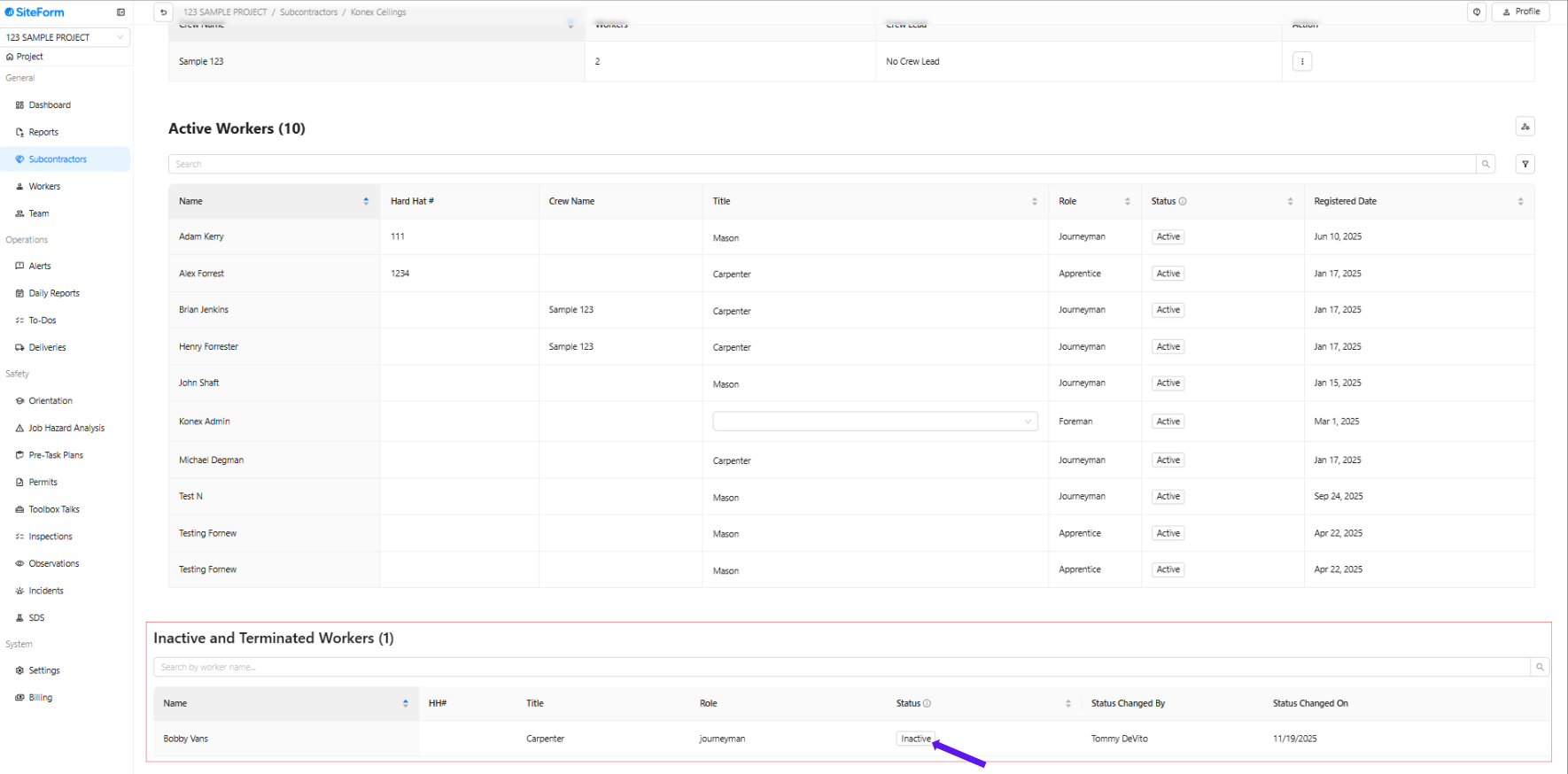
4. Search for the worker and click the "Active" to make it Inactive
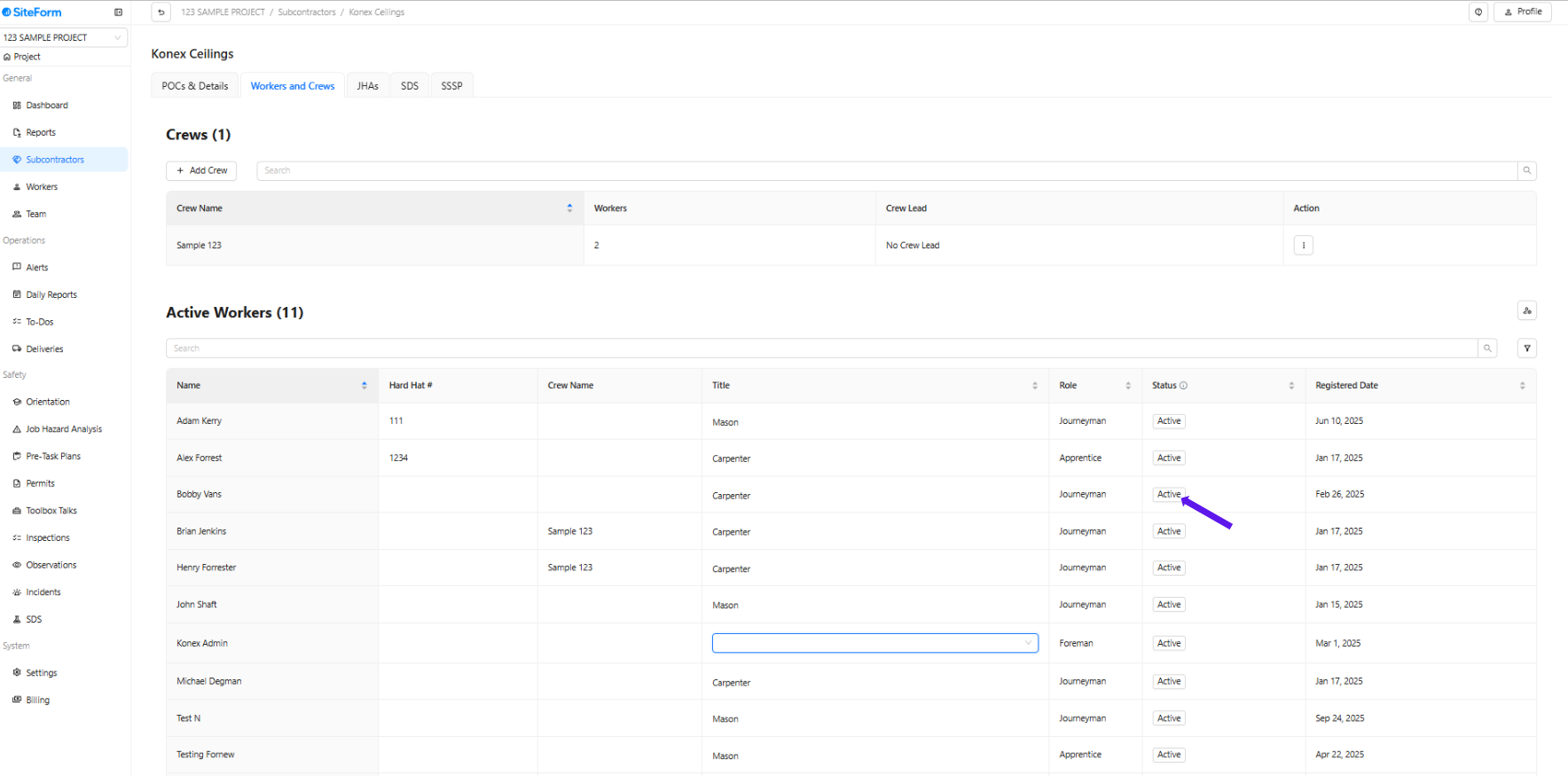
5. The screen will automatically refresh and update the worker’s status at the bottom.
6. Click "Inactive" to make the worker active again.
Was this article helpful?
That’s Great!
Thank you for your feedback
Sorry! We couldn't be helpful
Thank you for your feedback
Feedback sent
We appreciate your effort and will try to fix the article