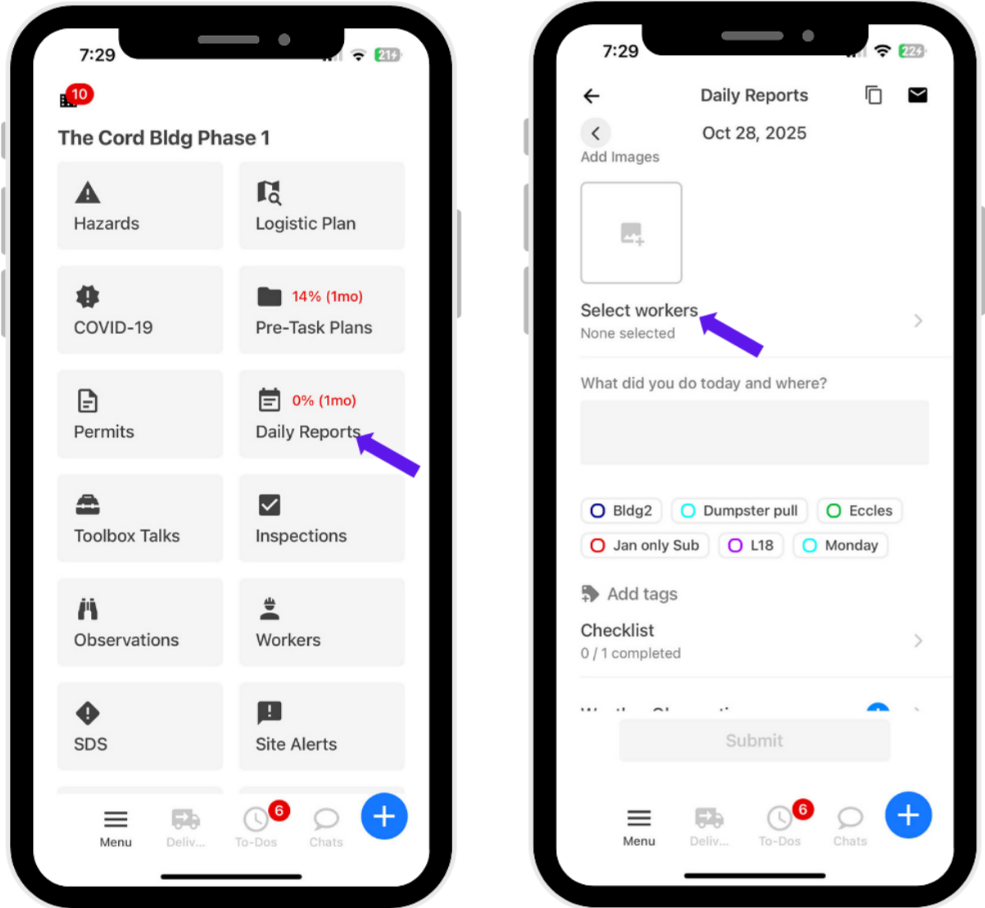
1. Log in to SiteForm and go to the project. Then, click Daily Reports.
2. Click Select Workers.
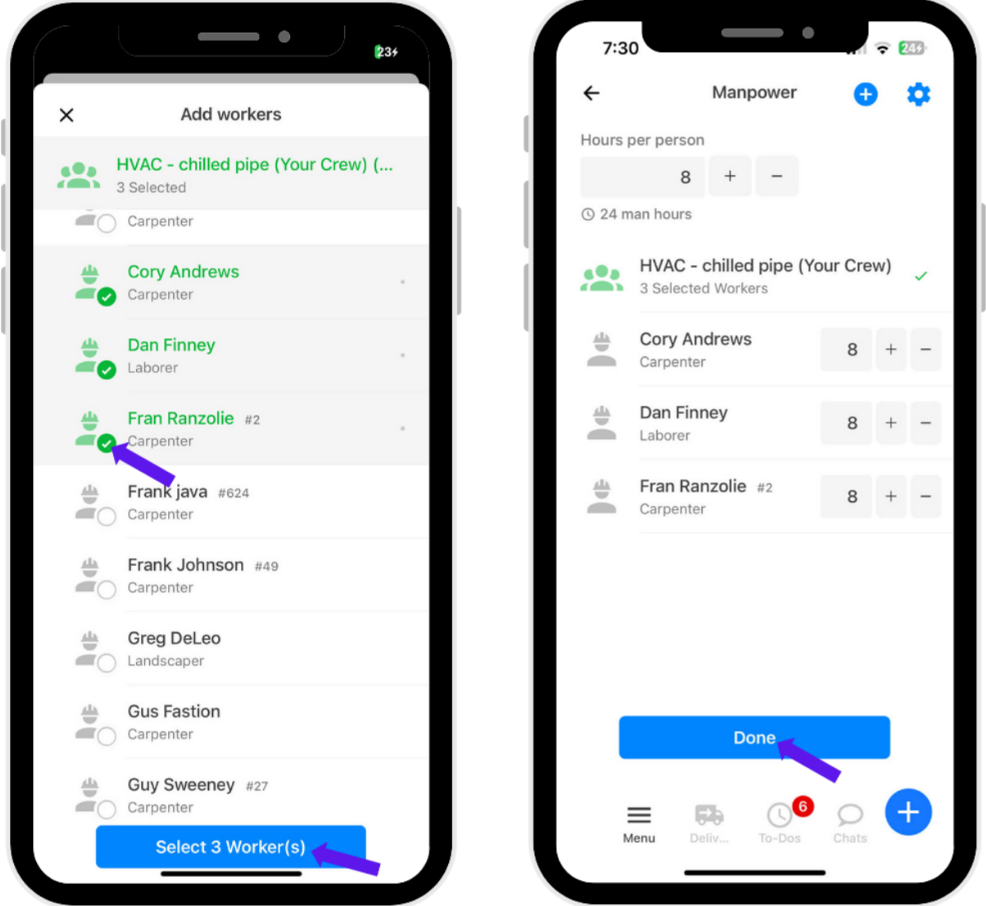
3. Select the name of the workers.
4. Click Done.
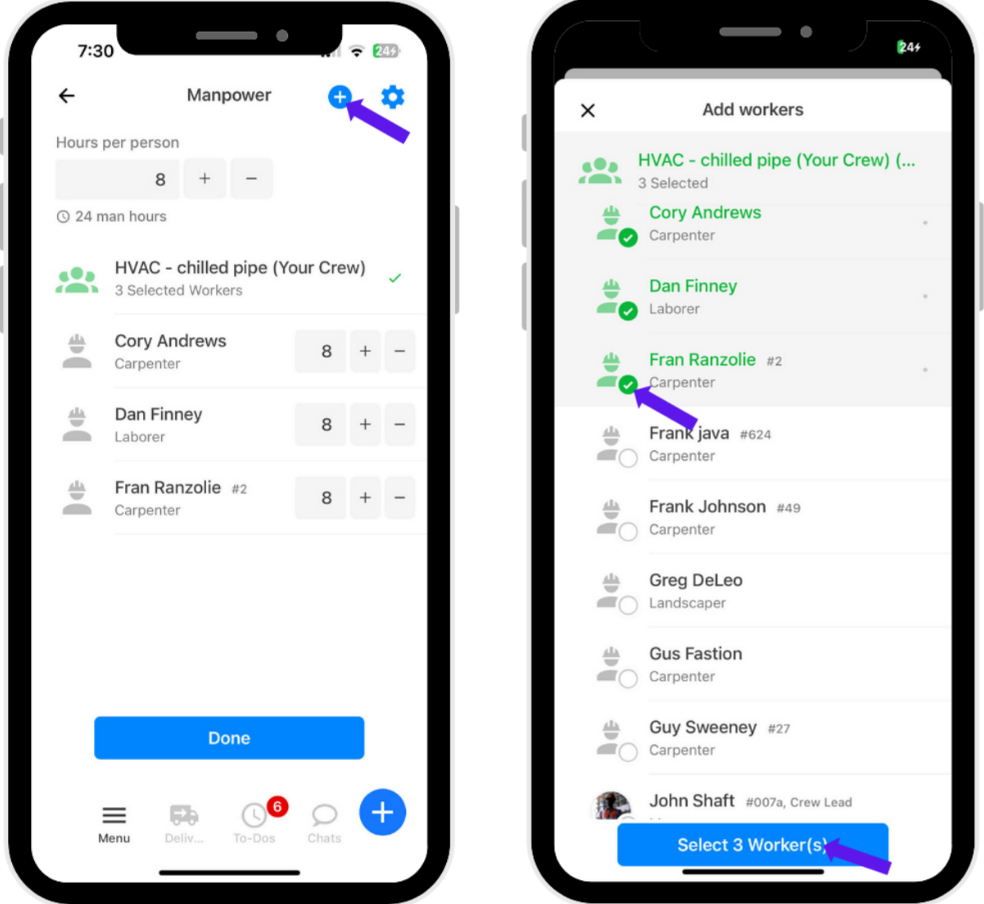
5. To add a new worker, click the + icon at the upper right.
6. Select the name of the workers.
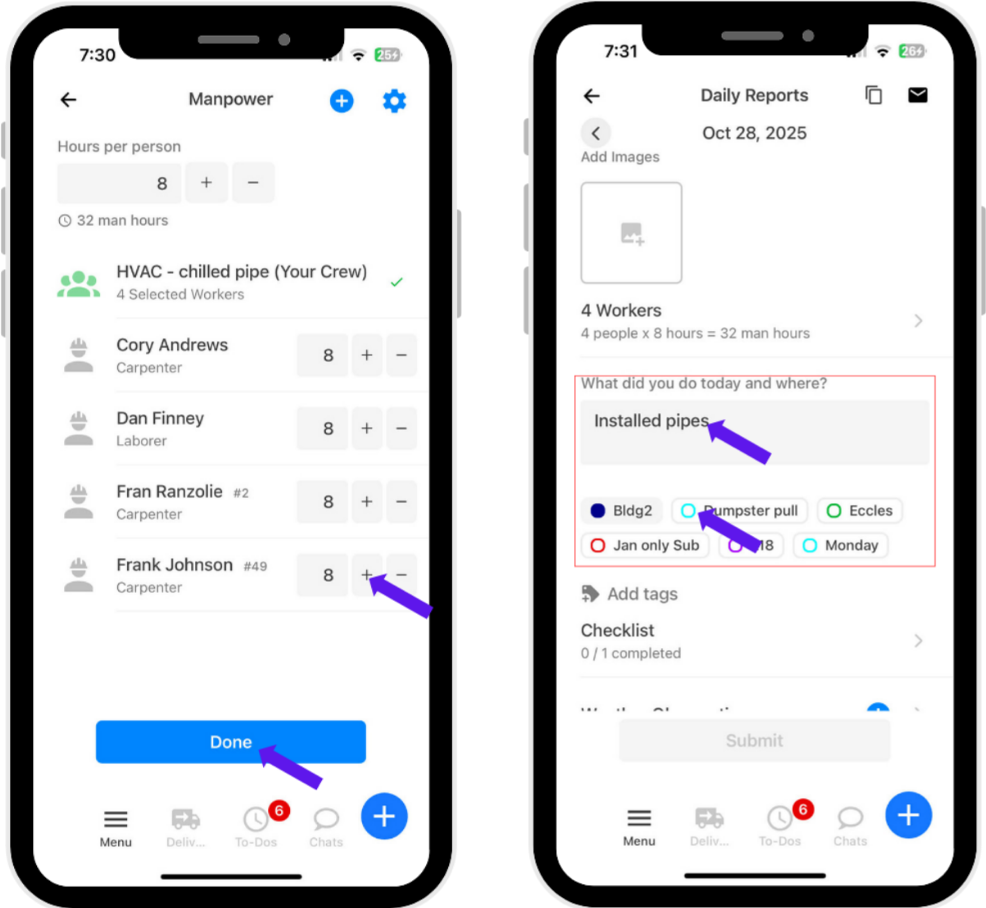
7. You can edit the number of hours worked per worker by clicking the + or –. When you’re done editing the hours and workers, click Done.
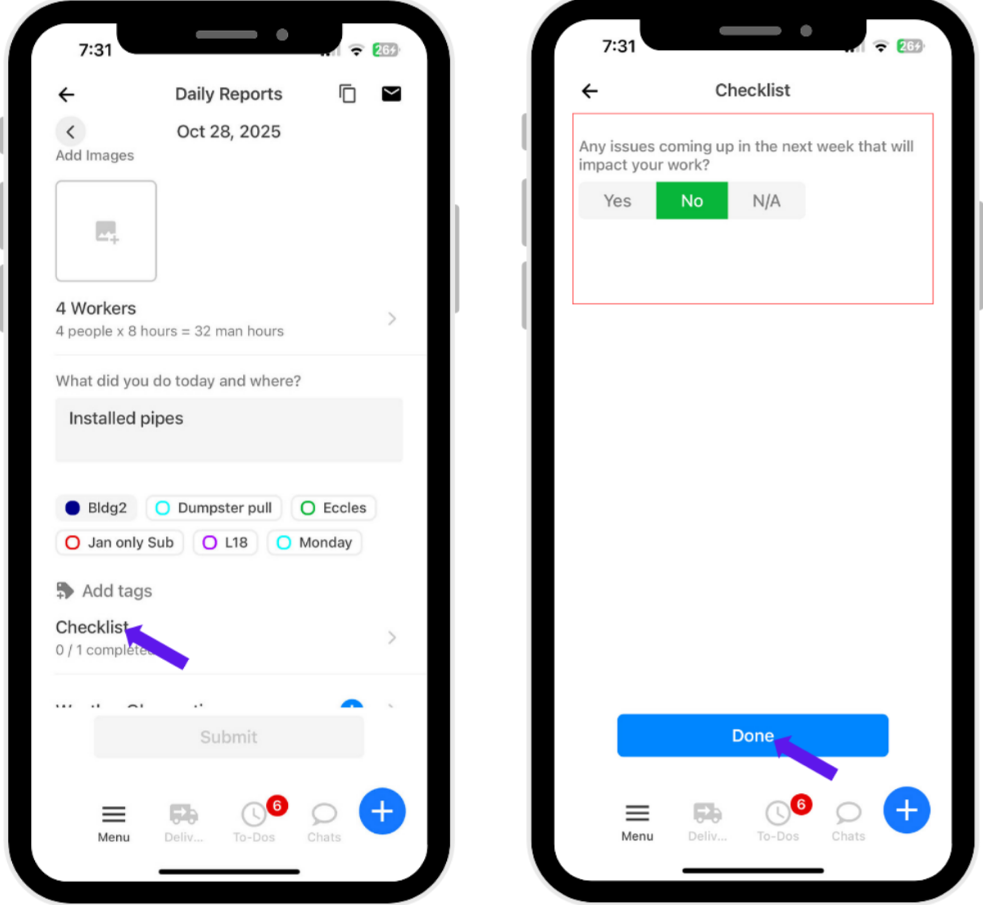
8. Fill in the required fields.
9. Click Checklist.
10. Answer all the items in the checklist.
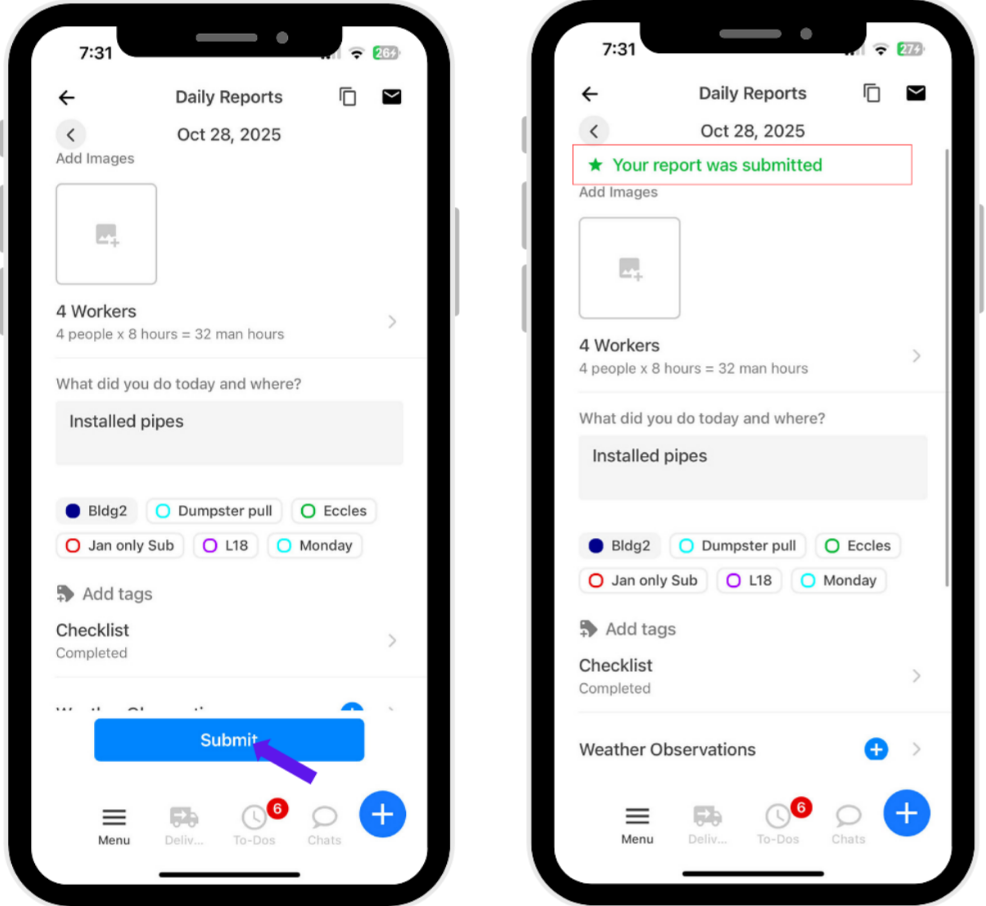
11. Click Submit.
Was this article helpful?
That’s Great!
Thank you for your feedback
Sorry! We couldn't be helpful
Thank you for your feedback
Feedback sent
We appreciate your effort and will try to fix the article