INSTRUCTIONS:
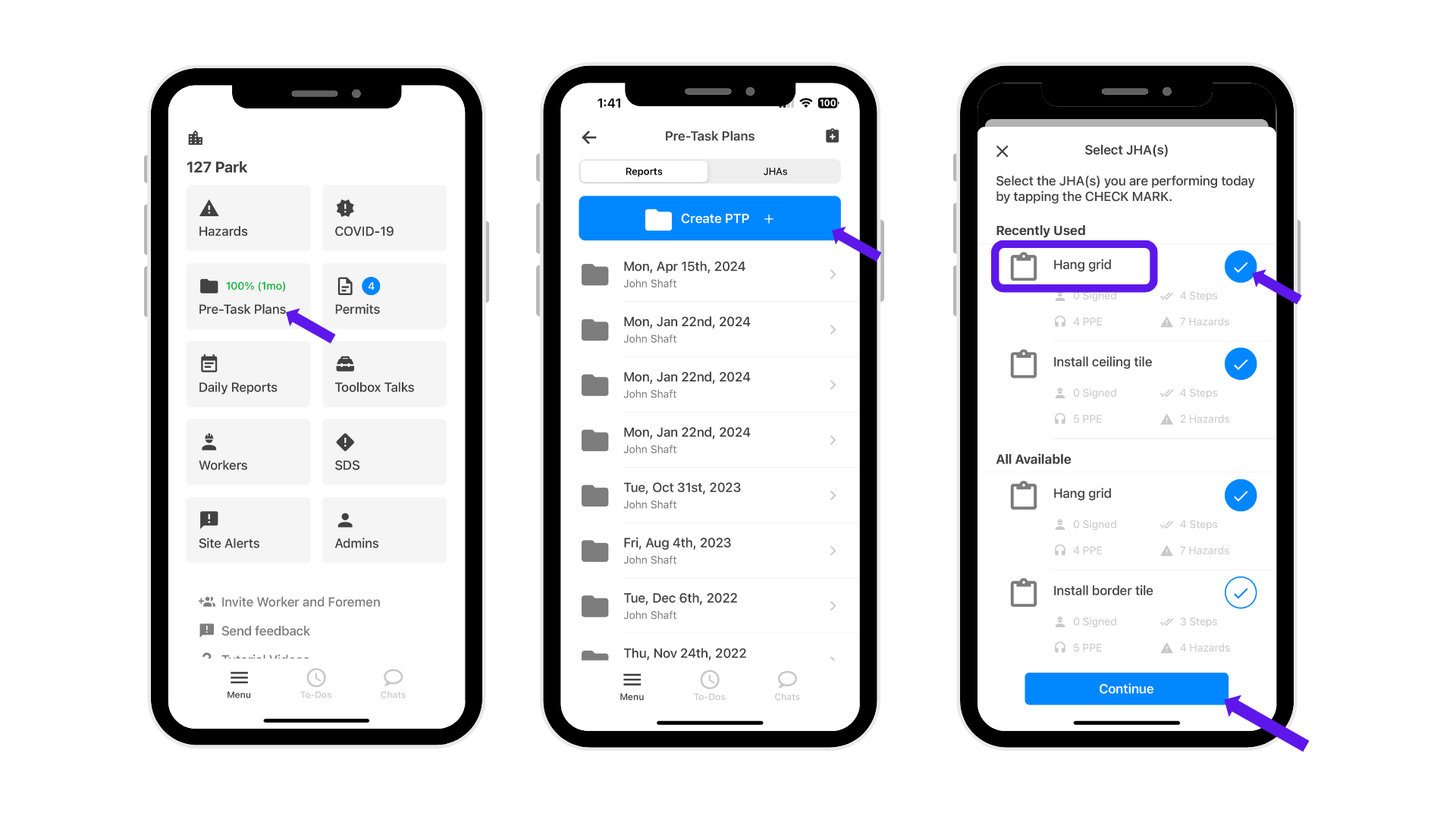
- Click Pre-Task Plans > Click Create PTP > Select all JHAs you are performing today > Continue.
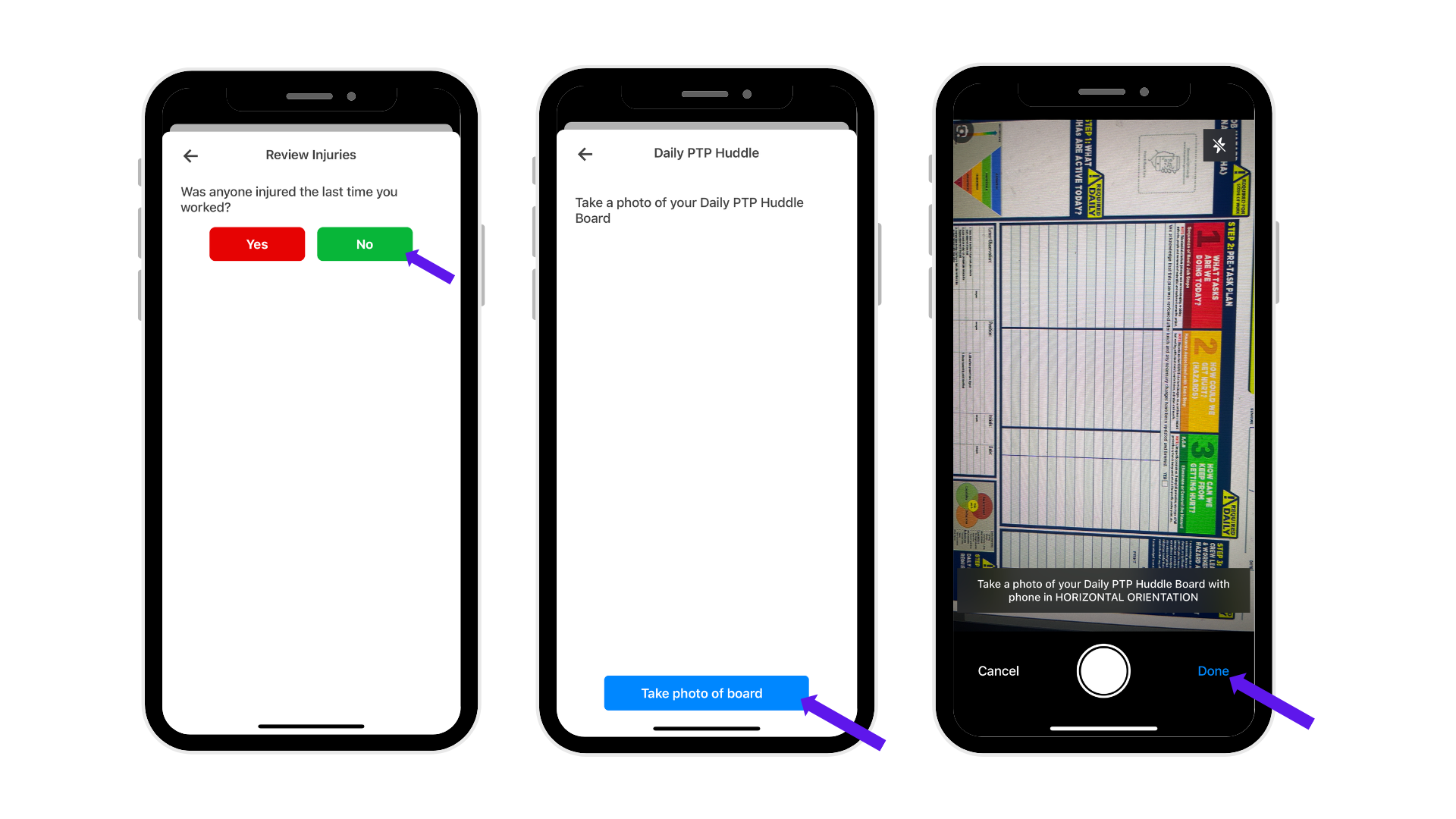
- You will be asked to select YES or NO if any workers were injured. Select NO if no one was injured, then take a photo of your Daily PTP Huddle Board and click Done. Note: If YES, select the names of the injured workers before continuing.
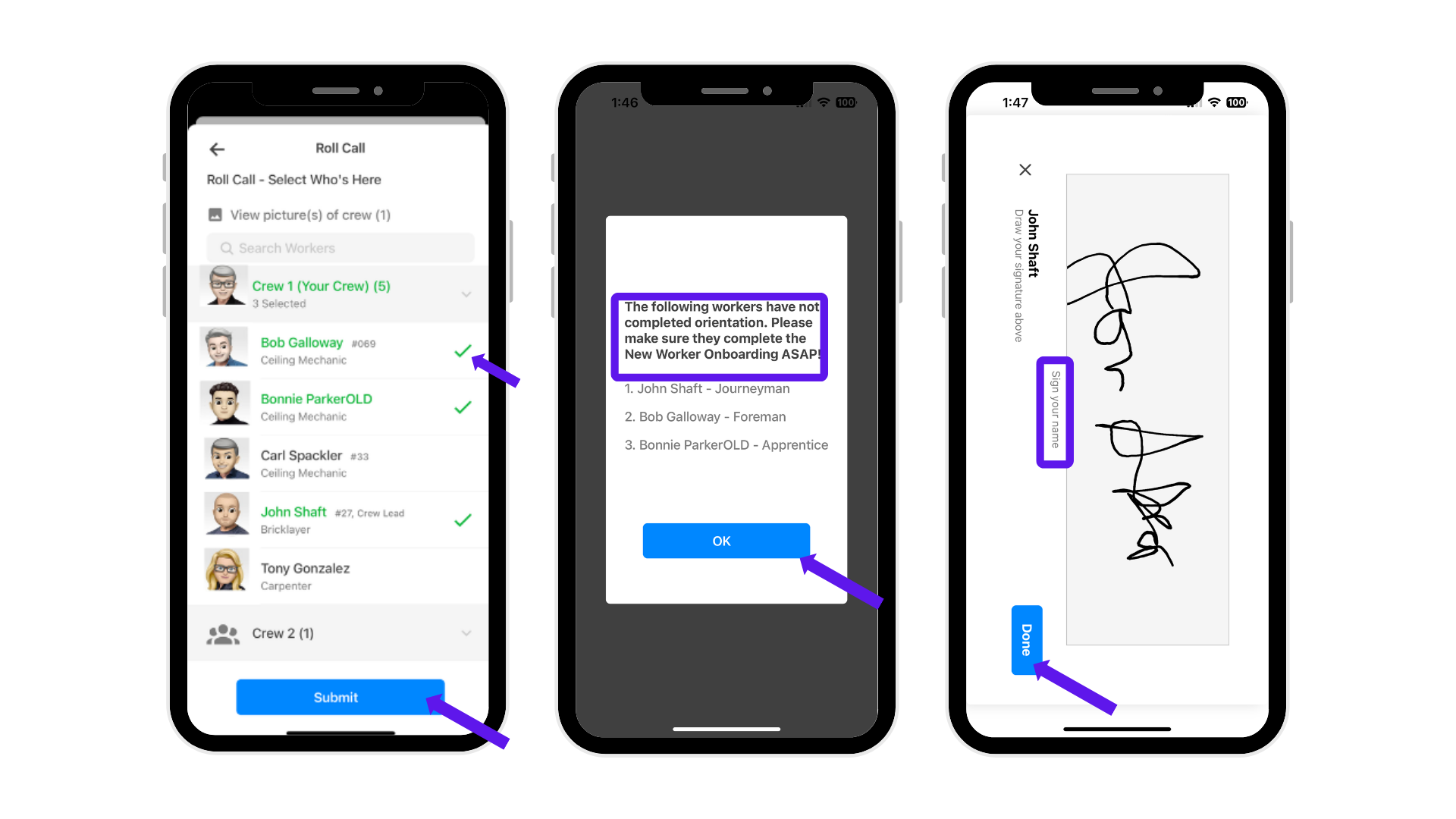
- Select the workers who are present, then click Submit.
- he system will remind you of any workers who have not completed the onboarding process.
- You will be asked to sign; then click Done.
Was this article helpful?
That’s Great!
Thank you for your feedback
Sorry! We couldn't be helpful
Thank you for your feedback
Feedback sent
We appreciate your effort and will try to fix the article