How to Add a New Worker to a Pre-Task Plan
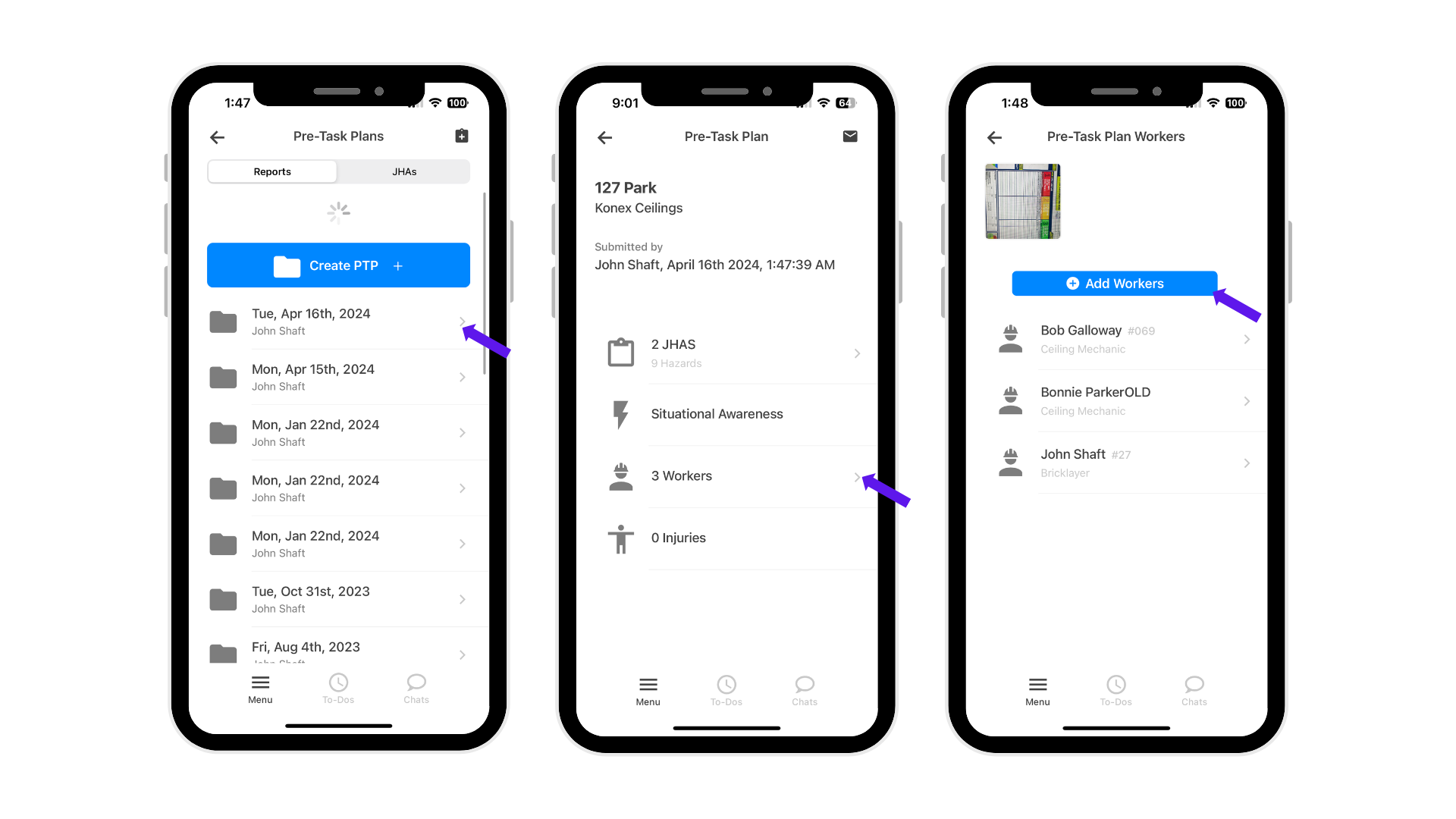
1. Go to “Pre-Task Plans”
– Make sure you are under the “Reports” tab.
– Click on the date of the pre-task plan you want to edit.
2. Click “Workers”
– This will show the list of workers associated with that plan.
3. Click “Add Workers”
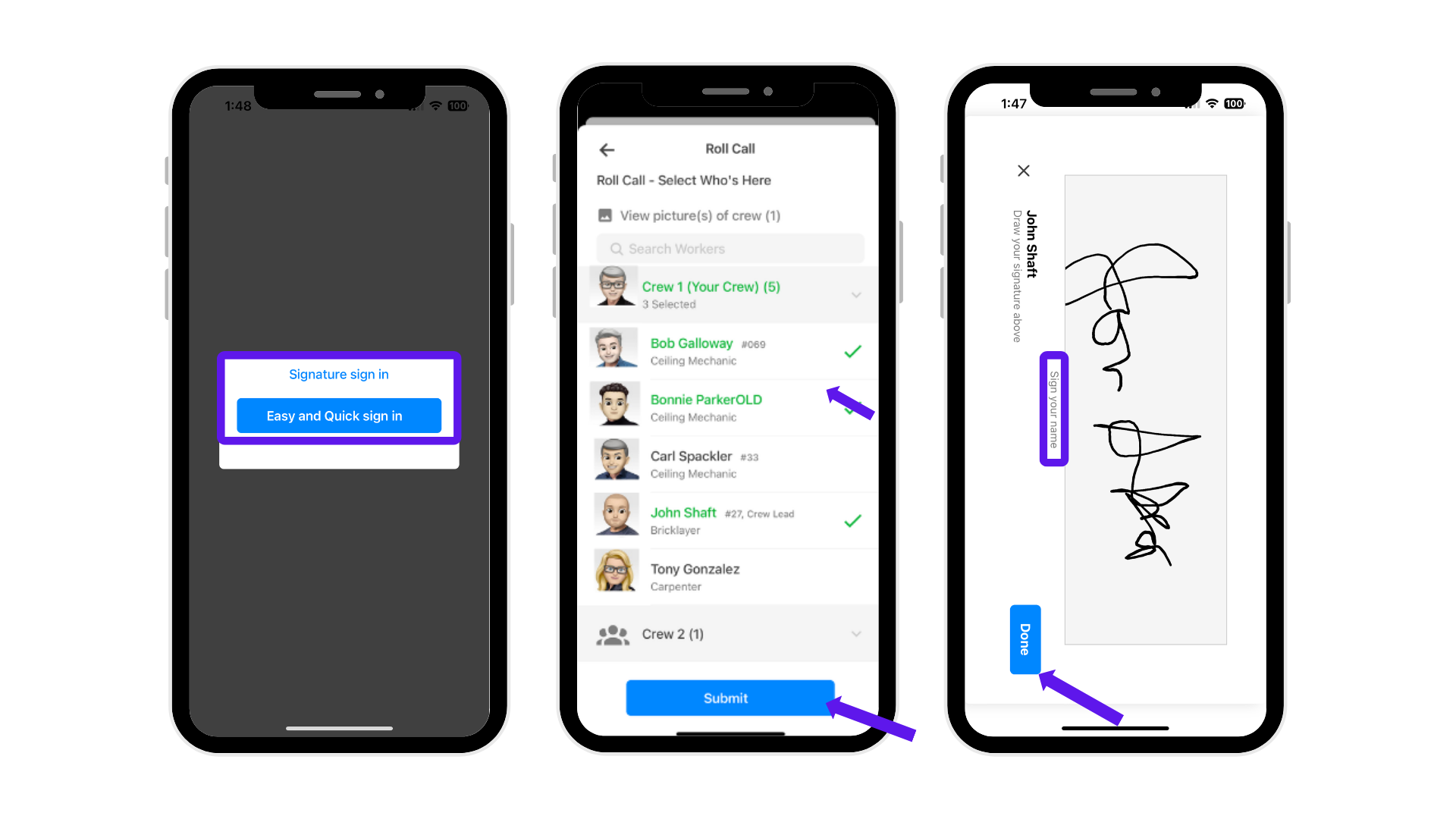
4. Choose a Sign-In Method
– You have two options:
Signature and Sign In (formal acknowledgment)
Easy and Quick Sign In (faster roll call)
5. Select Workers
– Check the boxes for all workers present, or conduct a live roll call.
6. Sign and Click “Done.”
– Complete the sign-in process to finalize worker attendance.
Was this article helpful?
That’s Great!
Thank you for your feedback
Sorry! We couldn't be helpful
Thank you for your feedback
Feedback sent
We appreciate your effort and will try to fix the article