How to Turn On Permits at the Company Level
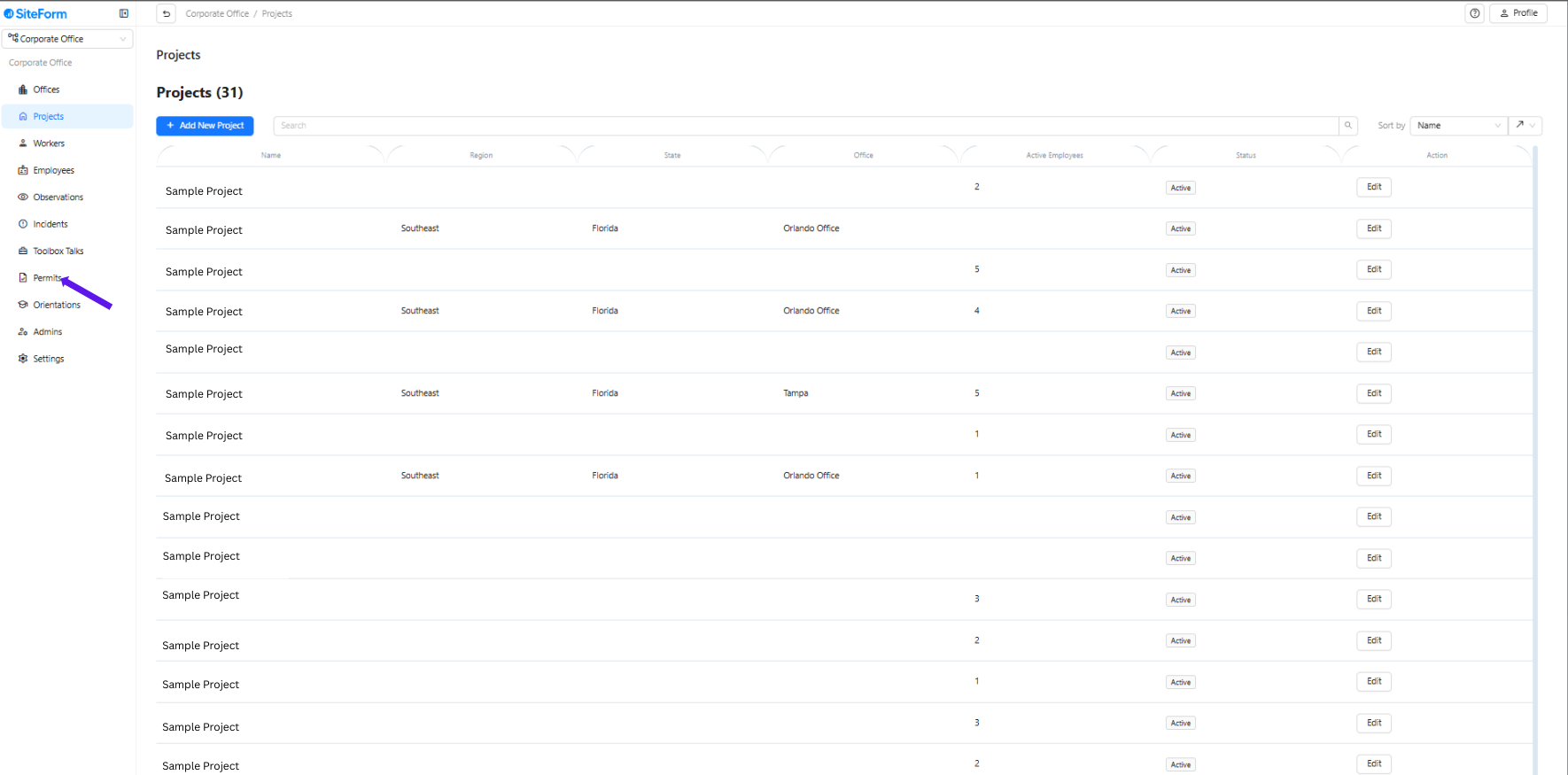
1. Select Permits
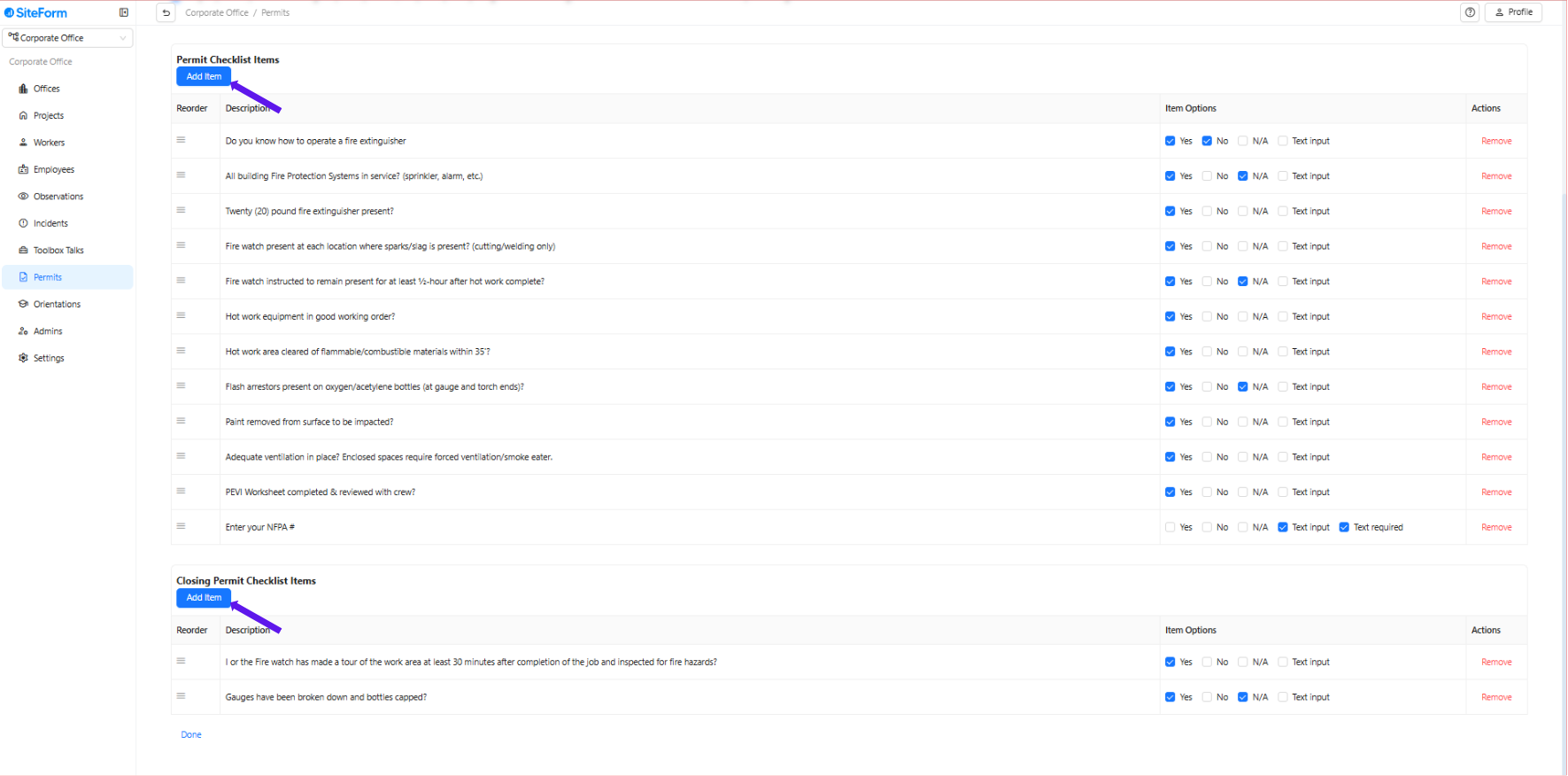
2. Turn On the Permit
Find the permit you want to activate (e.g., Hot Work, Historical Access).
Add your first question to turn the permit on automatically.
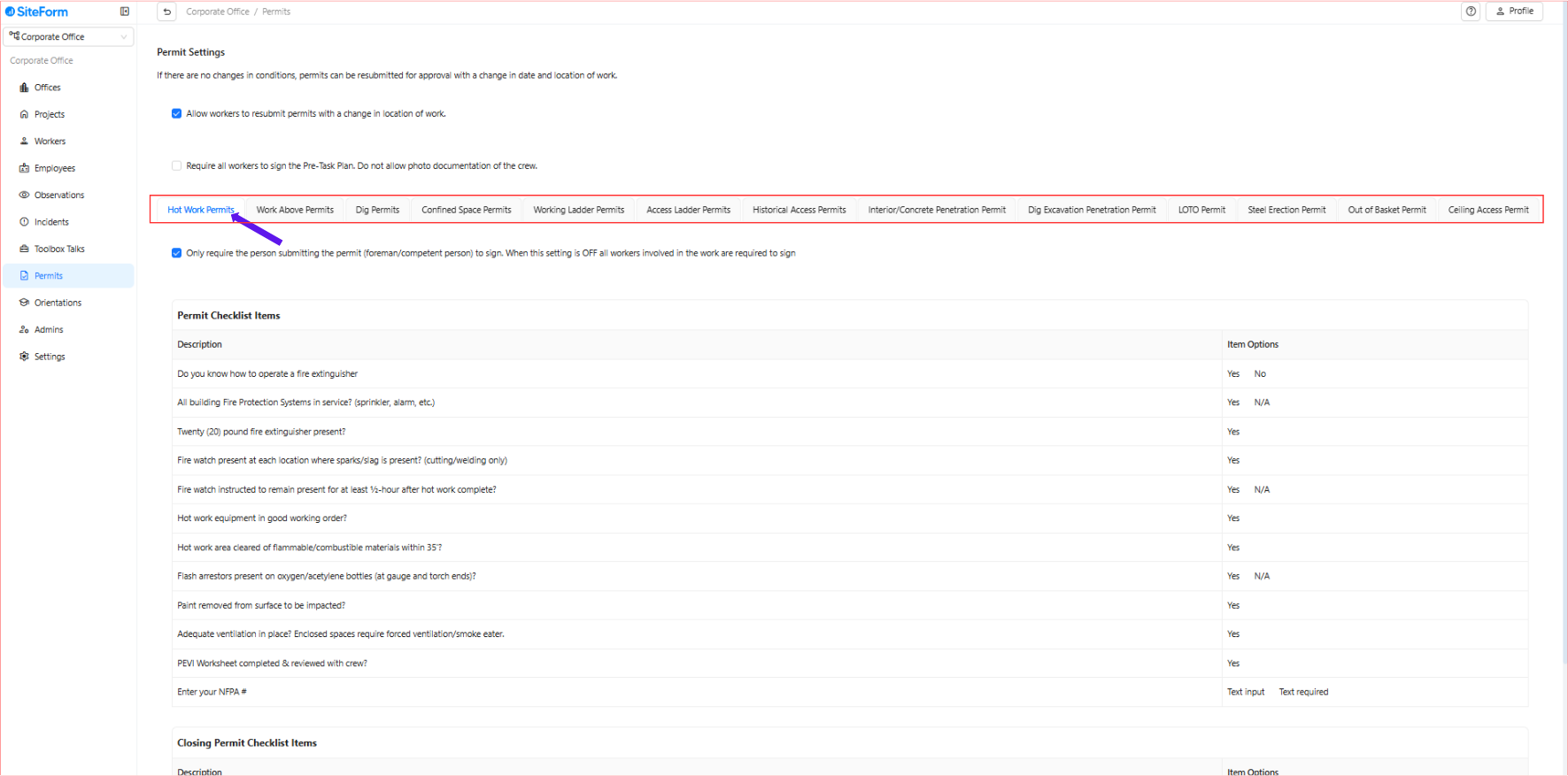
3. Select Which Permit You Want to Edit or Use
Choose the permit you want to set up (e.g., Hot Work, Confined Space Entry).
Click on the selected permit.
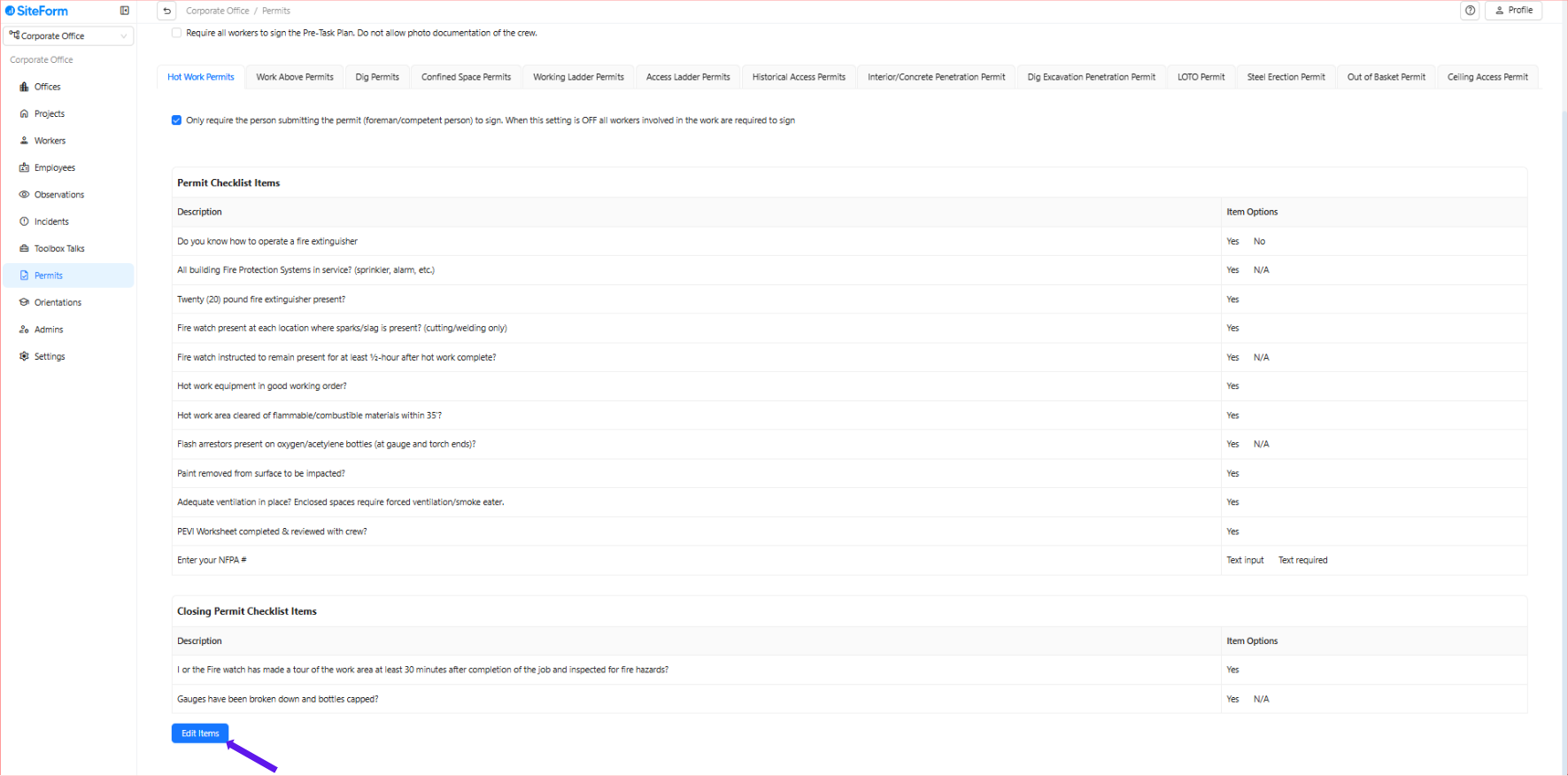
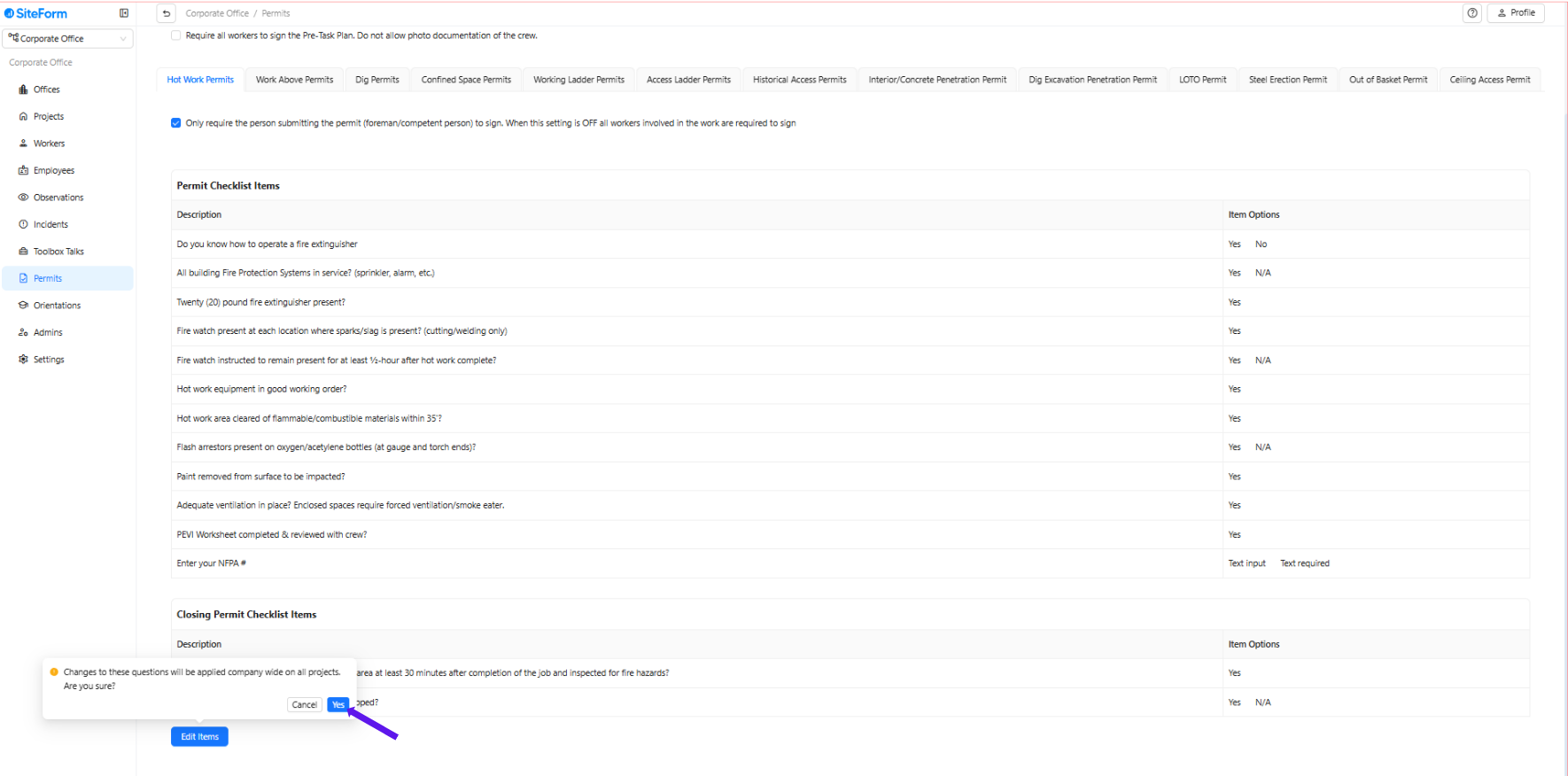
4. Click “Edit Items”
Click Edit Items to modify the permit’s checklist or questions.
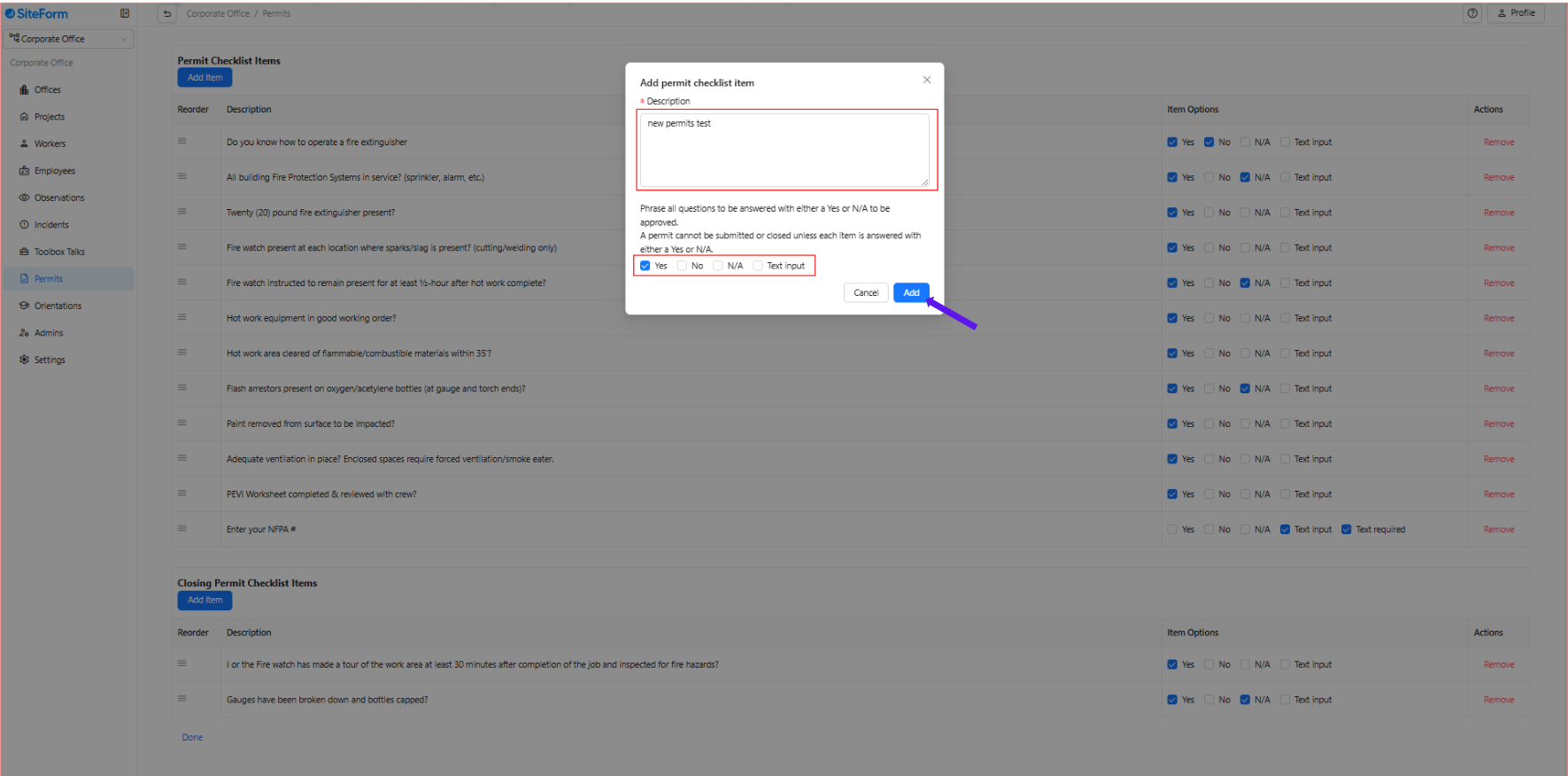
5. Add Questions & Choose Response Type
Type your question clearly (e.g., "Is fire watch in place?").
Mark "Yes" as the correct answer.
⚠️ Important: If "No" is selected, the permit will not be approved.
Recommendation: Only use "No" if necessary; prefer using “Yes” as the correct answer.
Yes/No: The default type for standard safety checks.
N/A (Not Applicable): Use this for questions that may not apply in certain situations.
Text Box:
Use for answers that require a written response, such as names, document numbers, or specific instructions.
You can set this field as Required (must be filled out) or Optional.
After typing your question and selecting your preferred options, click Add.
Once the question is added, it will be active for all current and future projects within your company.
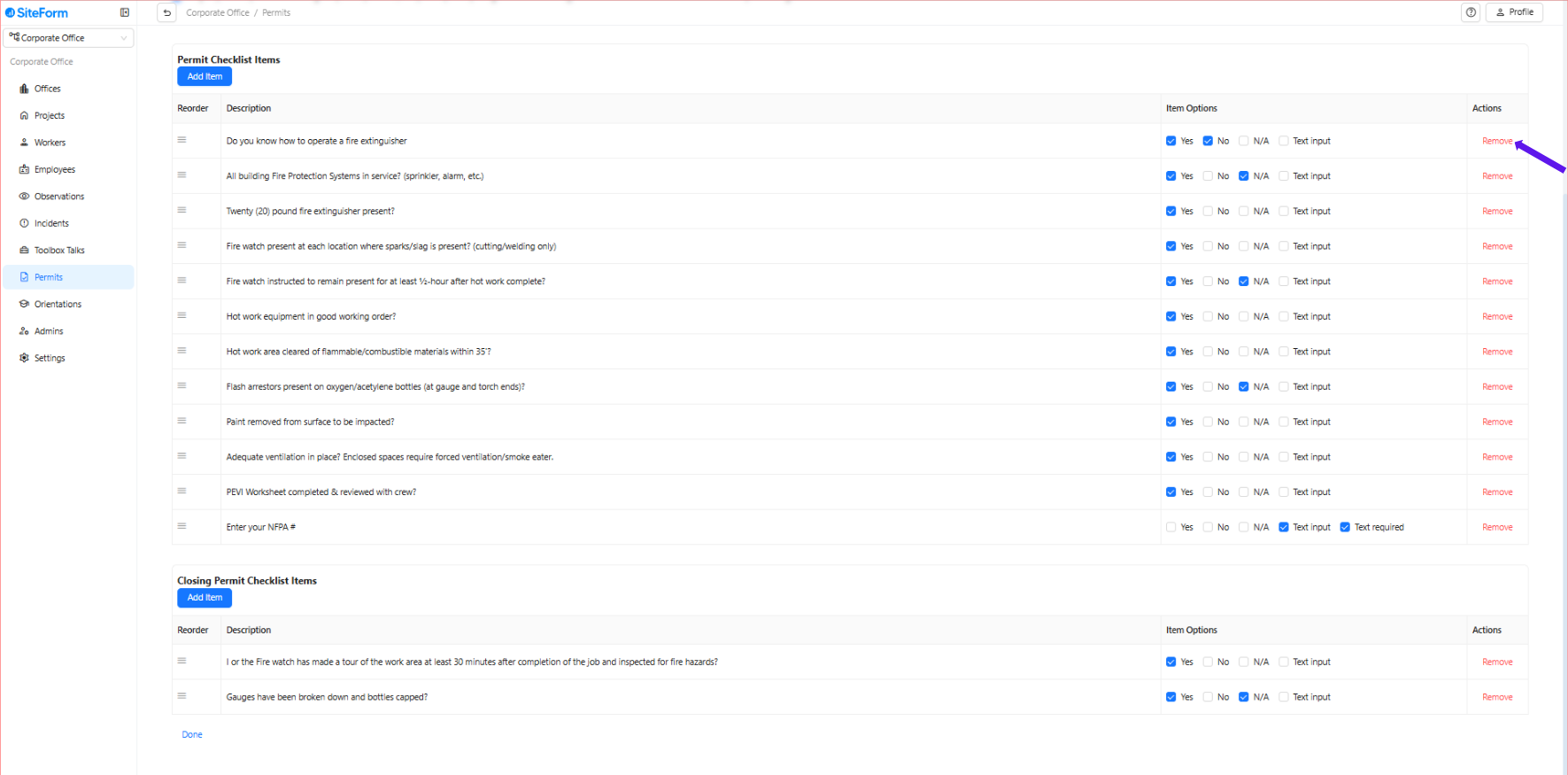
6. Removing Items
You can remove these questions at any time if needed.
Was this article helpful?
That’s Great!
Thank you for your feedback
Sorry! We couldn't be helpful
Thank you for your feedback
Feedback sent
We appreciate your effort and will try to fix the article