How to Approve a Permit
1. Click “Permits” from the main menu and under “Pending Approval,” select the permit you want to approve.
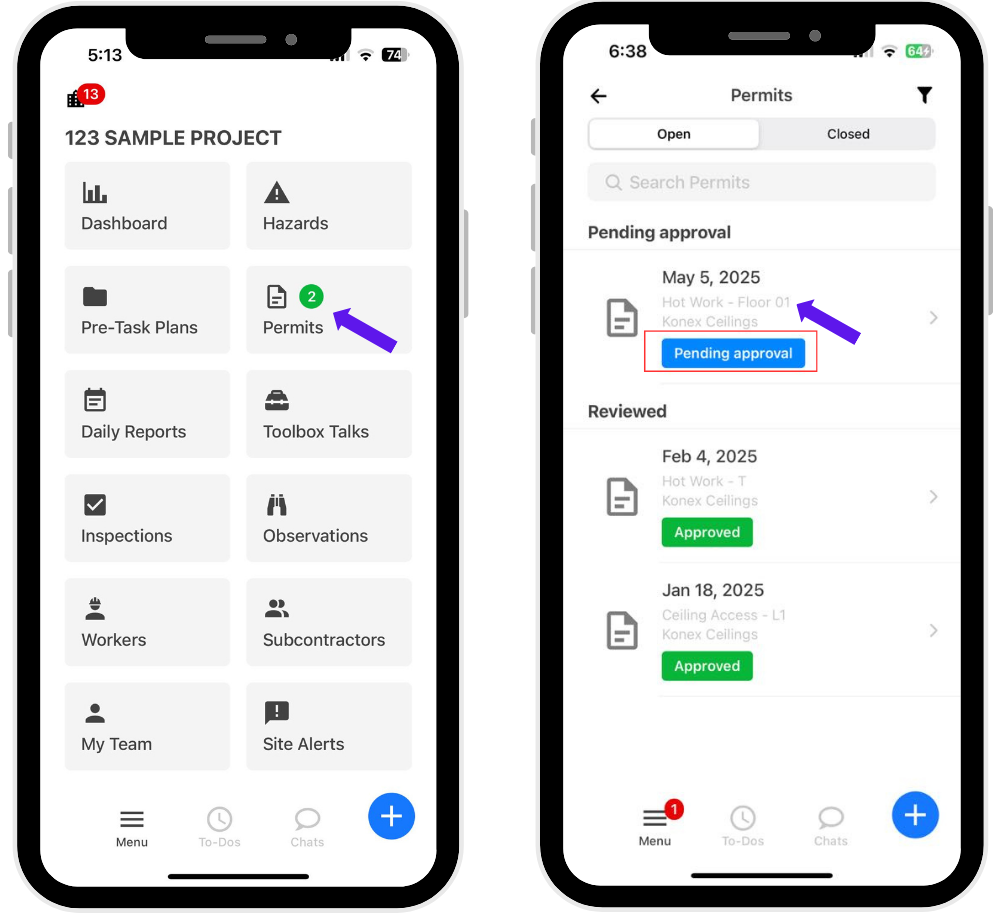
2. Review the permit details carefully, including:
Details
Workers
Checklist
History
Emergency Contact
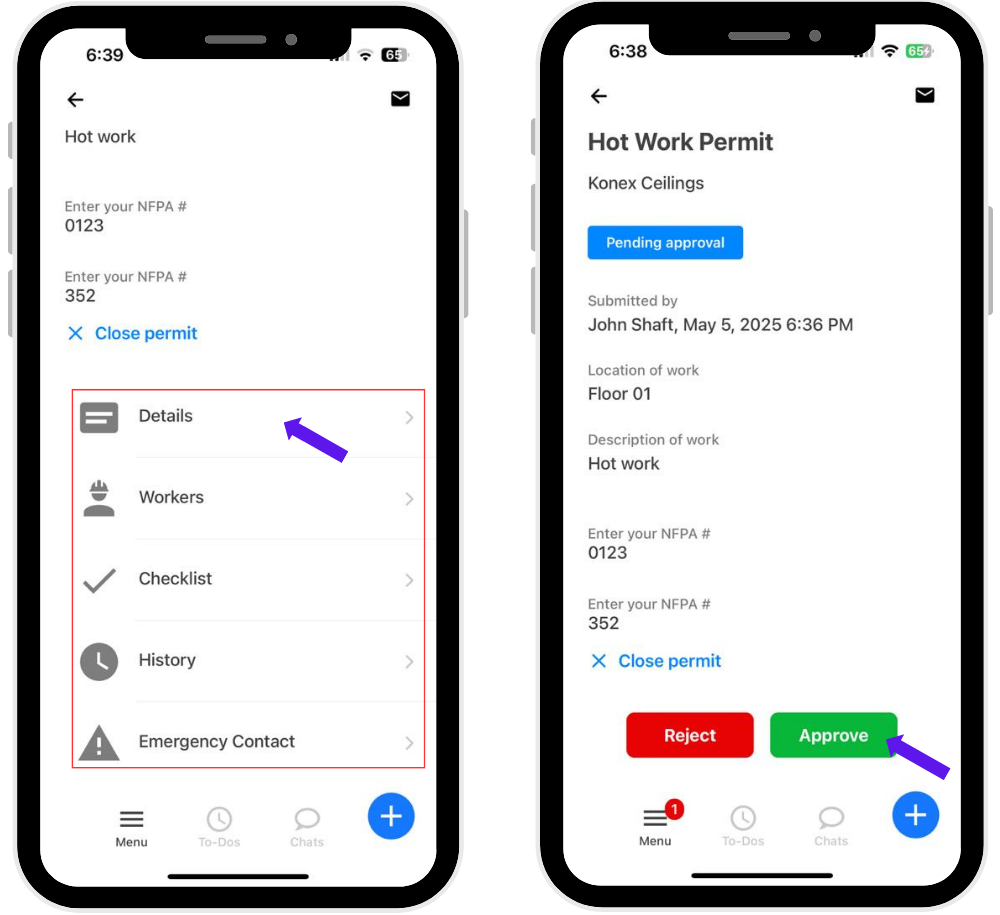
3. Once reviewed, click “Approve.”
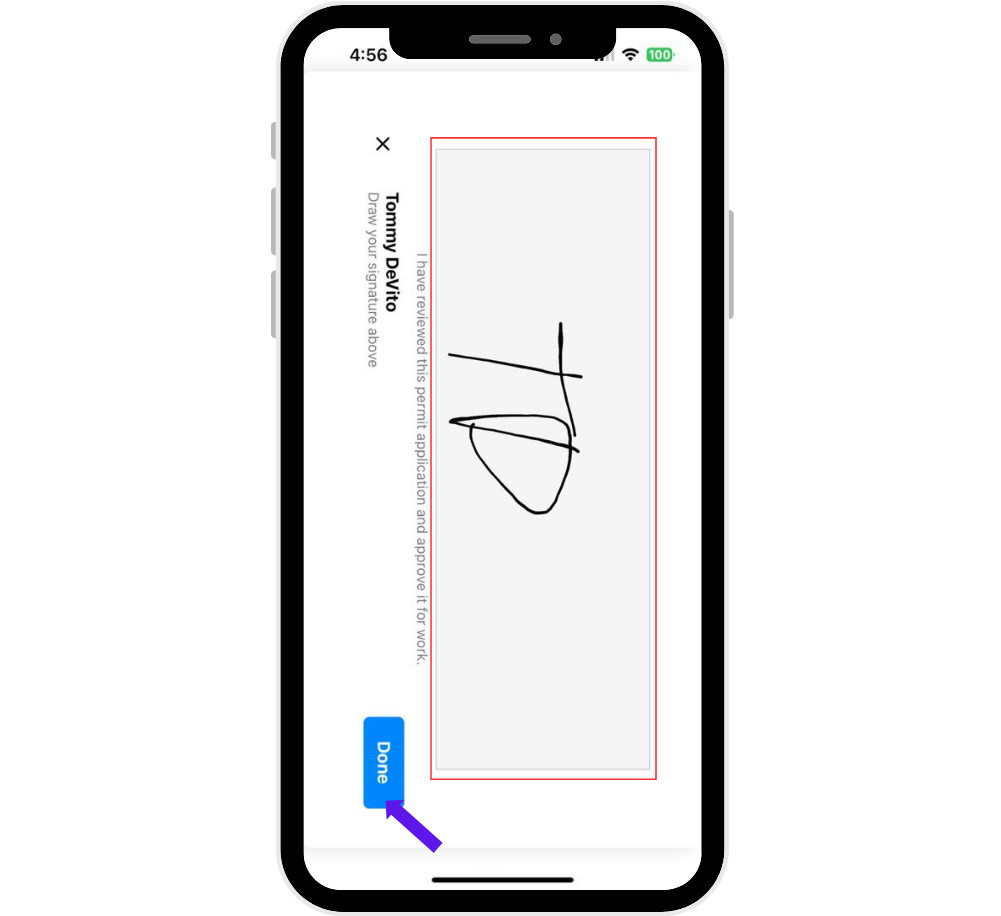
4. Sign the permit and click “Done” to finalize the approval.
Was this article helpful?
That’s Great!
Thank you for your feedback
Sorry! We couldn't be helpful
Thank you for your feedback
Feedback sent
We appreciate your effort and will try to fix the article