How to Create a Hot Work Permit
1. Log in using the mobile app, then tap “Permits” and select “Create Permit +.”
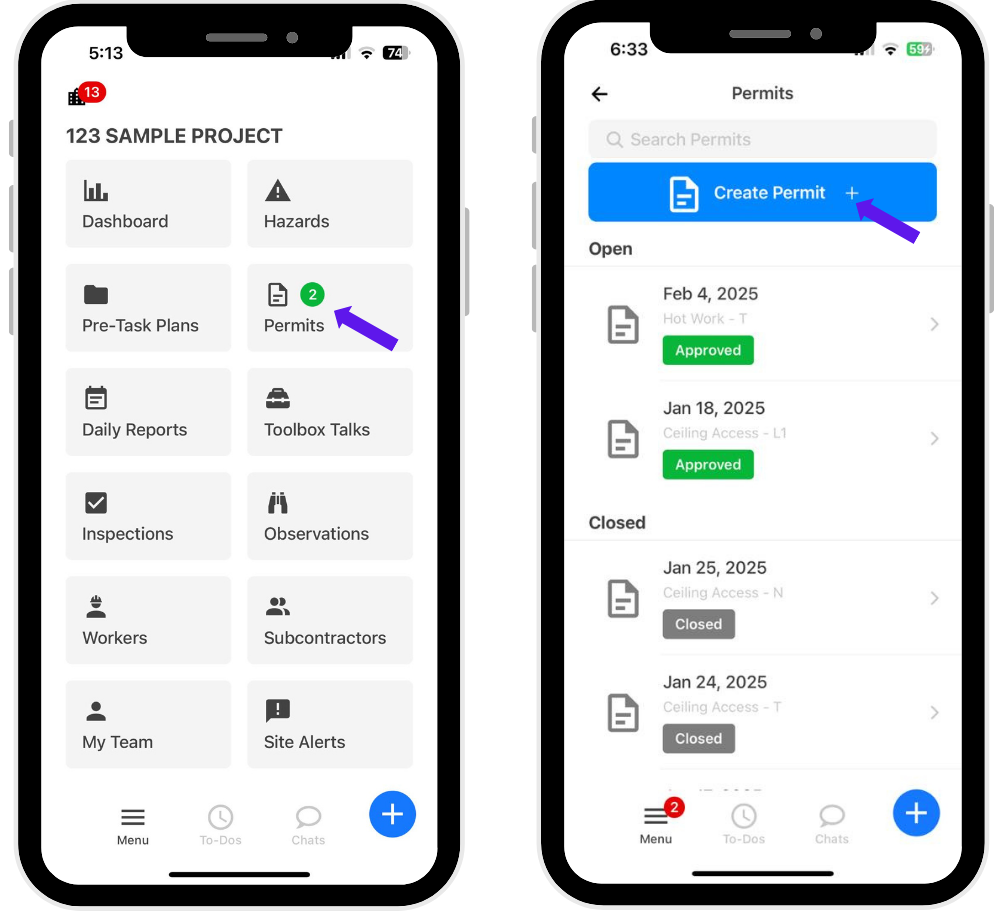
2. Select the permit type, then under “New Hot Work Permit,” tap “Details.”
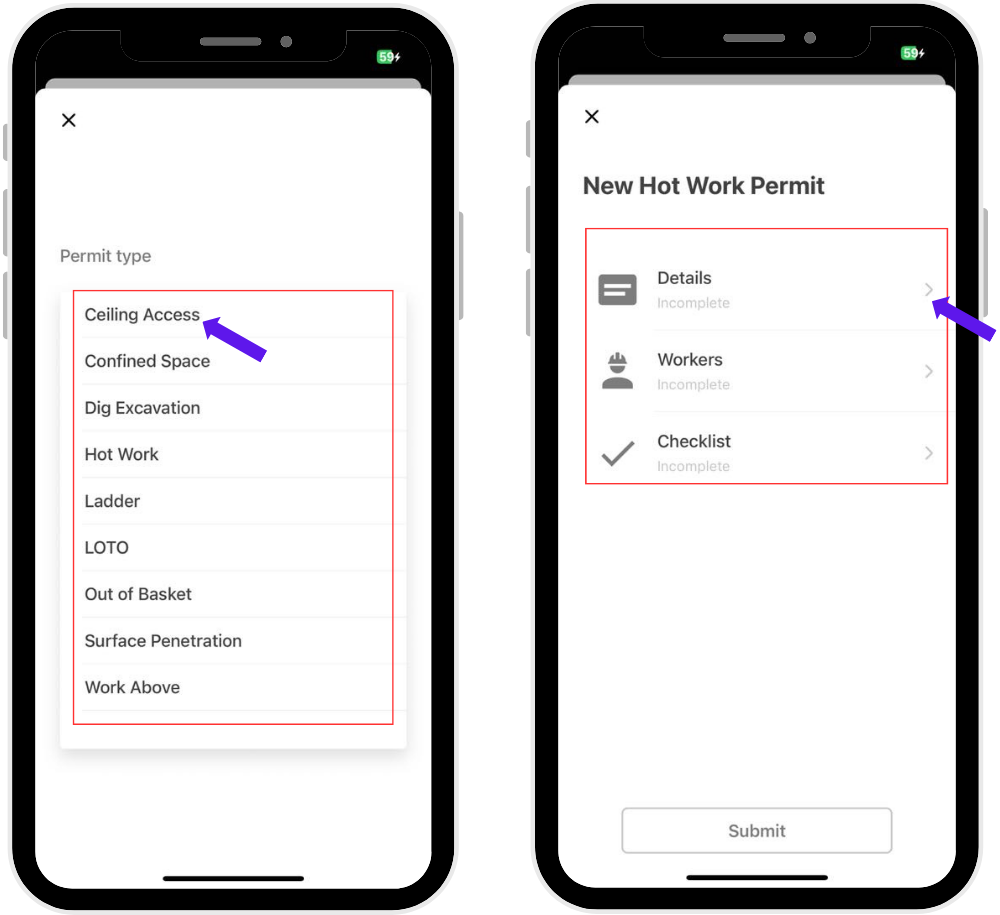
3. Fill out the required information:
Date and time work will start
Duration of work
Location of work
Description of work
Indicate if there are any special precautions or hazards (select Yes or No)
Tap “Done”
4. Select Workers.
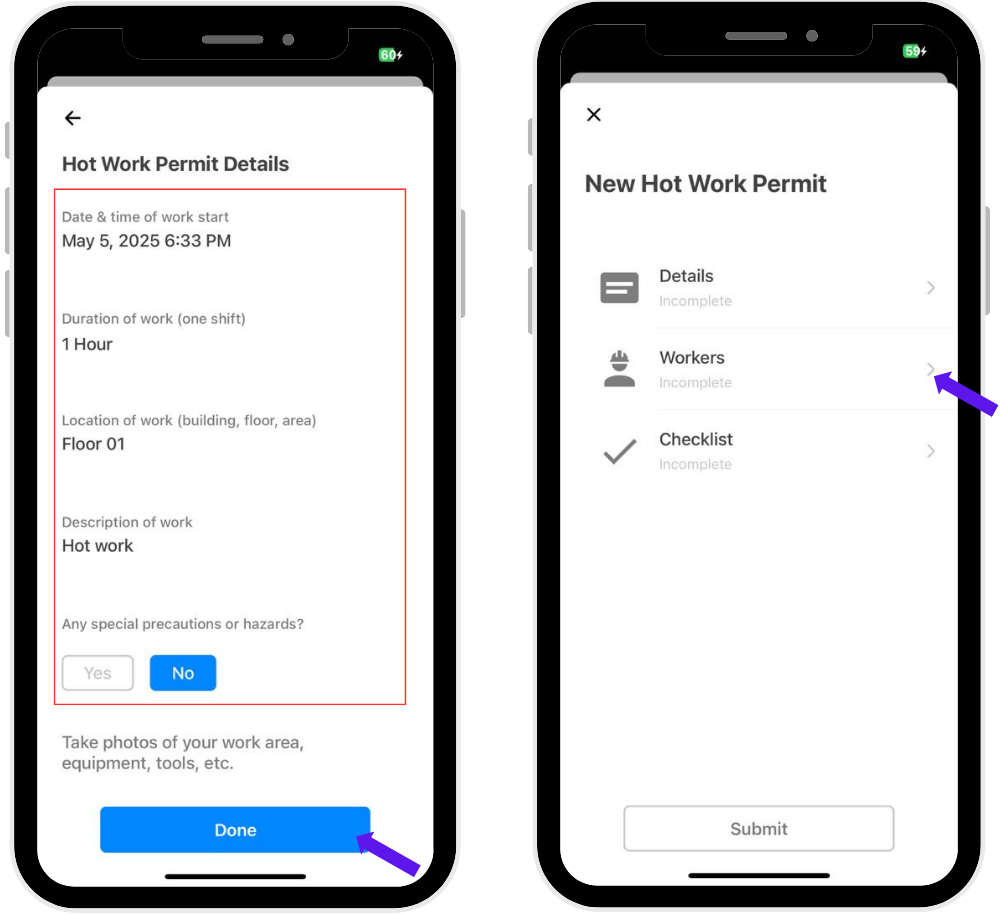
5. Select the Supervisors, Fire Watch personnel, and workers performing the task.
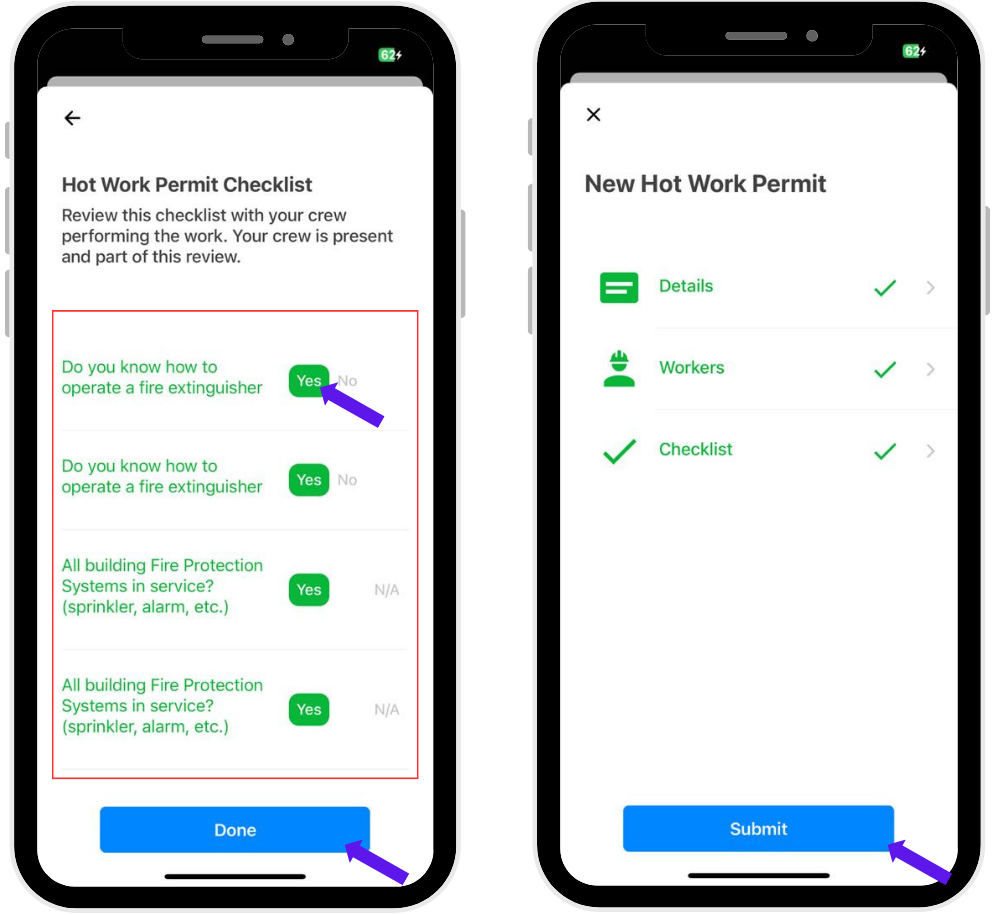
6. Tap “Checklist.”
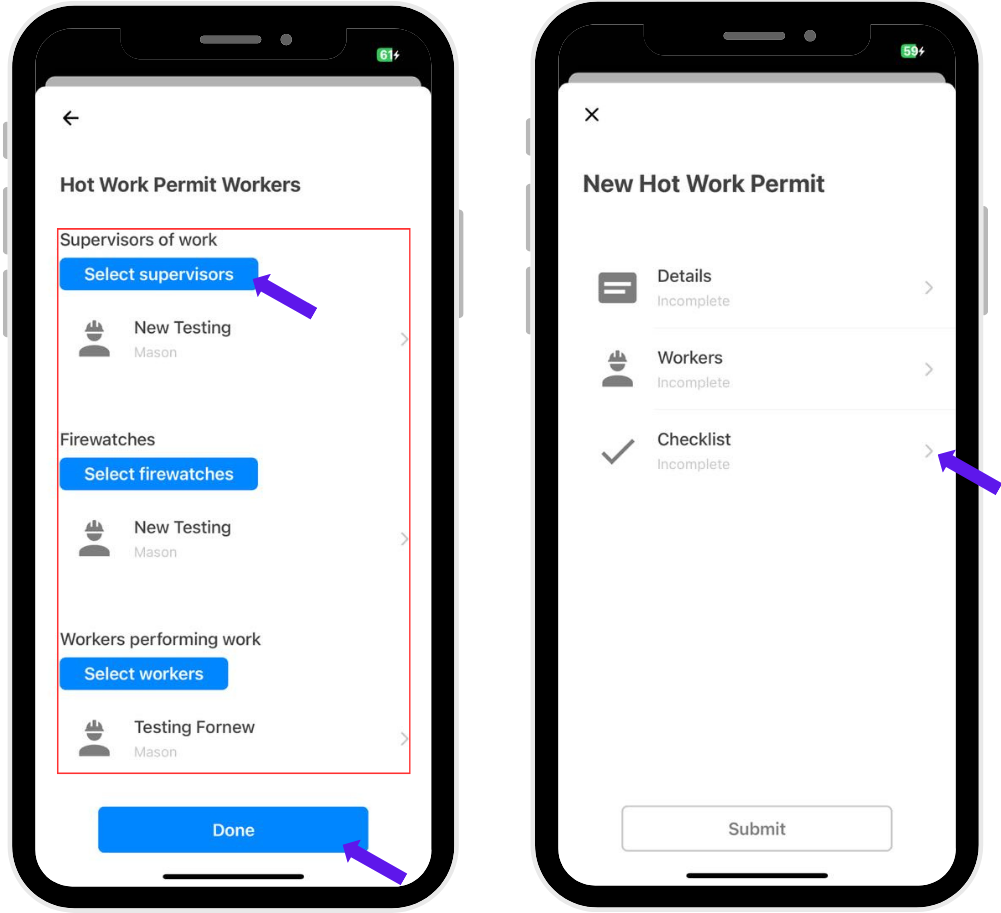
7. Review all checklist questions, then tap “Done” and hit “Submit.”
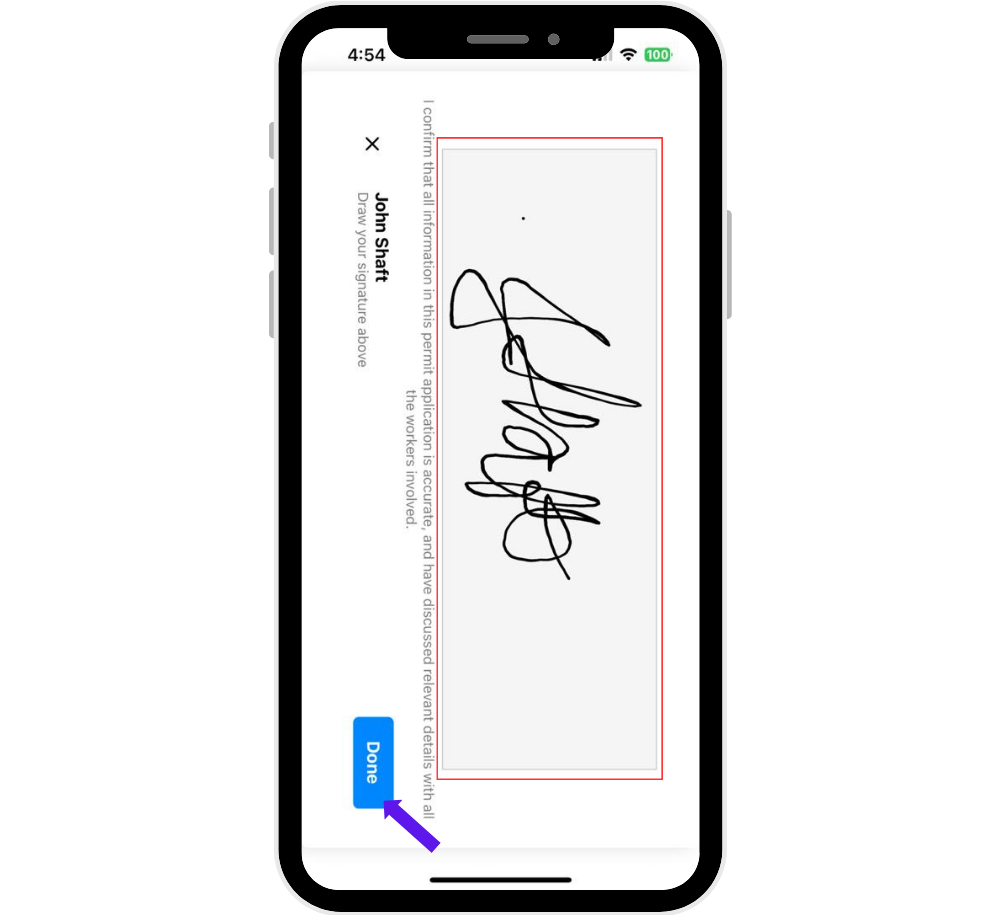
8. Sign the permit and tap “Done” to complete the process.
Was this article helpful?
That’s Great!
Thank you for your feedback
Sorry! We couldn't be helpful
Thank you for your feedback
Feedback sent
We appreciate your effort and will try to fix the article