How to Close Permits
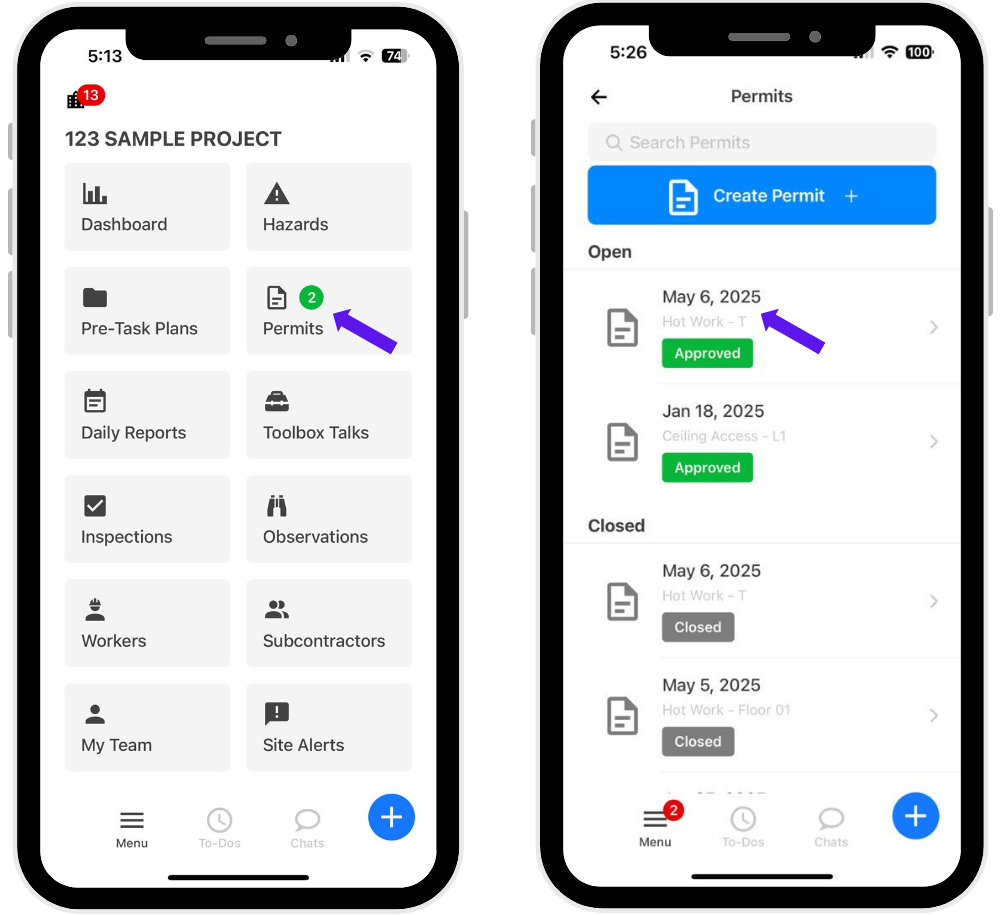
1. Click on Permits from the main menu and select the open permit(s) you want to close.
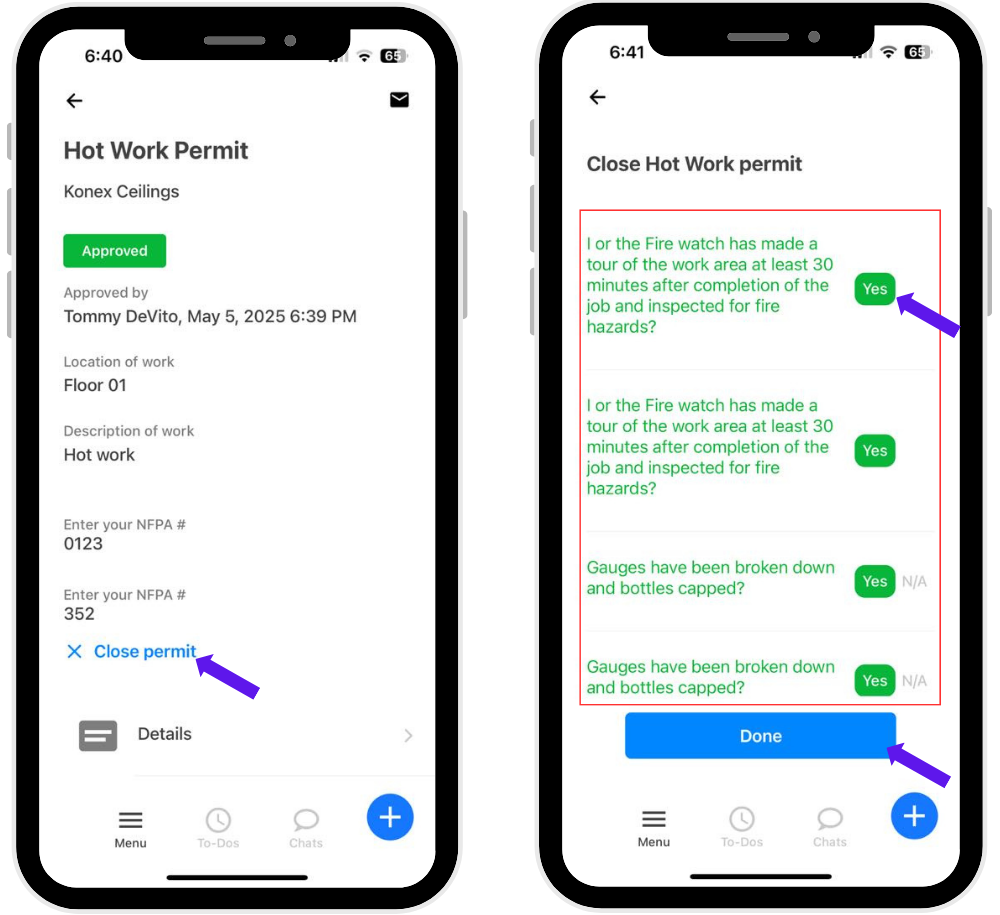
2. Click the Close Permit button and review and answer all required questions, then click Done to complete the process.
Was this article helpful?
That’s Great!
Thank you for your feedback
Sorry! We couldn't be helpful
Thank you for your feedback
Feedback sent
We appreciate your effort and will try to fix the article