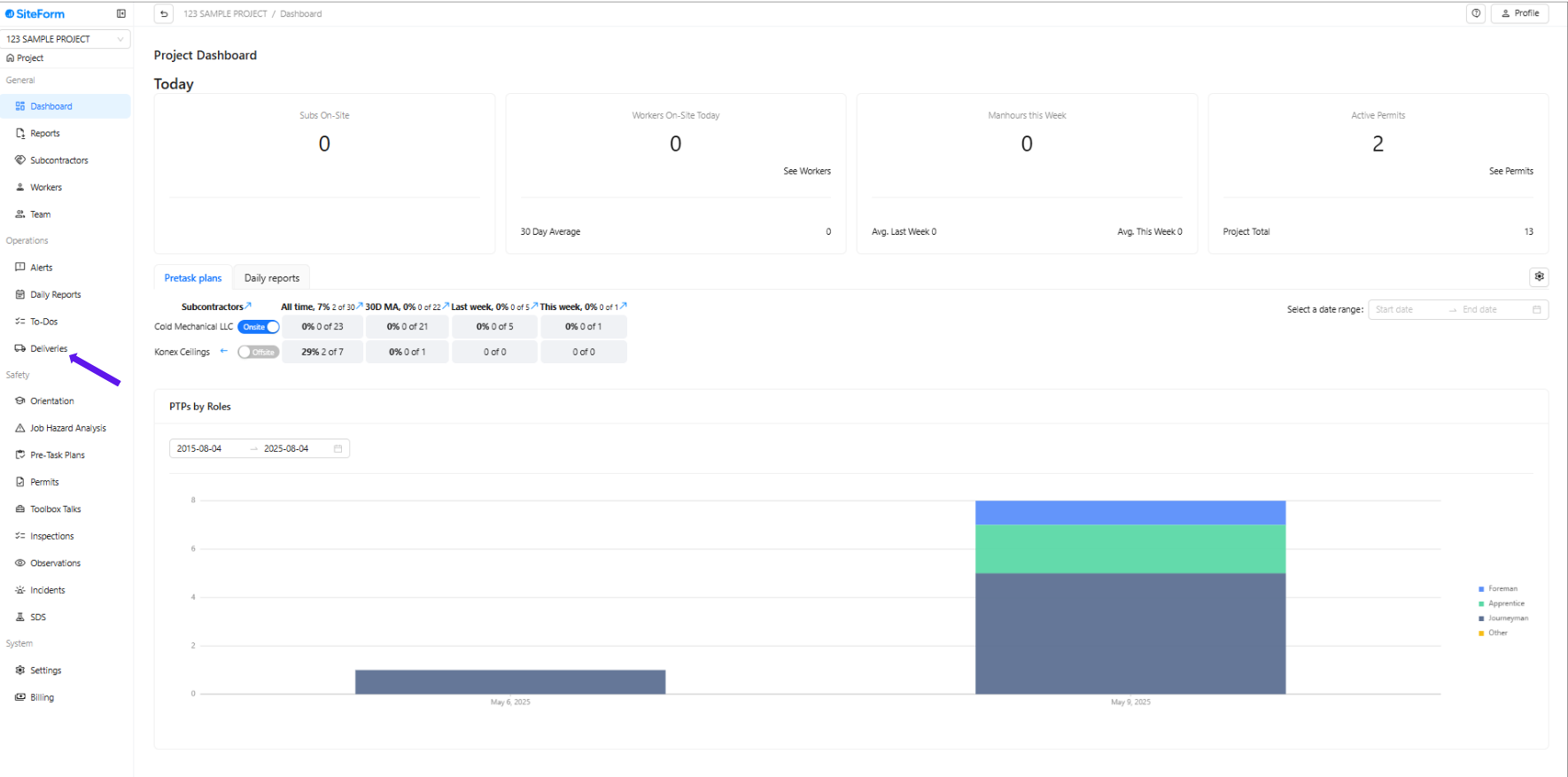
1. Navigate to the left-hand menu and click on Deliveries.
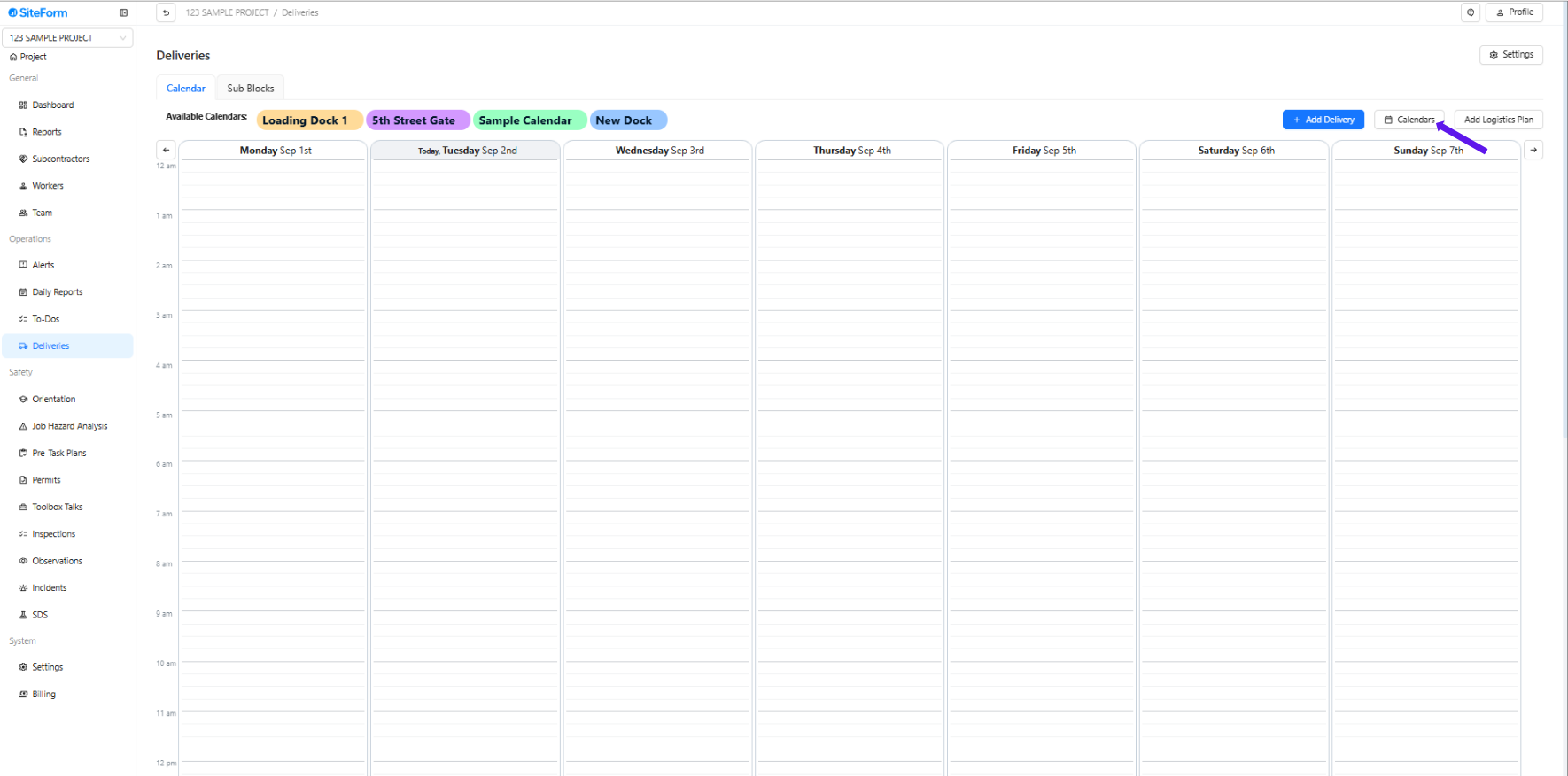
2. Click the Calendars.
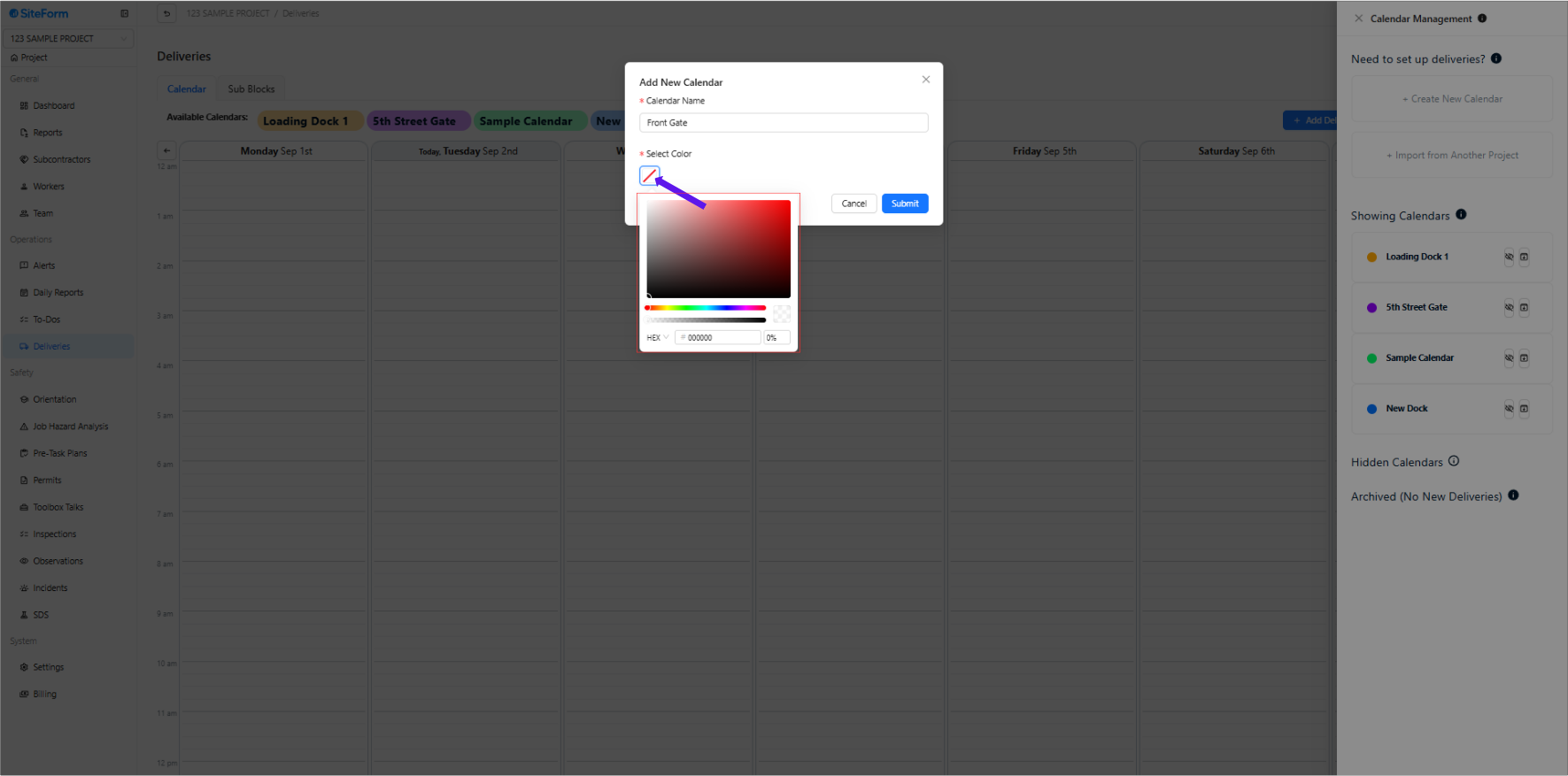
3. Click Select Color and customize the color you want for the calendar.
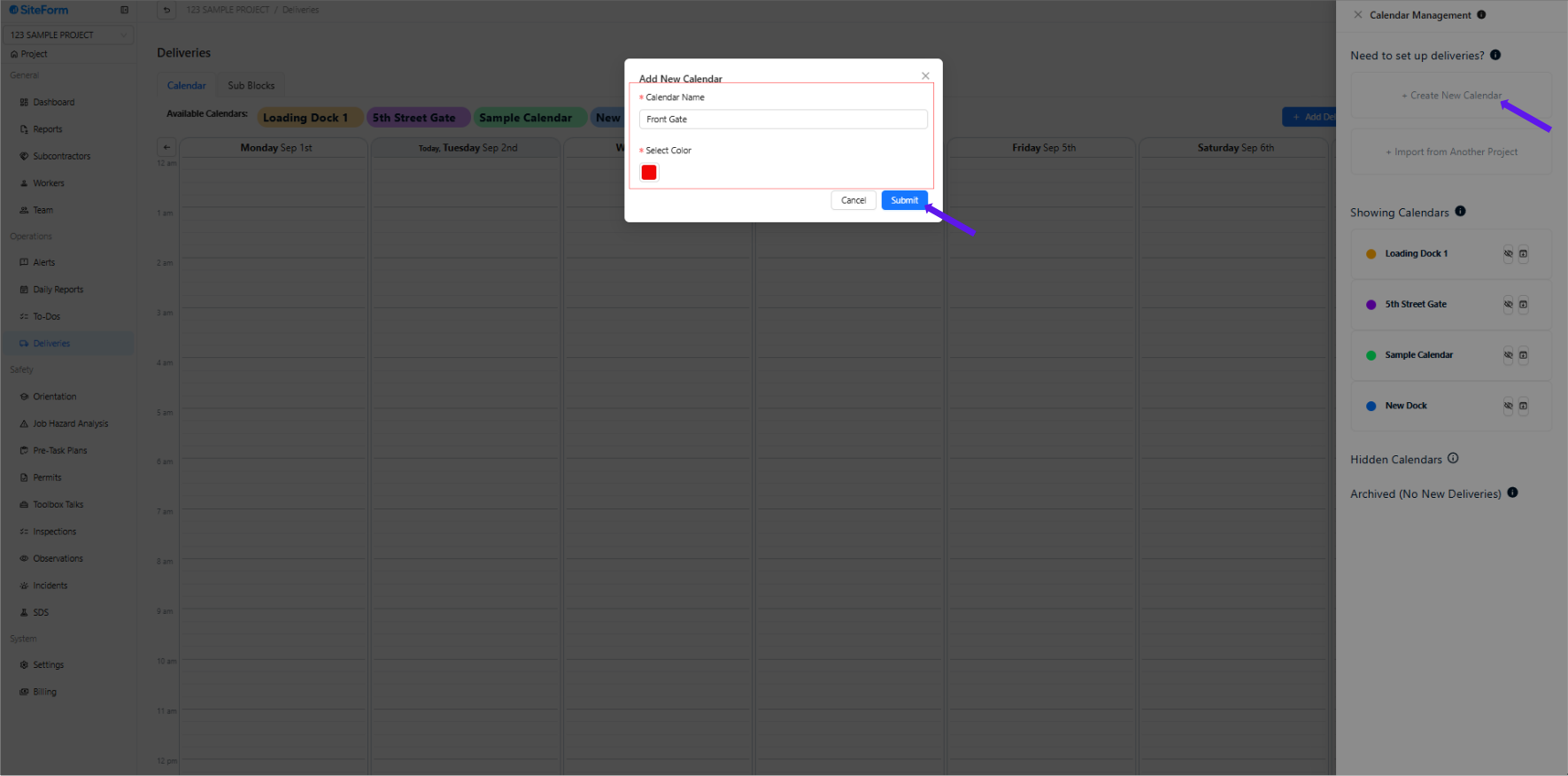
4. Fill in the calendar name and select a color. Click Submit.
To import a calendar into another project, follow these instructions:
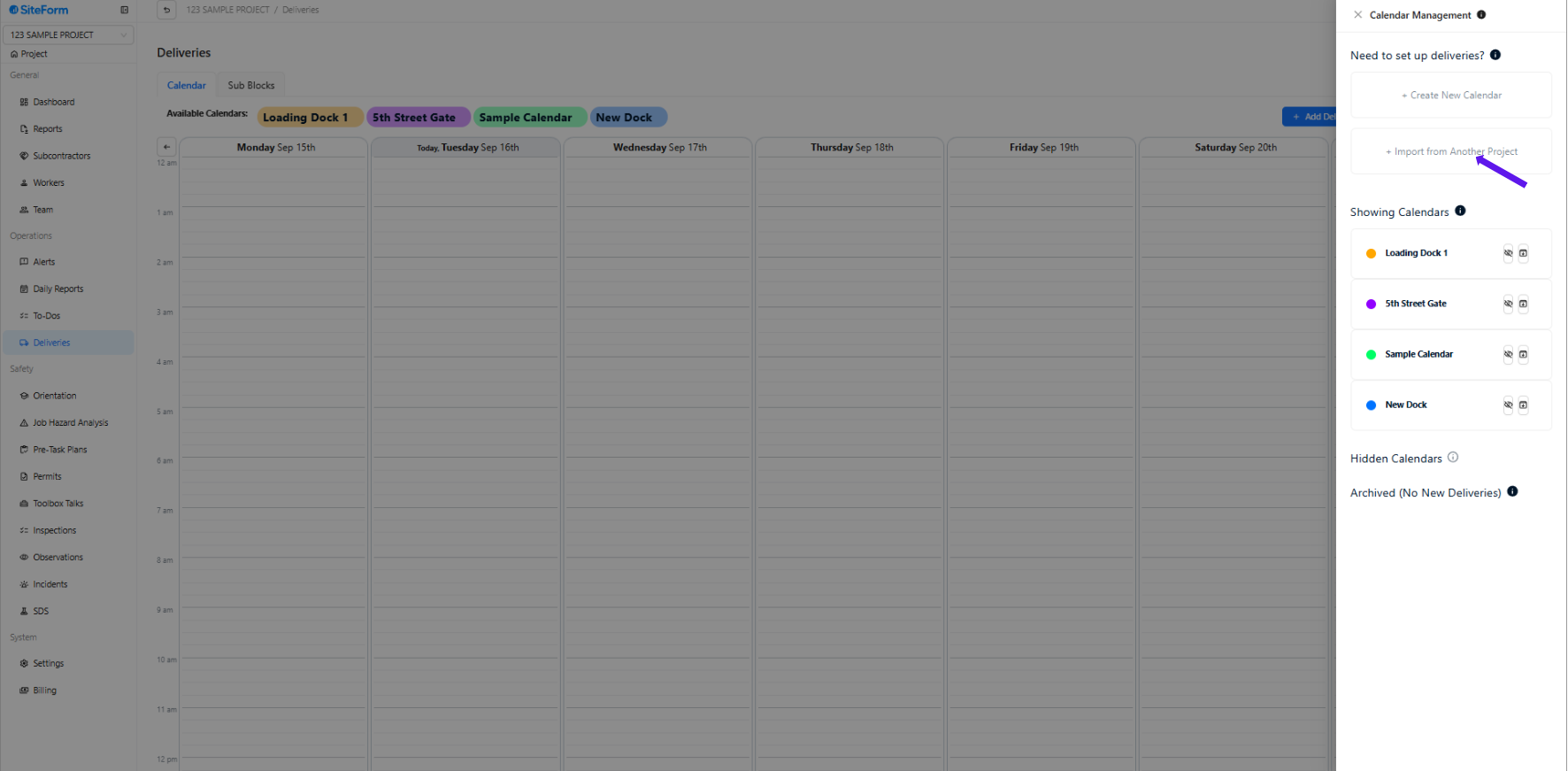
1. Click Import from another project.
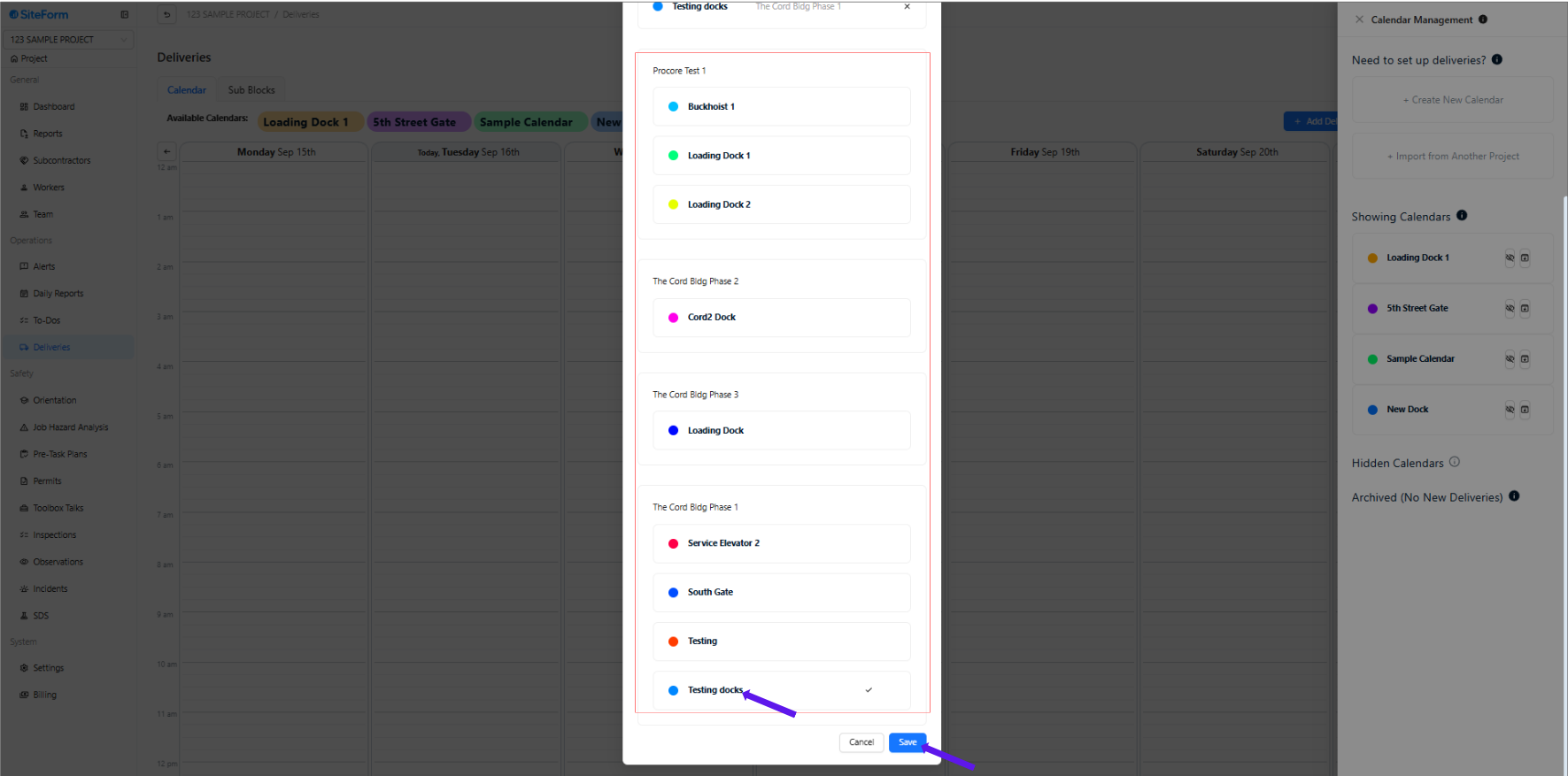
2. Select the calendars you need to import from another account. Click Save.
Was this article helpful?
That’s Great!
Thank you for your feedback
Sorry! We couldn't be helpful
Thank you for your feedback
Feedback sent
We appreciate your effort and will try to fix the article