How to Add a Job Hazard Analysis (JHA)
Introduction
A Job Hazard Analysis (JHA) is a vital document that outlines potential hazards related to a specific job or task and identifies control measures to mitigate those risks. Within the Site Form app, uploading a JHA ensures that your safety documentation is properly stored, accessible, and linked to the correct project and subcontractor. This guide walks you through the simple steps to add a JHA using the SiteForm platform.
Step-by-Step Guide to Upload a JHA in SiteForm
Step 1: Go to the Project
On the left-side menu bar, click on "Project".
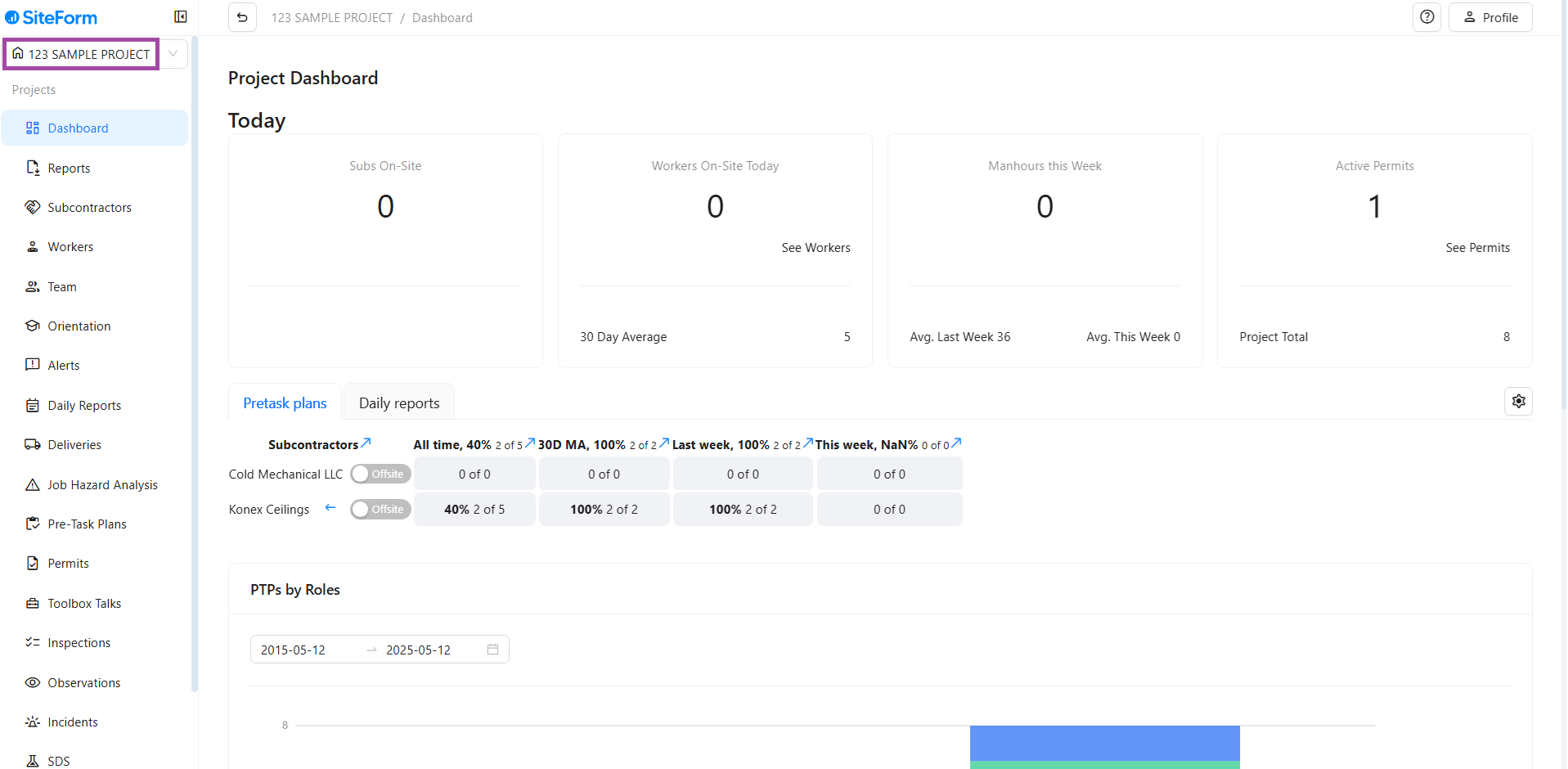
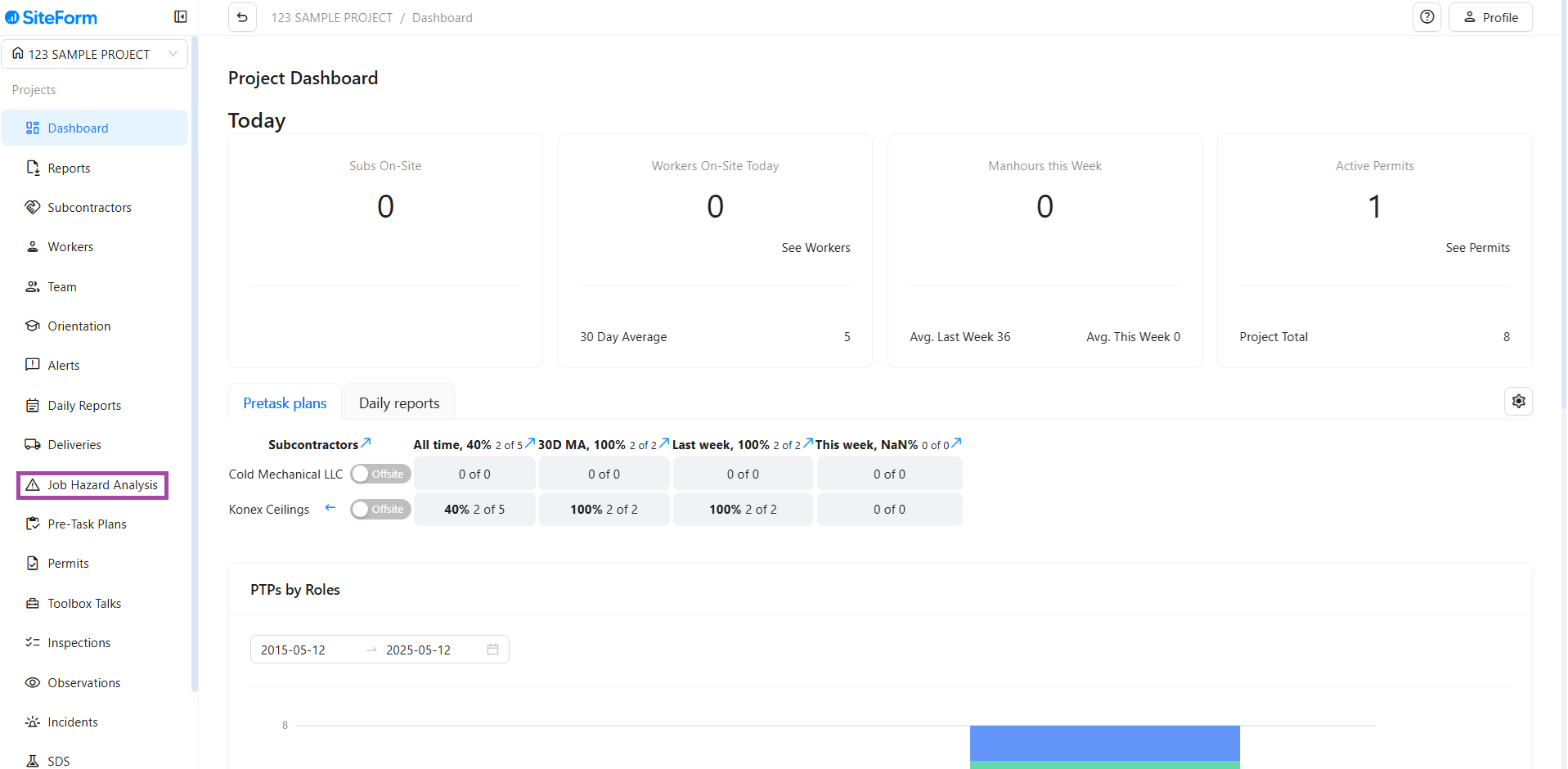
Step 2: Click on Job Hazard Analysis
- Using the left-side menu, scroll down and select “Job Hazard Analysis”.
- This section displays any existing JHAs uploaded under your project.
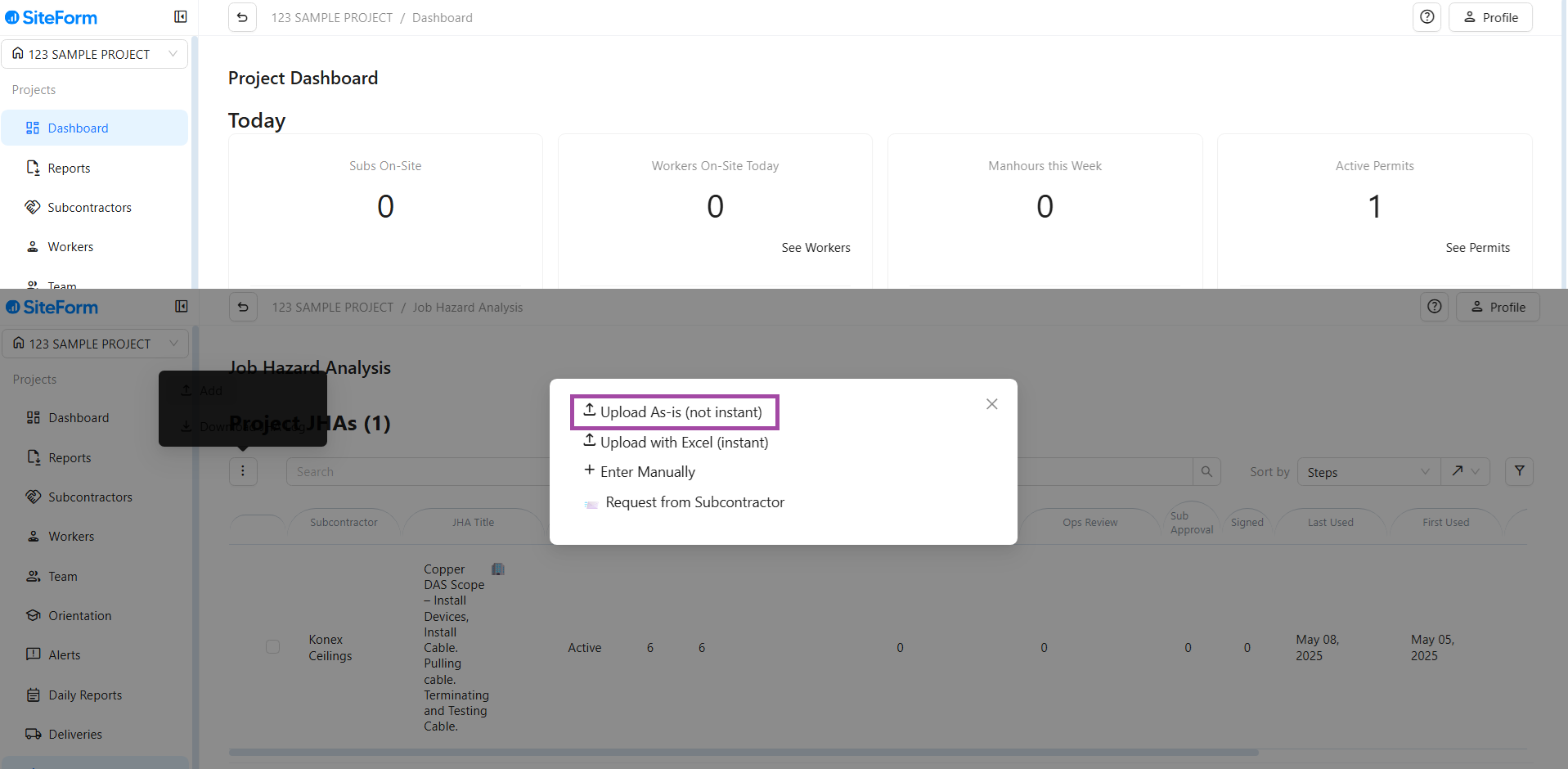
Step 3: Click the Three Dots (Options Menu)
- In the top-left just below Project JHAs, click the three dots (⋮).
- A pop-up bar will appear.
- Choose the option “(Upload As Is – Not Instant)”.
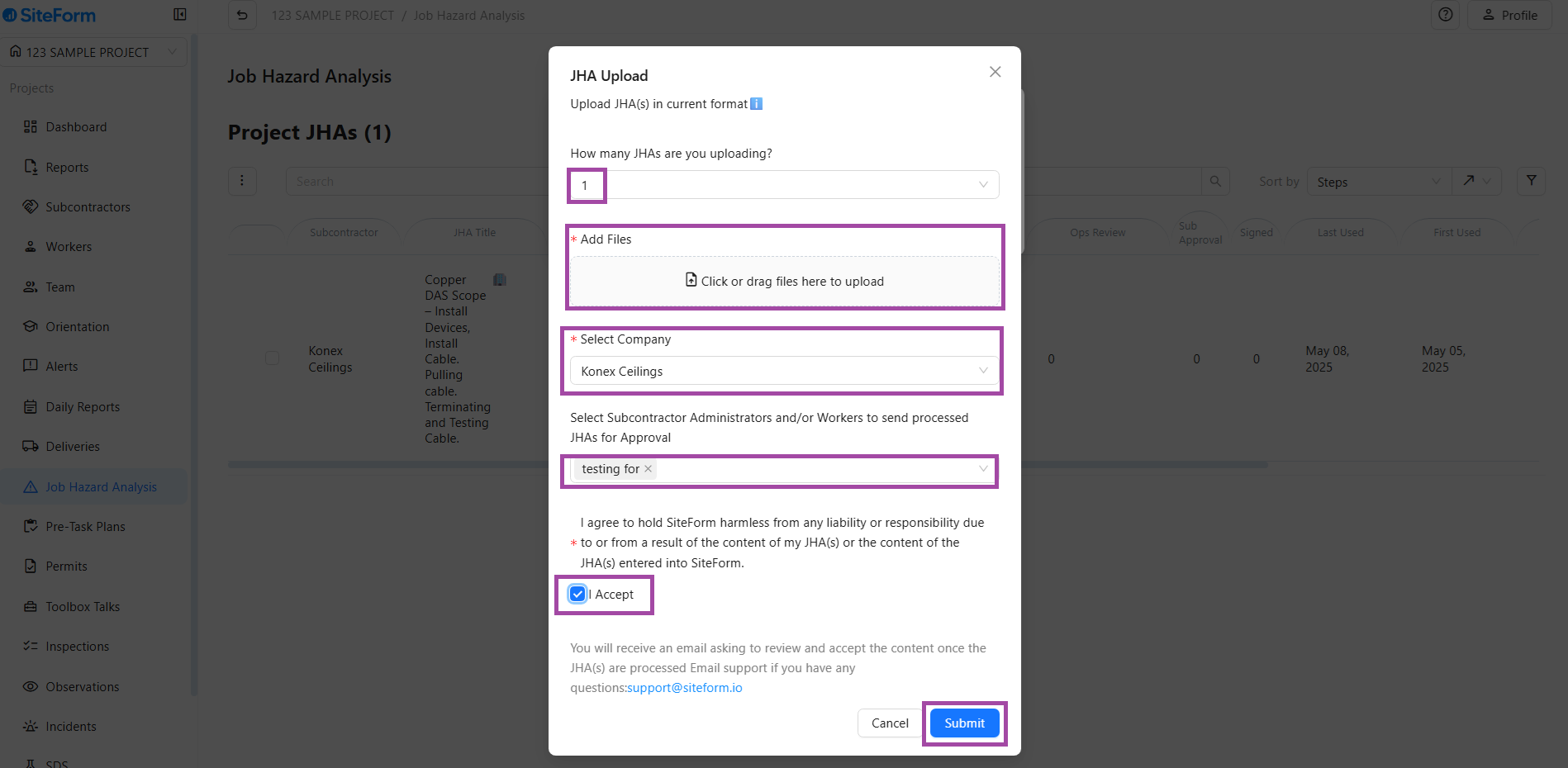
Step 4: Fill in the Required Tabs
A form will appear with several tabs to complete. Fill up necessary details:
- How many JHAs are you uploading?
- Enter the number of JHA files you are uploading.
- Add Files
- Upload your prepared JHA documents (PDF, Word, etc.).
- Select the company associated with the JHA you are uploading.
- Check the box to confirm that the information is accurate and you are authorized to upload it.
- After reviewing everything, click “I Agree and Sub” to complete the process.
Uploading a Job Hazard Analysis in the SiteForm app is a quick and efficient way to ensure safety compliance on your job site. By following the above steps, you can make sure each task is assessed for risks and proper documentation is in place for all subcontractors. Keeping your JHAs up to date not only promotes a safe work environment but also helps streamline safety audits and inspections.
Safety starts with planning—make JHA uploads a part of your routine with SiteForm.
Was this article helpful?
That’s Great!
Thank you for your feedback
Sorry! We couldn't be helpful
Thank you for your feedback
Feedback sent
We appreciate your effort and will try to fix the article